The AMM Distro mobile app
There's an AMM Distro app for iPhone and Android. If you have the app, you can use it to check on your music away from a computer: release status, streams, money, notifications, smart links and TikTok sound claims. You build and edit releases on the web at ammdistro.com.
Sign in
Use the same email address you use on ammdistro.com. There's no password.
- Enter your email and tap Email me a code.
- We email you a 6-digit code and an Open AMM Distro button. Type the code in the app, or tap the button in the email on your phone.
If the app shows Continue with AMM, you can use that to sign in with your AMM account instead. Sign in with a code instead takes you back to the emailed code.
Codes last 15 minutes. If you see "That code isn't right." or "This code has expired. Request a new one.", ask for a new code. After 5 wrong tries on one code you'll need a new one, and you can request up to 5 codes in 15 minutes.
You stay signed in on the app for 60 days.
What you can do in the app
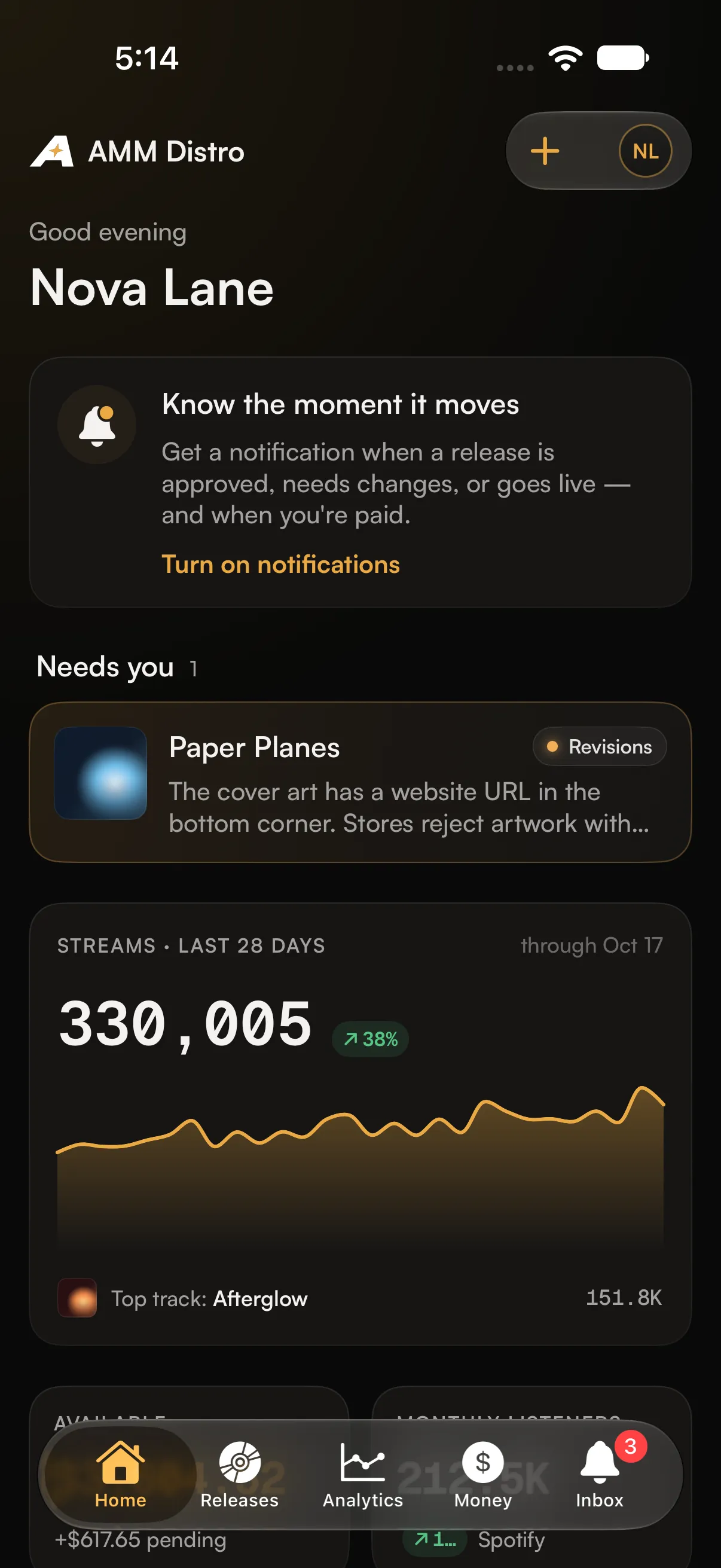
- Home: the releases that need you (for example, revisions requested), your streams for the last 28 days, your balance and what's coming up.
- Releases: every release with its status, filtered by All, Out, In progress and Drafts, plus search. Open a release to see where it is, our review notes, its tracks, stores and streams.
- Analytics: streams from all stores, and Spotify for Artists numbers on their own separate tab. The two are never added together.
- Money: your balance, totals, payout method, earnings by store and recent activity.
- Inbox: your notifications. Mark them read one at a time or all at once.
- Smart links: your release links, ready to copy or share.
- TikTok claims: add a TikTok sound link to a release's claims. You can also share a sound straight from the TikTok app to AMM Distro, or use the app's home-screen shortcut.
- Switch accounts: if you belong to more than one account.
What stays on the web
These are done at ammdistro.com, and the app links you there:
- Creating, editing or resubmitting a release
- Royalty splits and agreements
- Tax forms and payout setup
- Downloading statements
- Requesting changes to a live release
- Connecting AI assistants
Push notifications
The app can notify you when a release is approved, needs changes, is delivered or goes live, when you're paid, and about your TikTok claims. Tap a notification to open the release or screen it's about. The number on the app icon is your unread count.
Common questions
I didn't get the sign-in code
Check spam, and make sure you typed the email you use on ammdistro.com. AMM Distro is invite-only, so the app can only sign you in with an email that has an account.
My numbers in the app look different from the website
Check you're in the same account on both. The app's Home shows the last 28 days, so pick the same range on the website to compare.
Can I turn off some notifications but not others?
On Android, yes, in your phone's notification settings for AMM Distro. On iPhone, turn the app's notifications on or off in Settings. To change which emails you get, use Settings → Notifications on the web.
Related: Change your name, email or notification settings · Switch between accounts · Read your analytics · Claim a TikTok sound for your release
Updated on: 23/10/2026
Thank you!