Add team members and choose their role
You can give other people access to your AMM Distro account, such as a manager, a bandmate or someone at your label. Each person signs in with their own email and gets one of three roles: Admin, Member or Viewer.
What each role can do
Role | What they can do |
|---|---|
Admin | Full access: manage team, releases, royalties, and account settings. |
Member | Can create and edit releases, view analytics, but cannot manage team or billing. |
Viewer | Read-only access to releases and analytics. Cannot make any changes. |
The person who created the account is its owner. Only Admins can invite people, change roles or remove someone.
Invite someone
- Go to Settings and open Team Members.
- Click Invite Member.
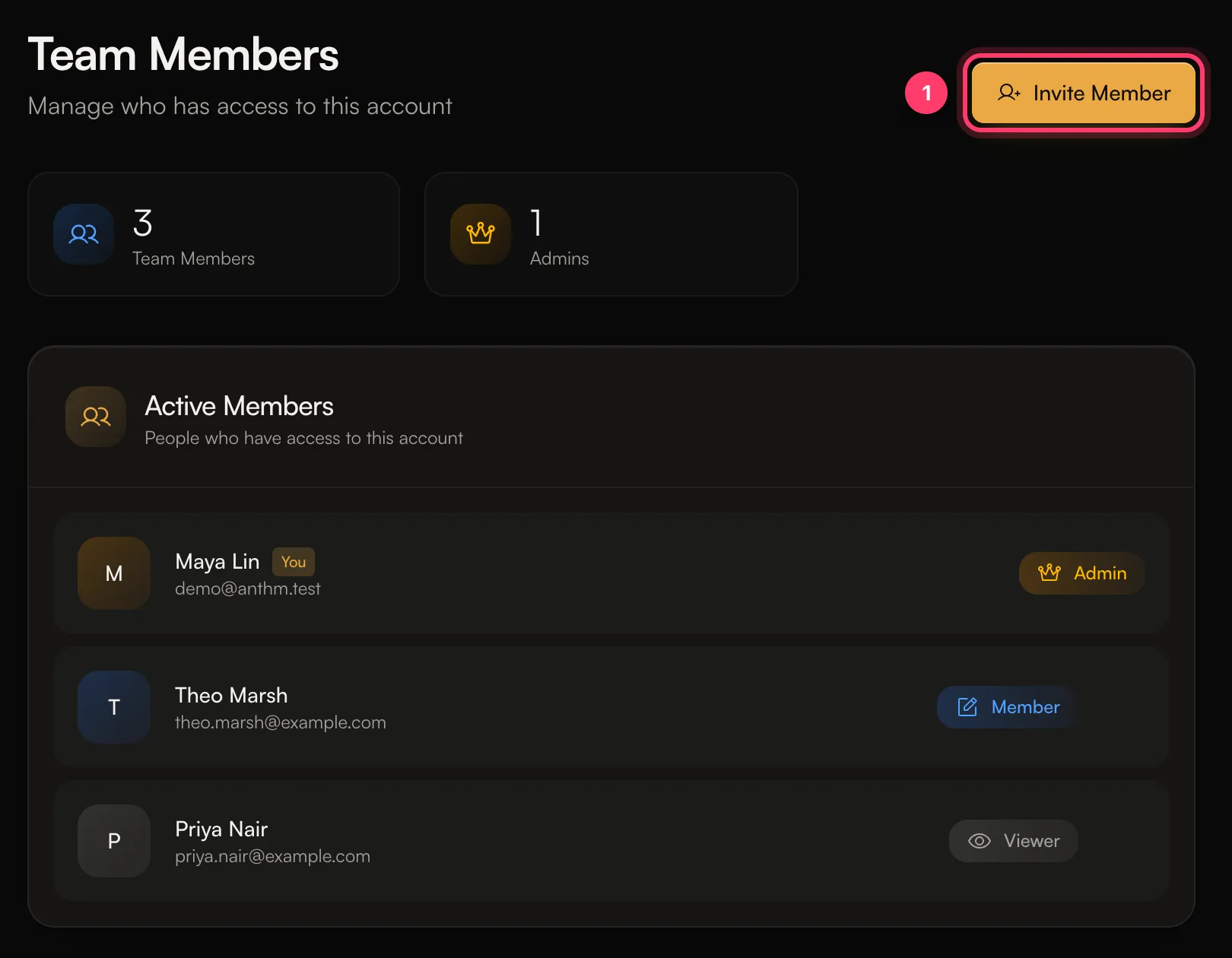
- Enter their Email Address. Name (Optional) is only for your reference.
- Pick a Role: Admin, Member or Viewer.
- Click Send Invitation.
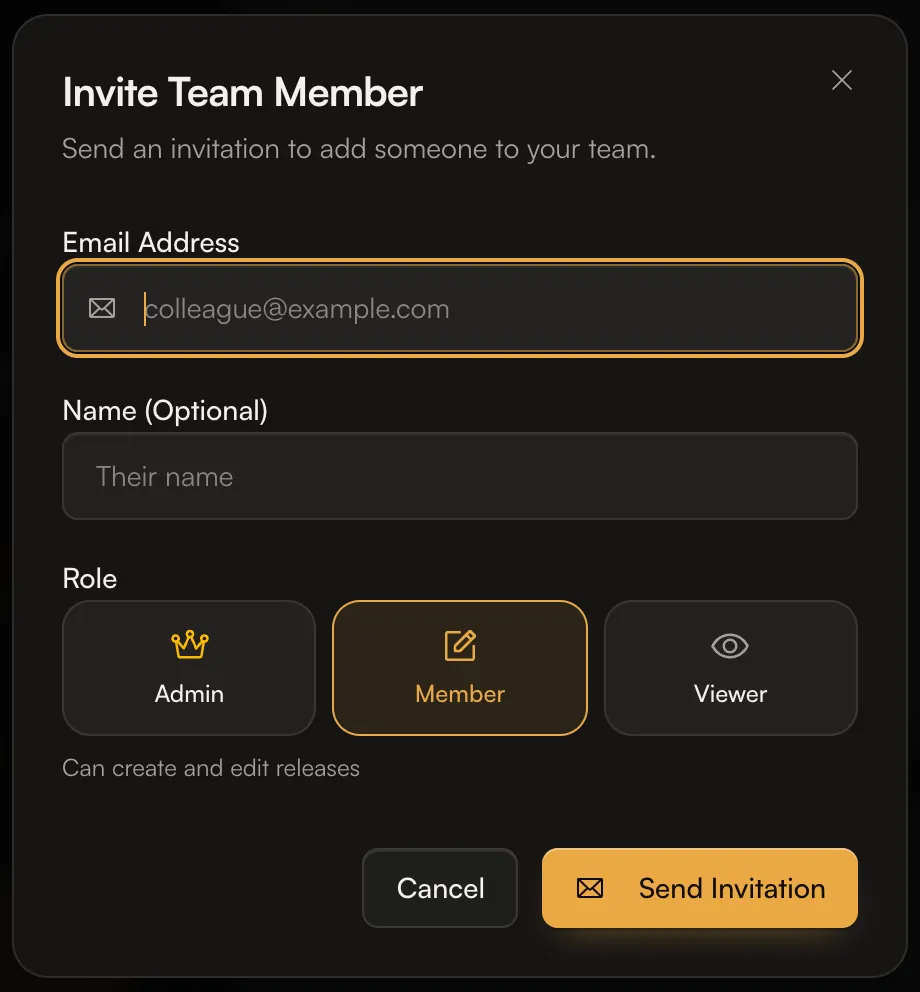
We email them a link to accept. If they don't have an AMM Distro login yet, the link creates one. They need to sign in with the same email address you invited.
Change a role or remove someone
- On Team Members, click the ... menu next to the person.
- Under Change Role, pick Admin, Member or Viewer. The change applies straight away.
- To take away their access, choose Remove from team and confirm.
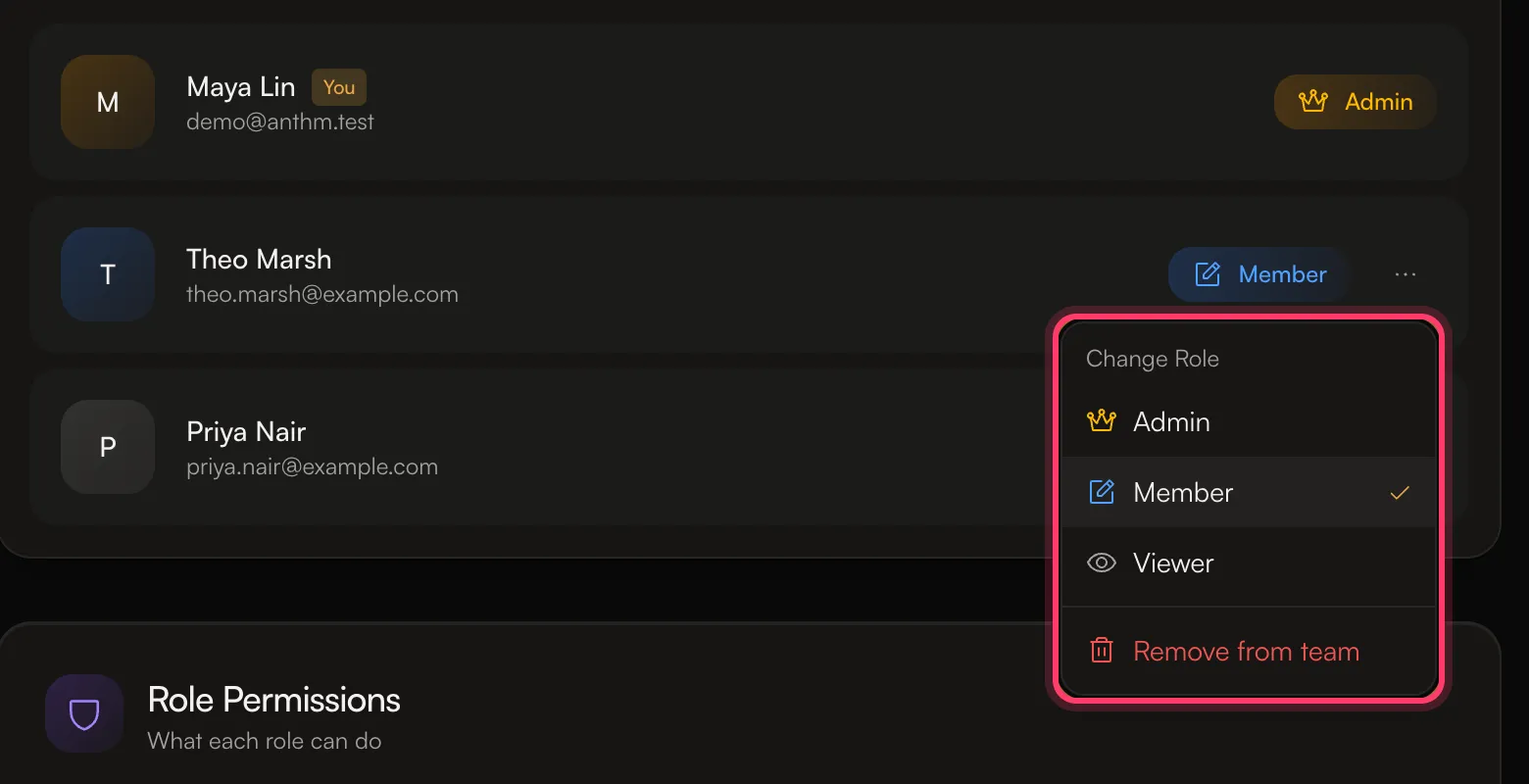
A removed person loses access to this account immediately. You can invite them again later. You can't remove yourself.
Common questions
The invitation says "Email does not match invitation"
The person is signing in with a different email from the one you invited. Ask them to use the invited address, or send a new invitation to the email they use.
I see "Pending invitation already exists for this email"
That person already has an invitation waiting. Ask them to check their inbox and spam folder.
I see "User is already a member of this account"
They already have access. Change their role from the ... menu instead.
Can a team member see my earnings?
Admins have full access to the account. Members and Viewers can see releases and analytics. Give the Admin role only to people you trust with your money and settings.
Do team members get paid royalties?
No. Being on the team gives access to the account. To pay someone a share of a track, set up a royalty split on the release.
Related: Switch between accounts · Manage artists on your label (sub-accounts) · Split royalties with collaborators
Updated on: 23/10/2026
Thank you!