Split royalties with collaborators
You can share a track's royalties with producers, writers, featured artists or anyone else who worked on it. Add them on the release's Royalties tab, and we email them an invitation. Once they accept, we pay their share to them directly.
How the percentages work
A split divides the artist share of a track's earnings: what's left after the label's or platform's share. Each collaborator gets their percentage of that, and anything not allocated goes to the account owner.
For example, if a track earns $100 and the artist share is $80, a collaborator with 20% receives $16 and the account owner receives $64.
Add a collaborator
- Open Releases, click the release and open the Royalties tab.
- Click a track to expand it.
- Click Add Collaborator.
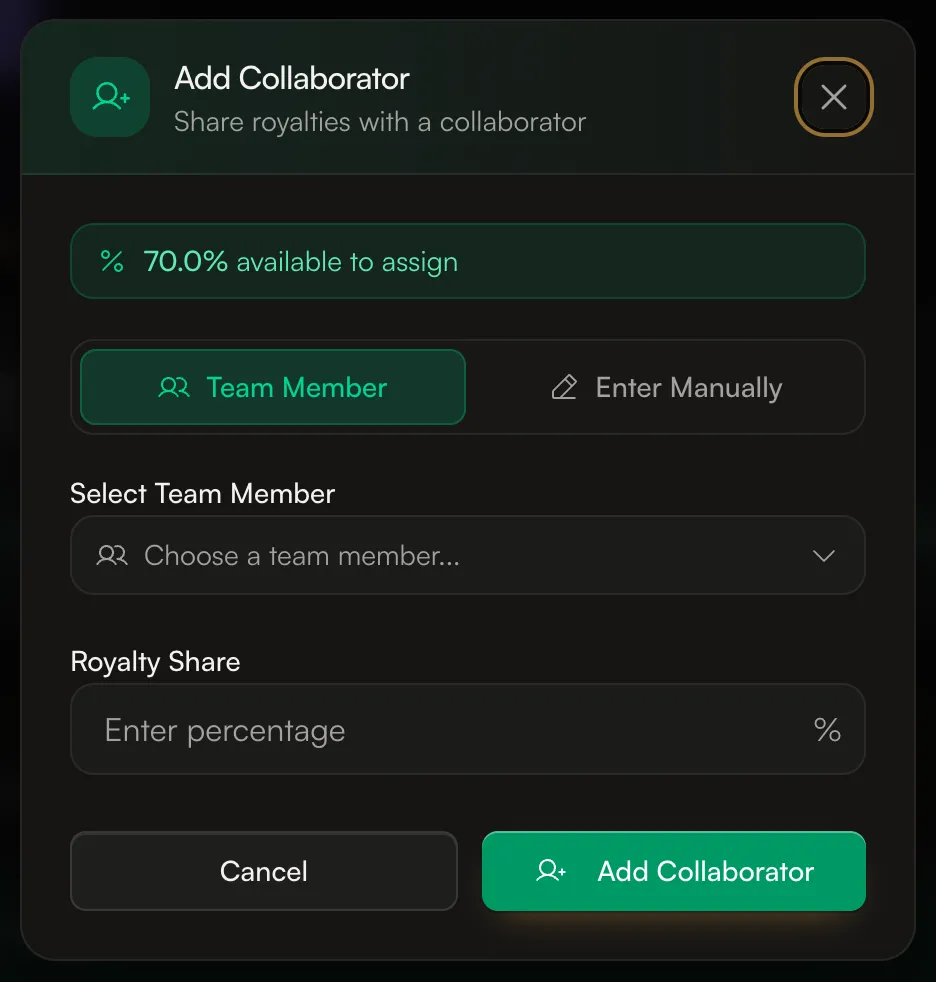
- Choose Team Member to pick someone on your account, or Enter Manually to add someone by Collaborator name and Email address.
- Enter their Royalty Share as a percentage. The window shows how much is still available to assign.
- Leave Royalty recipient only ticked if they should only receive payments. Untick it if they should also get access to the account as a collaborator.
- Click Add Collaborator, then Save Changes. We email them an invitation.
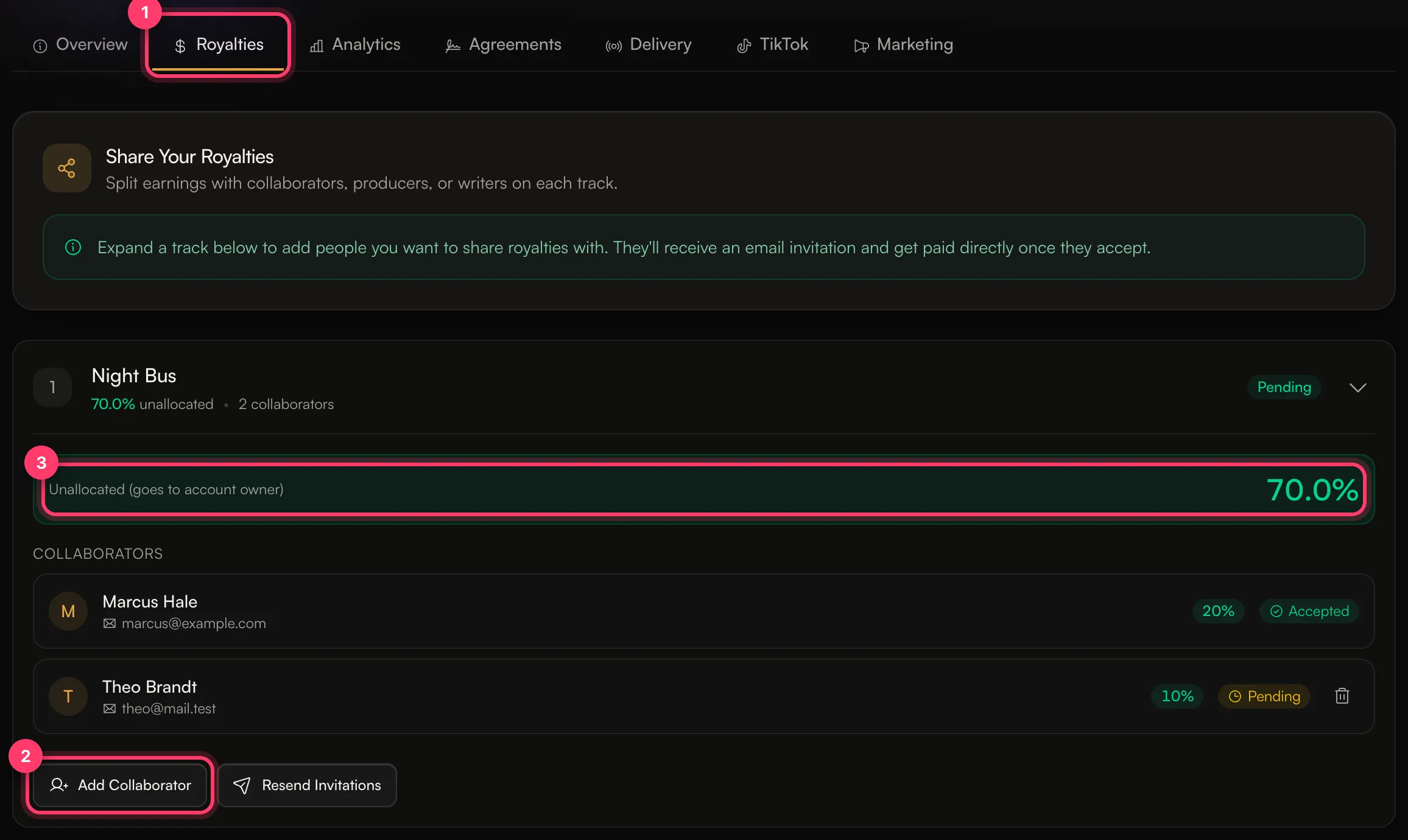
Each collaborator shows Pending until they accept, then Accepted.
Same split on every track
To reuse a split, expand another track and click Copy from Track. On a release with several tracks, you can also click Apply to All Tracks on a track with saved splits.
Until a collaborator accepts
Their share keeps going to the account owner until they accept. It isn't held for them, so make sure they accept soon. If someone doesn't have an AMM Distro account, their invitation expires after 70 days.
- To send the emails again, click Resend Invitations.
- To remove someone who hasn't accepted, click the delete icon next to them.
Common questions
Can the percentages add up to more than 100%?
No. Splits can't go over 100% of the artist share. You'll see "Recipient percentages cannot exceed 100%" if you try.
Does a collaborator need an AMM Distro account?
They need to accept the invitation, which creates a collaborator login if they don't have one. Collaborator accounts can see their splits and payments, and get paid. See Accept a royalty split invitation.
Do collaborators pay the same processing fee?
Each person's payout has a small processing fee taken from it. See Payout fees.
I want the split in a signed agreement.
Use a collaborator agreement. When everyone signs, the shares become royalty splits automatically. See Collaborator agreements.
Does this split songwriting (publishing) royalties?
No. These splits divide the earnings we pay for the recording. Songwriter credits are entered separately in the release builder.
Related: Accept a royalty split invitation · Collaborator agreements · How earnings work · Advances and recoupment
Updated on: 23/10/2026
Thank you!