Download and read your royalty statement
You can download your royalty statement from the Money page as an Excel spreadsheet. It shows what you earned on every track, from every store and country, with the label's share and any splits already applied.
Download a statement
- All your earnings: click Download Statement at the top of the Money page.
- One month: under Earnings by Statement, click the spreadsheet icon next to the month.

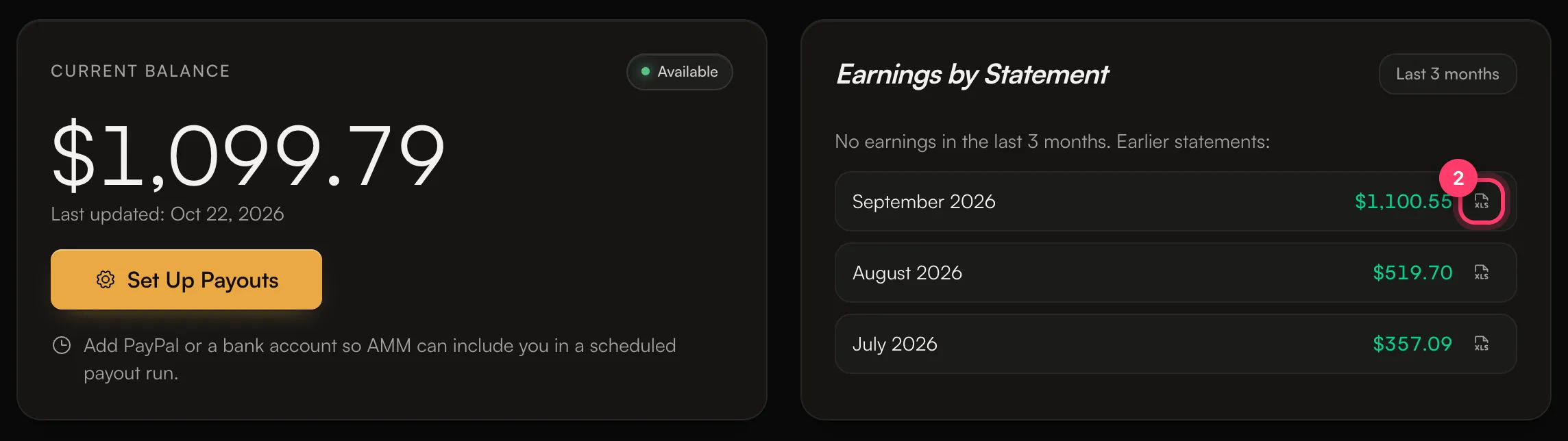
The file opens in Excel, Google Sheets or Numbers.
The Summary sheet
The top of the Summary sheet shows:
Row | What it means |
|---|---|
Recipient | Your name. |
Period | The month or months the statement covers. |
Currency | Always USD. |
Tracks | How many of your tracks earned in this period. |
Available balance | Earnings ready to be paid out. |
Pending (estimate, awaiting payment) | Estimated earnings from statements paid in a foreign currency. See Statements paid in another currency. |
Already paid out | Earnings we've already paid you. |
Total earnings | All of the above added together. |
Below that is one row per track:
Column | What it means |
|---|---|
Track, Artist, Release, ISRC, Period | Which recording and which month. |
Streams | Streams reported for the track in that period. |
Track revenue | What the stores paid for the track. |
Label cut % | The label's or platform's share, as set in your agreement. |
Artist share | What's left for the artist after the label cut. |
Your royalty split % | Your percentage of the artist share. It's 100% unless the track is split with collaborators. |
Your earnings | What you earned from the track. |
Status | Whether it's available, already paid, or pending. |
The Detailed sheet
The Detailed sheet has one row per store report line: Store, Territory (country), Sale date, Type, Units, Store revenue, Rate per unit, Your earnings and Your rate per unit, along with the track's UPC and ISRC.
Use it to see which stores and countries your money comes from. You can sort and filter it like any spreadsheet.
Common questions
Why is my per-stream rate different between stores and countries?
Each store pays a different amount, and the same store pays different amounts in different countries and for free and paid listeners.
My statement doesn't match my stream counts in Analytics.
Analytics is daily and a few days behind; statements are monthly and a month or two behind. See Why don't my streams match my earnings?
Something on my statement looks wrong.
Send us a message from the chat on this page, or email team@ammdistro.com, with the month, the track and what you expected to see.
Related: How earnings work · Statements paid in another currency · Split royalties with collaborators · Why don't my streams match my earnings?
Updated on: 23/10/2026
Thank you!