Set up payouts
To get paid, add a payout method on the Money page: PayPal (recommended) or a bank account. You only do this once. After that, we pay your balance automatically on a schedule; there's nothing to request.
Open the payout settings
- Go to Money.
- In the Getting paid checklist, click Add payout method. You can also click Set Up Payouts under your balance.
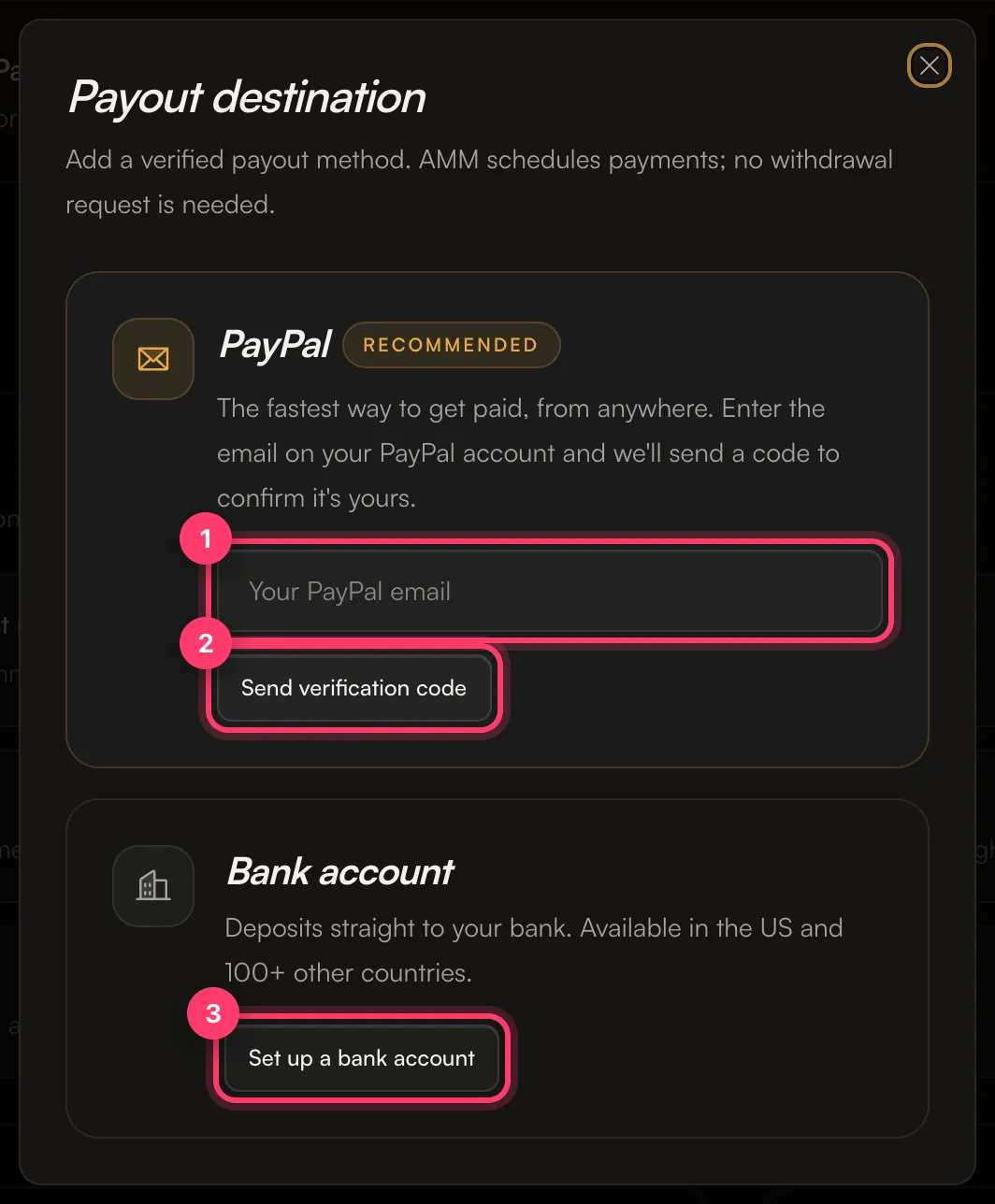
The Payout destination window opens.
Option 1: PayPal (recommended)
PayPal is the fastest way to get paid, from anywhere.
- Enter the email address on your PayPal account in Your PayPal email.
- Click Send verification code. We email a 6-digit code to that address.
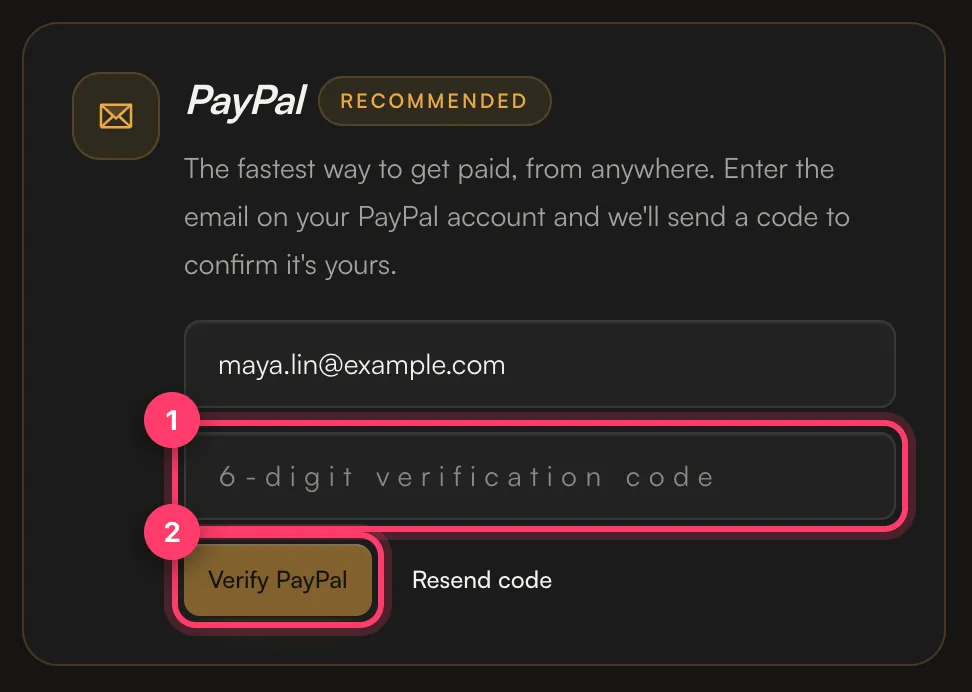
- Enter the code in 6-digit verification code and click Verify PayPal. If it didn't arrive, check your spam folder or click Resend code.
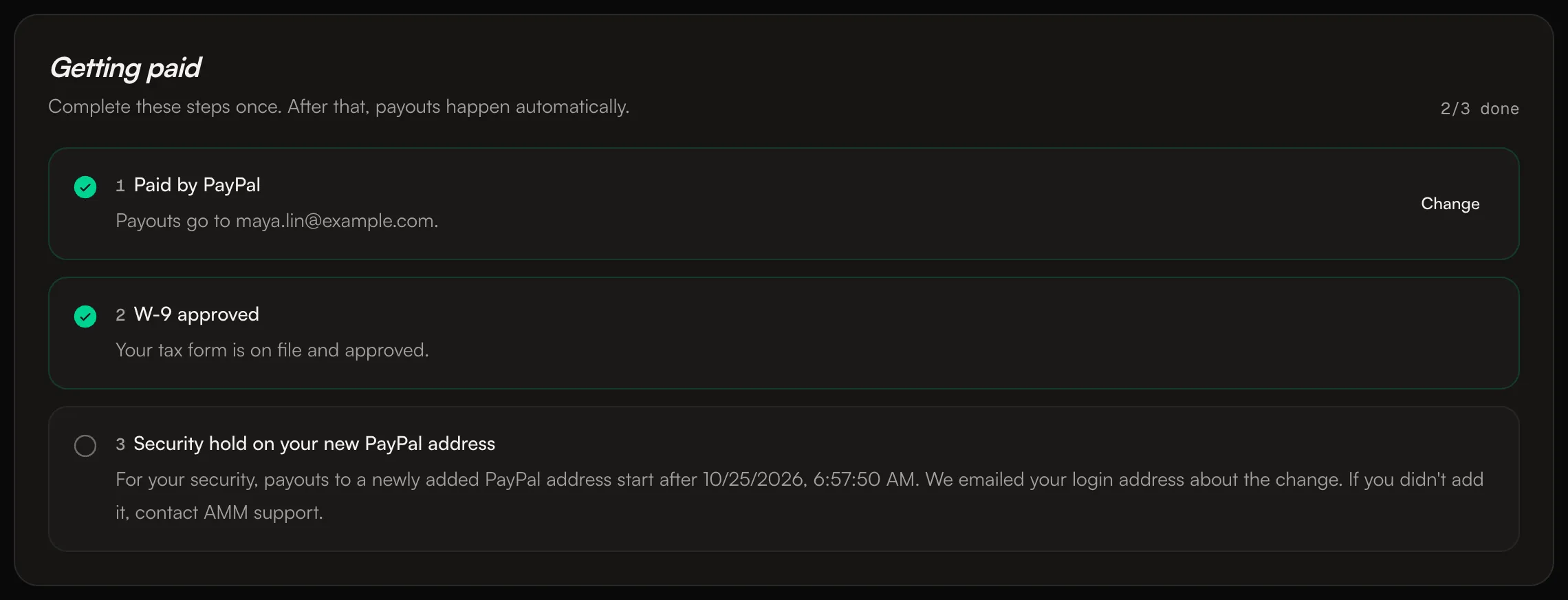
The checklist now shows Paid by PayPal with your address.
The 72-hour security hold
For your security, payouts to a newly added PayPal address start 72 hours after you add it. The checklist shows Security hold on your new PayPal address with the exact time payouts can start, and we email your login address about the change. If you didn't add the address, contact us right away.
Changing your PayPal email
Once your PayPal address is connected, you can't change it yourself. Send us a message from the chat on this page, or email team@ammdistro.com, and we'll help you change it.
Option 2: Bank account
Bank payouts are available in the US and 100+ other countries.
- In the Payout destination window, click Set up a bank account.
- Choose the country your bank is in. This can differ from your citizenship or tax status, and it can't be changed after setup.
- Follow the steps to verify your identity and add your bank details.
Your bank setup shows one of these statuses:
Status | What to do |
|---|---|
Setup in progress | Finish the remaining steps. |
Verification pending | Your details are being reviewed. Nothing to do. |
Action required | More information is needed before we can send a payout. Open the bank setup and complete it. |
Ready for bank payouts | You're set. |
Payout setup unavailable | Contact us so we can review your payout options. |
We pay in US dollars. If your bank account is in another currency, the amount is converted and deposited in your local currency. Deposits usually reach your bank within 2 business days.
If your country isn't in the list, or bank setup isn't available for your account yet, contact us about other options.
Which method is used
If you have both PayPal and a bank account set up, payouts go to PayPal unless you ask us to switch them to your bank. To switch, send us a message from the chat on this page, or email team@ammdistro.com.
After your payout method
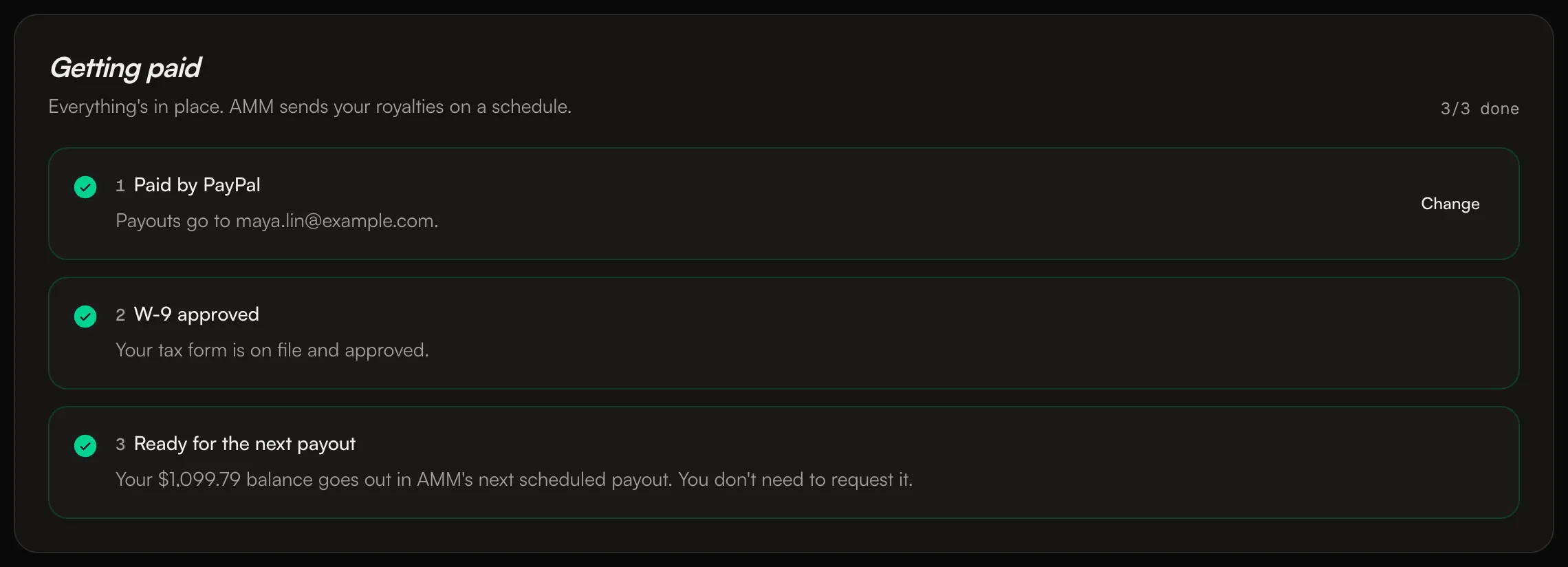
You also need an approved tax form before we can pay you. See Tax forms: W-9 and W-8BEN. When everything is done, the checklist shows Ready for the next payout.
Related: When do I get paid? · Payout fees · Tax forms: W-9 and W-8BEN · How earnings work
Updated on: 23/10/2026
Thank you!