Collaborator agreements
A collaborator agreement is a contract between you and someone who worked on your release, such as a featured artist, a producer, or the artist whose song you sampled. You fill it in from a template on the release, both of you sign it in AMM Distro, and any royalty share in it becomes a royalty split automatically. AMM Distro handles signing and payouts but isn't a party to your agreement.
Templates
- Open Releases and click the release.
- Open the Agreements tab.
- Click New agreement and pick a template.
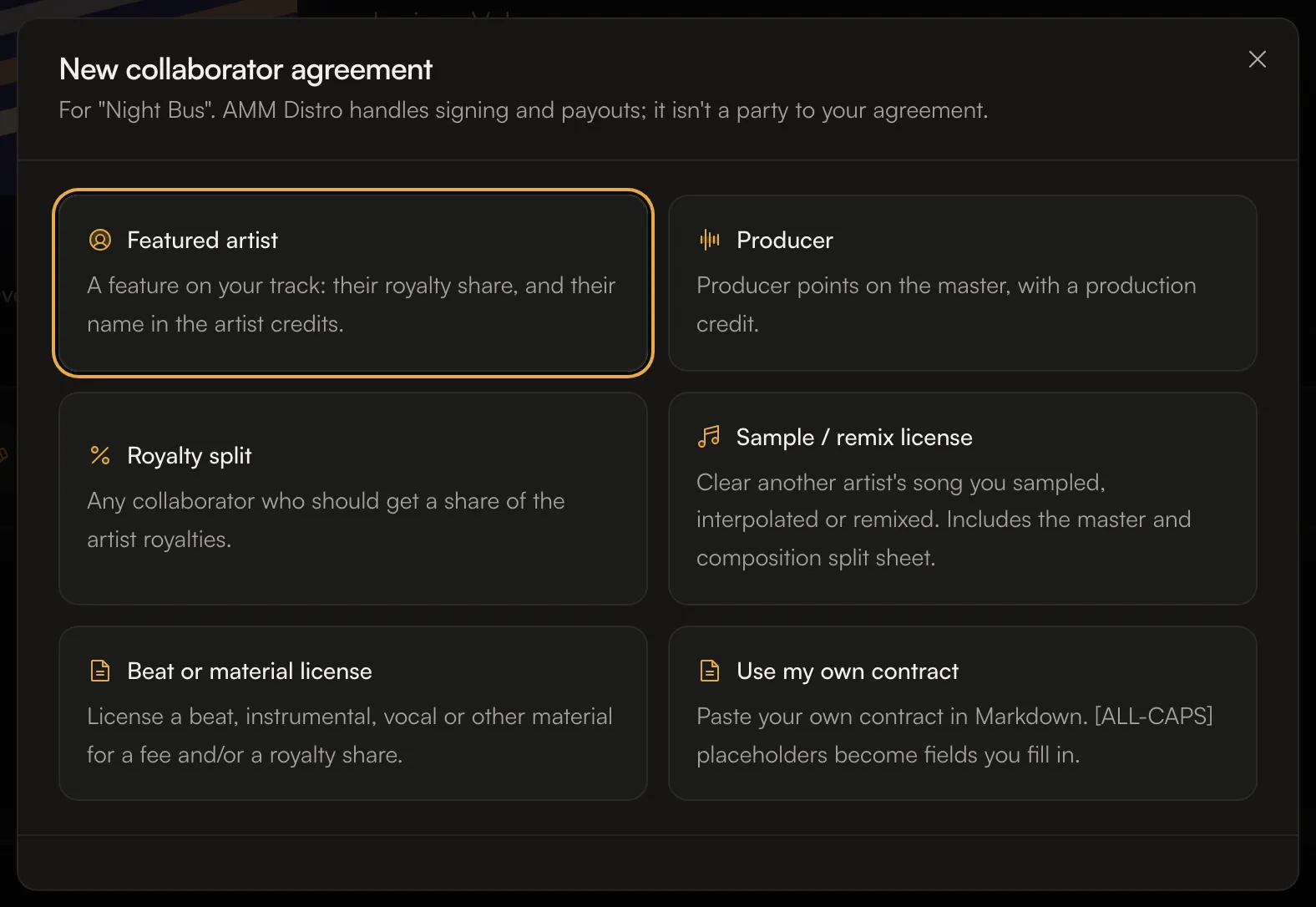
Template | Use it for |
|---|---|
Featured artist | A feature on your track: their royalty share, and their name in the artist credits. |
Producer | Producer points on the master, with a production credit. |
Royalty split | Any collaborator who should get a share of the artist royalties. |
Sample / remix license | Clearing another artist's song you sampled, interpolated or remixed. Includes the master and composition split sheet. |
Beat or material license | Licensing a beat, instrumental, vocal or other material for a fee, a royalty share, or both. |
Use my own contract | Pasting your own contract. Placeholders in |
Fill in the agreement
The fields depend on the template. Most include:
- Their details: name, Email ("We send the signing link here."), role and artist name. Use their legal name if you know it; they confirm it when they sign.
- Royalty share: their percentage of your artist royalties, and Applies to: All tracks or the tracks you choose.
- Release credit: Not listed, Featured artist, Primary artist, or They decide later.
- Optional clauses: for example No Content ID or takedown claims, No takedown after release, Hold back their share on a claim, Annual audit right and Keep the money terms confidential. They're on by default; turn off any your collaborator won't agree to.
- One-time fee (optional). A fee is paid between you directly, not through AMM Distro.
- Governing law (optional).
You can click Save draft and finish it later from the Agreements tab.
Sign and send
- Click Review, sign and send. Read the agreement as your collaborator will see it.
- Sign it. You sign first; then we email them a link to sign.
- You'll see Agreement sent. The agreement shows Awaiting signature until they sign.
If they lose the email, you can resend the signing link from the agreement. You can also cancel an agreement that hasn't been signed yet.
When everyone has signed
- The royalty share becomes a royalty split on the tracks it covers.
- The collaborator still needs to accept the split on AMM Distro to get paid. See Accept a royalty split invitation.
- If the agreement gives them a release credit, they can be added to the tracks while the release can still be edited.
- You can download the signed agreement as a PDF.
All your agreements are also listed on the Agreements page in the sidebar, under Awaiting your signature, Signed and Archived.
Common questions
Is AMM Distro part of the agreement?
No. The agreement is between you and your collaborator. AMM Distro handles the signing and pays their royalty share.
Can I use my own contract?
Yes. Choose Use my own contract and paste it in Markdown. Each [ALL-CAPS] placeholder becomes a field. Use [ROYALTY SHARE] for the share; it becomes their split once everyone signs.
Do I need a lawyer?
The templates cover common collaborations, but we can't give legal advice. For large deals or anything unusual, talk to a lawyer.
Related: Split royalties with collaborators · Accept a royalty split invitation · Cover songs, samples and remixes · Advances and recoupment
Updated on: 23/10/2026
Thank you!