Accept a royalty split invitation
When an artist shares a track's royalties with you, we email you an invitation. Accept it to start receiving your share. Until you accept, your share goes to the artist, not to you.
If you're new to AMM Distro
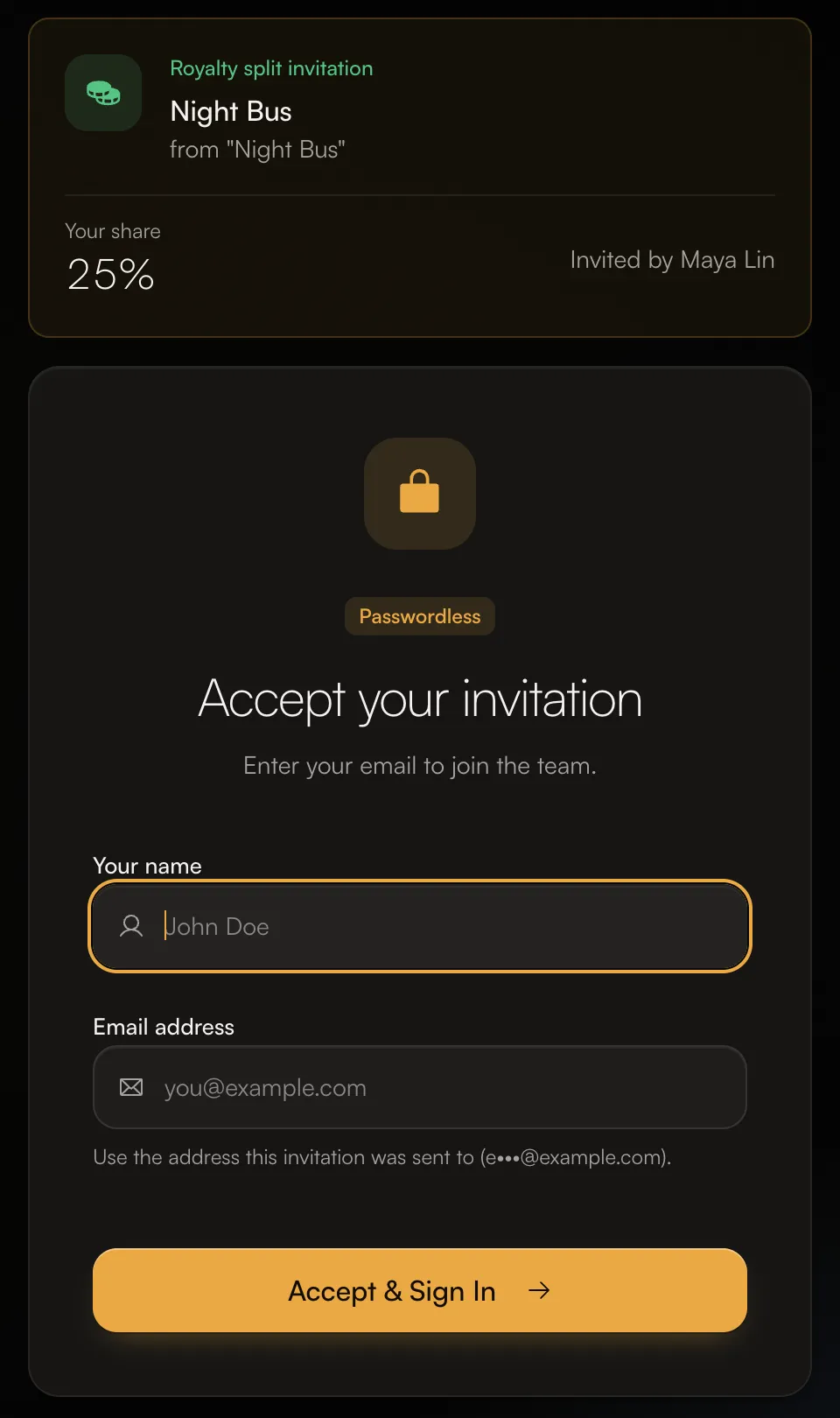
- Open the invitation email and click the link.
- The page shows Royalty split invitation, the track, who invited you and Your share.
- Enter Your name and the Email address the invitation was sent to.
- Click Accept & Sign In. We email you a sign-in link; open it to finish signing in.
- Accept the split (see below).
Accept or decline the split
Your pending invitations are on the Split Invitations page. You can get there from the badge on Money in the sidebar, or from Review your split invitations on your Home page.
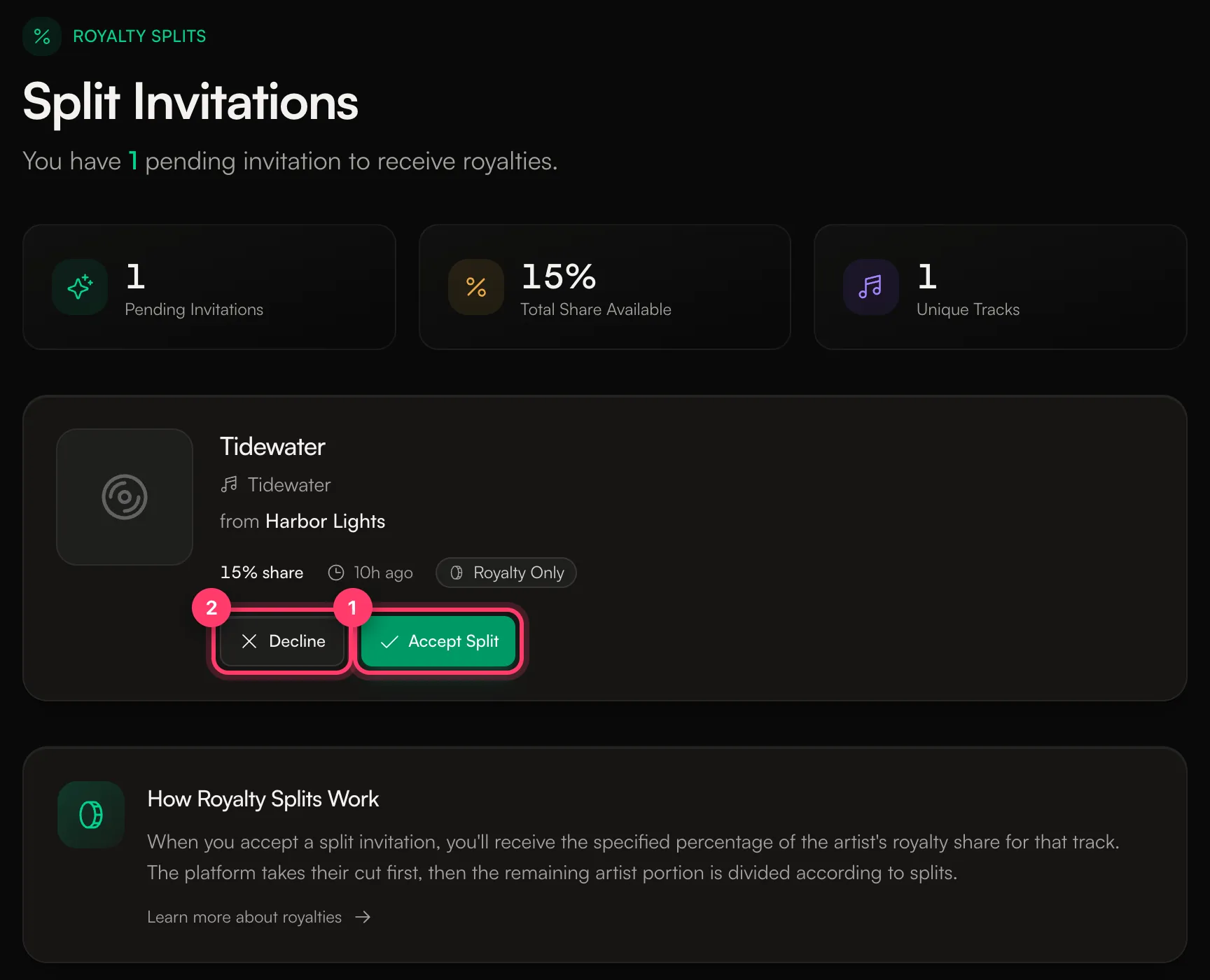
- Click Accept Split. You'll see "Split accepted! You'll now receive royalties for this track."
- Or click Decline. You can give a reason. The artist is told you declined.
Each invitation shows the track, the release, who it's from and your share. Royalty Only means you receive royalty payments for this track, without access to the artist's account.
What your share means
Your percentage is a share of the artist's royalties for that track. The label's or platform's share comes off first, then the artist share is divided between the artist and their collaborators.
Get paid
After you accept, your earnings from the track are added to your balance with each monthly statement. To be paid out:
- Add a payout method. See Set up payouts.
- Complete your tax form when we send it. See Tax forms: W-9 and W-8BEN.
We pay your balance automatically once it reaches $50. See When do I get paid?
Messages you might see
- "Invitation has expired": ask the artist to send it again. Invitations to people without an account expire after 70 days.
- "This invitation belongs to a different email address": sign in with the email the invitation was sent to.
- "A contract signature is required before accepting this split": sign the agreement for this split first. You'll find it under Agreements.
- "This royalty invitation is no longer valid. Ask the sender to resend it.": ask the artist to resend it.
Common questions
Will I get paid for streams from before I accepted?
Earnings for the time before you accept go to the artist. Accept as soon as you can.
I only have a collaborator account. What can I see?
Collaborator accounts can see their splits, earnings and payments. To create releases, you need to join a team. To ask about an account of your own, send us a message from the chat on this page, or email team@ammdistro.com.
Related: Split royalties with collaborators · Set up payouts · When do I get paid? · Accept an invitation
Updated on: 23/10/2026
Thank you!