Accept an invitation
You can be invited to AMM Distro in two ways: to join a team (an artist or label account), or to receive a royalty split on someone else's tracks. Both arrive by email. Open the link, enter your name and the email the invitation was sent to, and click Accept & Sign In.
Team invitations
A team invitation gives you access to an artist or label account, with the role the sender chose:
- Admin: full access, including the team, releases, royalties and account settings.
- Member: can create and edit releases and view analytics, but can't manage the team or billing.
- Viewer: can see releases and analytics but can't change anything.
To accept:
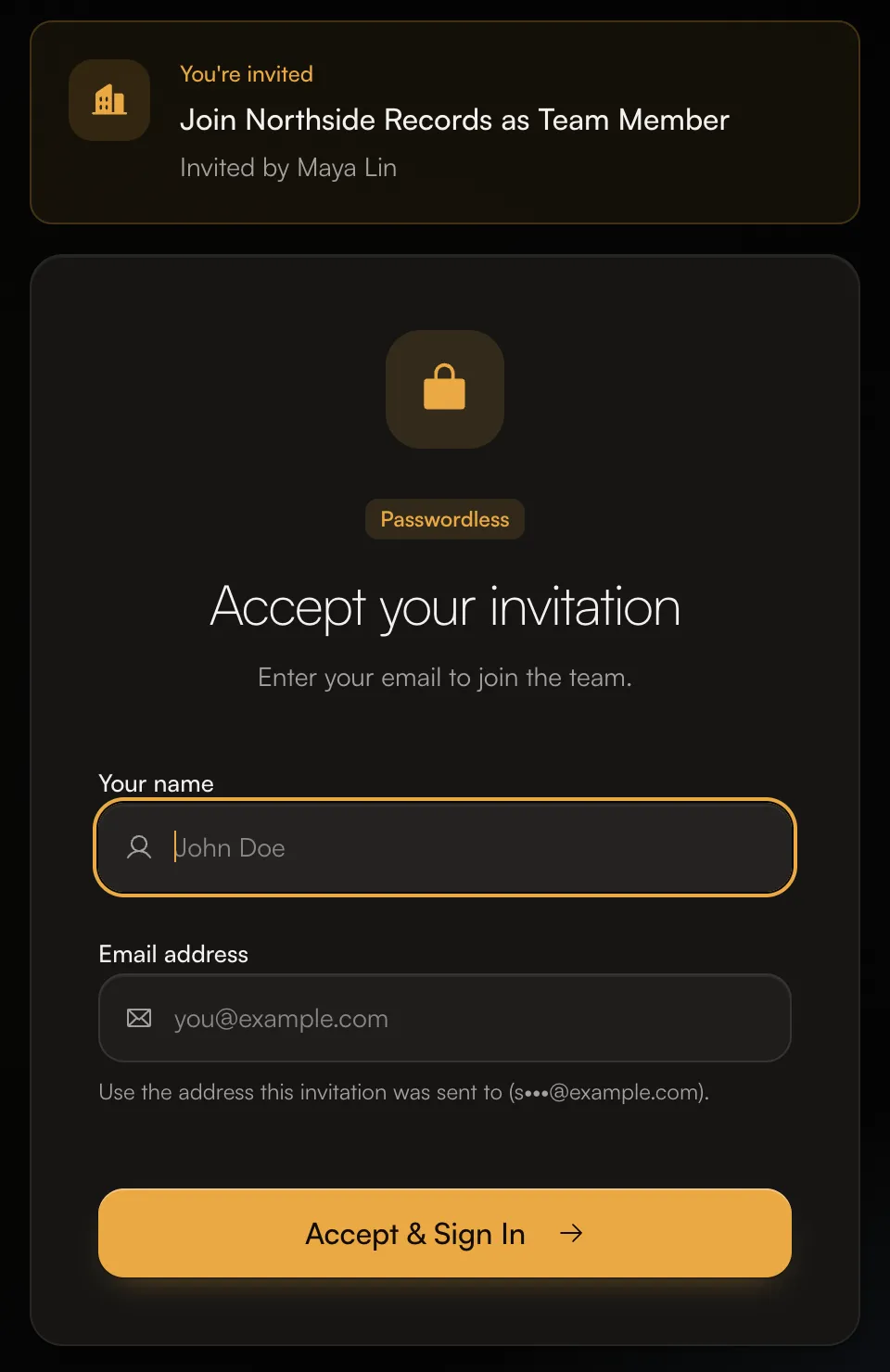
- Click the link in the invitation email. The card at the top shows which account you're joining and who invited you.
- Enter Your name and your Email address. Use the address the invitation was sent to. The page shows a hint, such as "Use the address this invitation was sent to (s•••@example.com)."
- Click Accept & Sign In, then click the sign-in link we email you.
Once you're in, the account appears in the account switcher at the top of the left menu.
Royalty split invitations
A split invitation means someone wants to share part of their earnings on a track with you, for example as a producer or co-writer. The invitation shows the track and Your share.
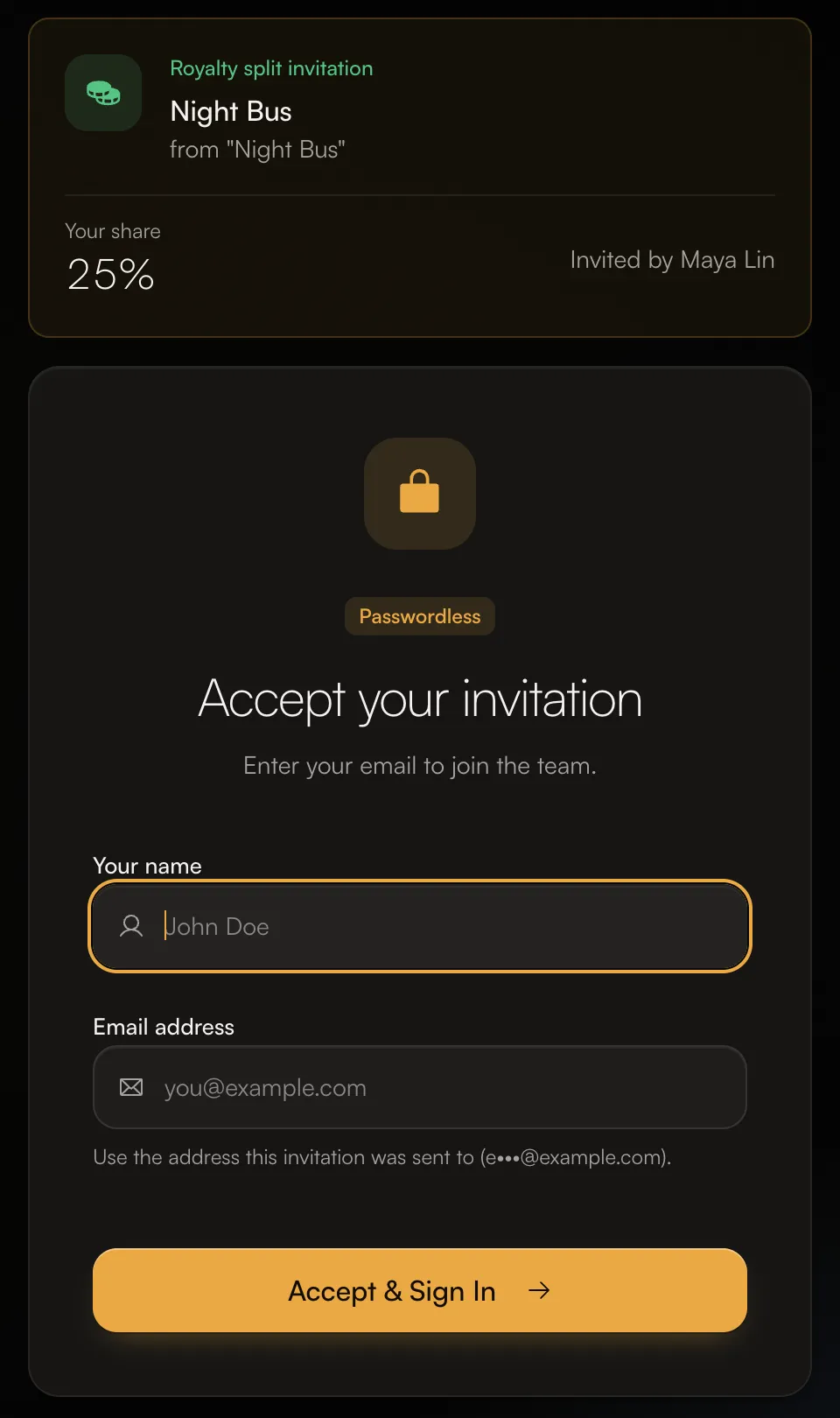
- Click the link in the email, enter your name and the invited email, and click Accept & Sign In.
- After you sign in, open Split Invitations (from the Review your split invitations item on Home) and click Accept Split.
When you accept, you'll see "Split accepted! You'll now receive royalties for this track." If you decline, you can add a reason, and the sender is told.
You don't need your own releases to receive splits. If you only receive splits, your account shows your earnings, payouts, notifications and settings. To get paid, set up a payout method and tax form under Money.
See all your pending invitations
If you already have an account, you can find invitations waiting for you in the app:
- Press ⌘K (or Ctrl+K), type "Invitations" and open the Invitations page. It lists team and split invitations waiting on you, with when each one expires.
- Split invitations also appear on Home under Needs attention as Review your split invitations.
How long invitations last
- Team invitations expire after 7 days.
- Split invitations sent to someone without an account expire after 70 days.
If yours has expired, ask the sender to invite you again.
Common questions
It says "Email does not match invitation".
You entered a different address from the one the invitation was sent to. Use the address shown in the hint on the page. If you'd rather use another email, ask the sender to cancel the invitation and send a new one to that address.
It says "Invalid or expired invitation".
The invitation has expired, been cancelled or already been used. Ask the sender to invite you again.
It says "This royalty invitation is no longer valid" or "is incomplete".
The sender changed or removed the split. Ask them to resend it.
Accepting a split asks me to sign a contract first.
Some splits come from a collaborator agreement. Sign the agreement first, then accept the split.
Related: Sign in to AMM Distro · A tour of your dashboard · What is AMM Distro?
Updated on: 23/10/2026
Thank you!