Sign in to AMM Distro
AMM Distro has no passwords. You enter your email, we send you a sign-in link, and you click it. Use the email address your invitation was sent to.
Sign in on the web
- Go to ammdistro.com and click Client Login.
- Enter your Email address and click Send login link.
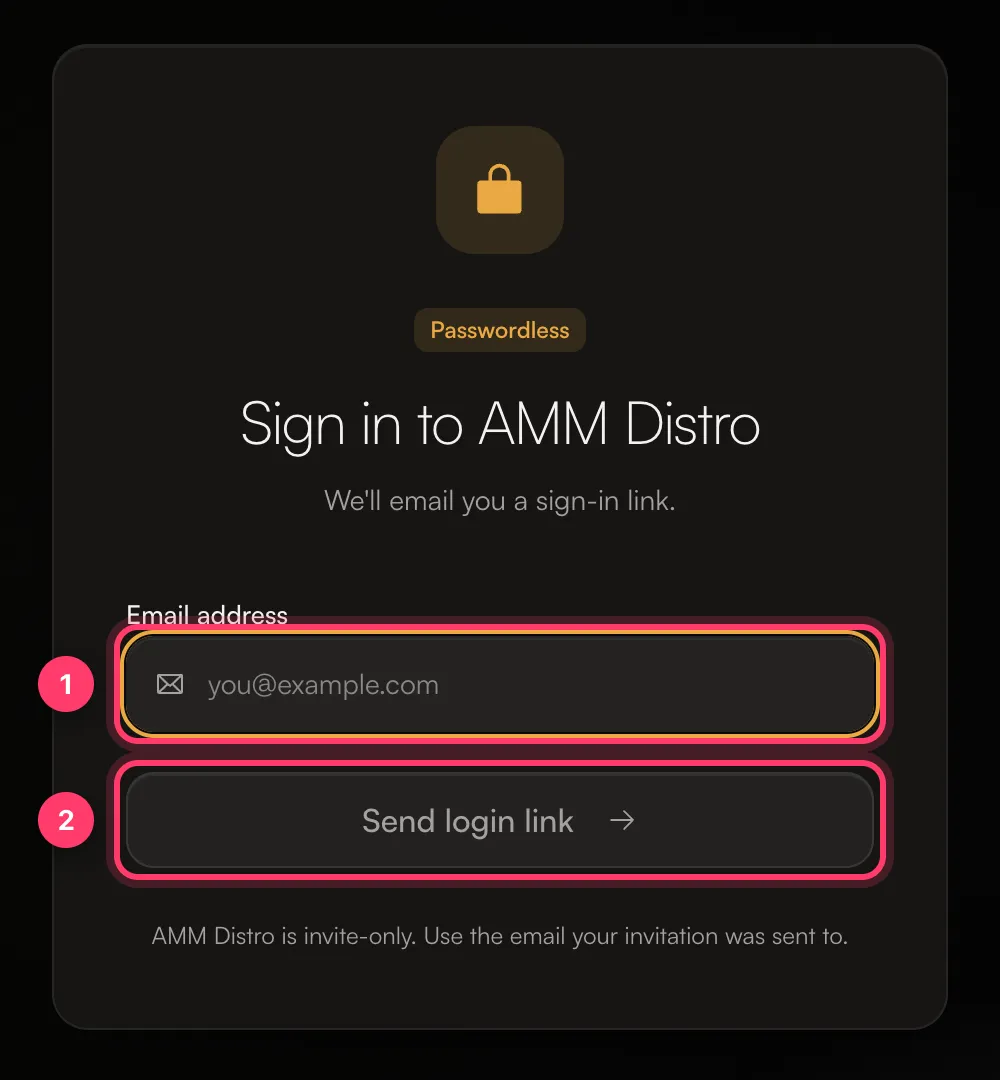
- Open the email from AMM Distro and click the link. The link works for 30 minutes and only once.
The tab where you started waits for you and signs you in on its own once you click the link.
Your sign-in number
After you send the link, the page shows Your sign-in number, a two-digit number.
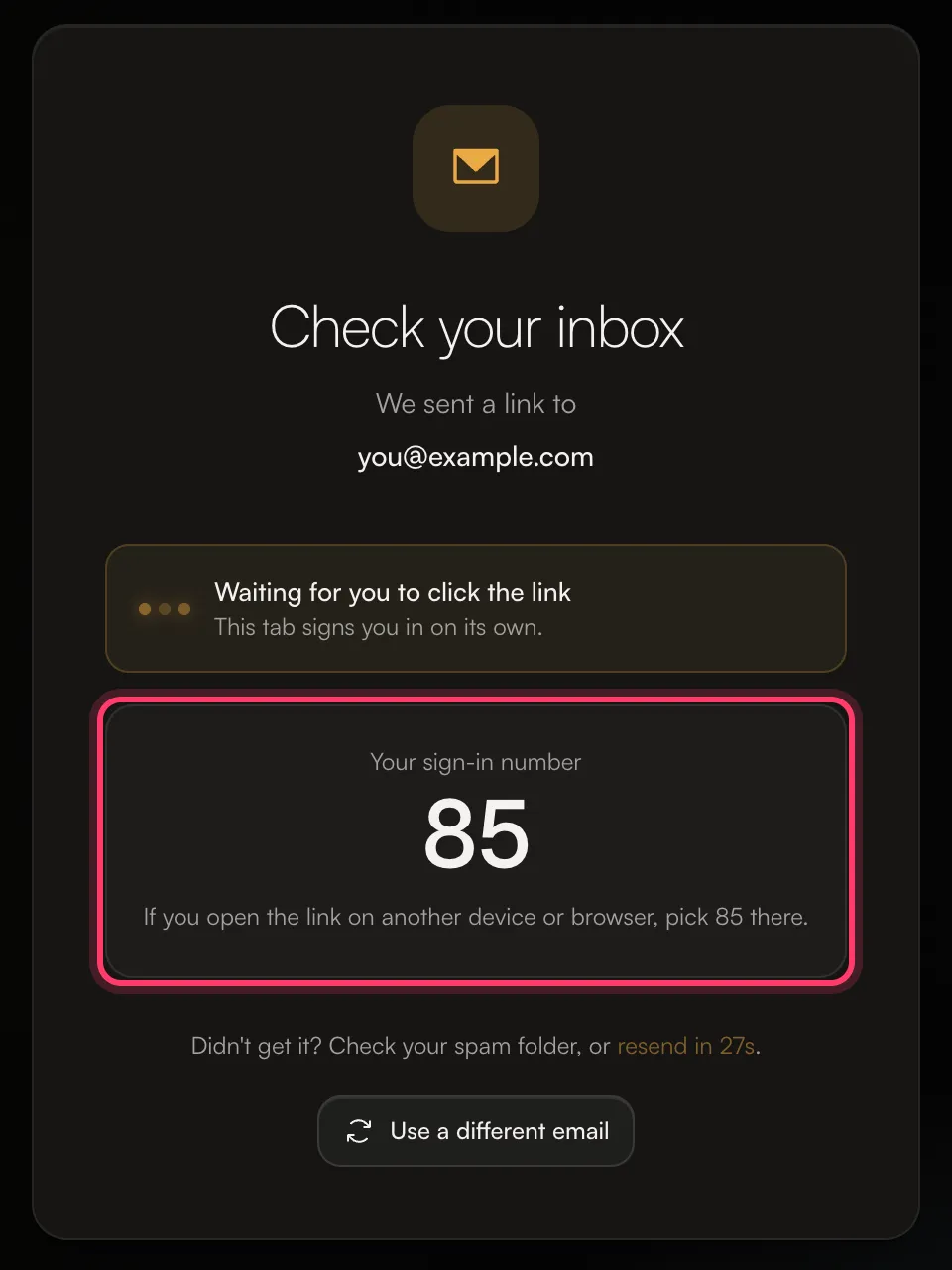
- If you open the link in the same browser, you're signed in straight away.
- If you open the link on another device or browser (for example, the email is on your phone and you started on your laptop), you'll be asked to pick the number shown on the screen where you started. Pick the same number.
If the wrong number is picked, the sign-in is cancelled and nobody is signed in. Send a new link and try again. This check stops someone else from using a link you didn't request.
No email arrived
- Check your spam or junk folder.
- Check the address. If you mistyped it, click Use a different email.
- Use the email you were invited with. For privacy, the page always says the link was sent, even if there's no account for that address. If you have more than one email, try the one your invitation went to.
- Wait a moment and resend. After a short countdown you can click resend the link.
If you still don't receive anything, send us a message from the chat on this page, or email team@ammdistro.com.
Error messages
Message | What to do |
|---|---|
"The login link expired. Please request a new one." | Links last 30 minutes. Send a new one. |
"This link has expired or was already used. Request a new one." | Each link works once. Send a new one. |
"This sign-in was cancelled on the device where the link was opened." | The wrong number was picked. Send a new link. |
"This browser didn't keep the sign-in request. Please request a new link." | Start again in the same browser, and check that cookies are allowed. |
The waiting tab stops waiting after 15 minutes. If that happens, send a new link.
How long you stay signed in
On the web you stay signed in for 7 days. In the mobile apps you stay signed in for 60 days. To sign out, click your name at the bottom of the left menu and choose Sign out.
Sign in on the mobile app
- Open the AMM Distro app and enter your email.
- We email you a 6-digit code. Enter it in the app, or tap Open AMM Distro in the email.
Codes last 15 minutes. After 5 wrong tries you need a new code, and you can request up to 5 codes for one email address every 15 minutes. If you see "Too many sign-in codes requested for this address", wait a few minutes and try again.
Common questions
Can I change the email I sign in with?
Not yourself. Send us a message from the chat on this page, or email team@ammdistro.com, and we'll change it for you.
Can I sign up without an invitation?
No. AMM Distro is invite-only. Apply from ammdistro.com, or ask the person who manages your team to invite you.
It says my access has been suspended.
Send us a message from the chat on this page, or email team@ammdistro.com.
Related: Accept an invitation · How to join AMM Distro · A tour of your dashboard
Updated on: 23/10/2026
Thank you!