Change your name, email or notification settings
You can change your display name and choose which emails you get from Settings. Your sign-in email can only be changed by our support team.
Change your display name
- Go to Settings. The first page is Profile Settings.
- Edit Display Name. This is how your name will appear across the platform.
- Click Save Changes.
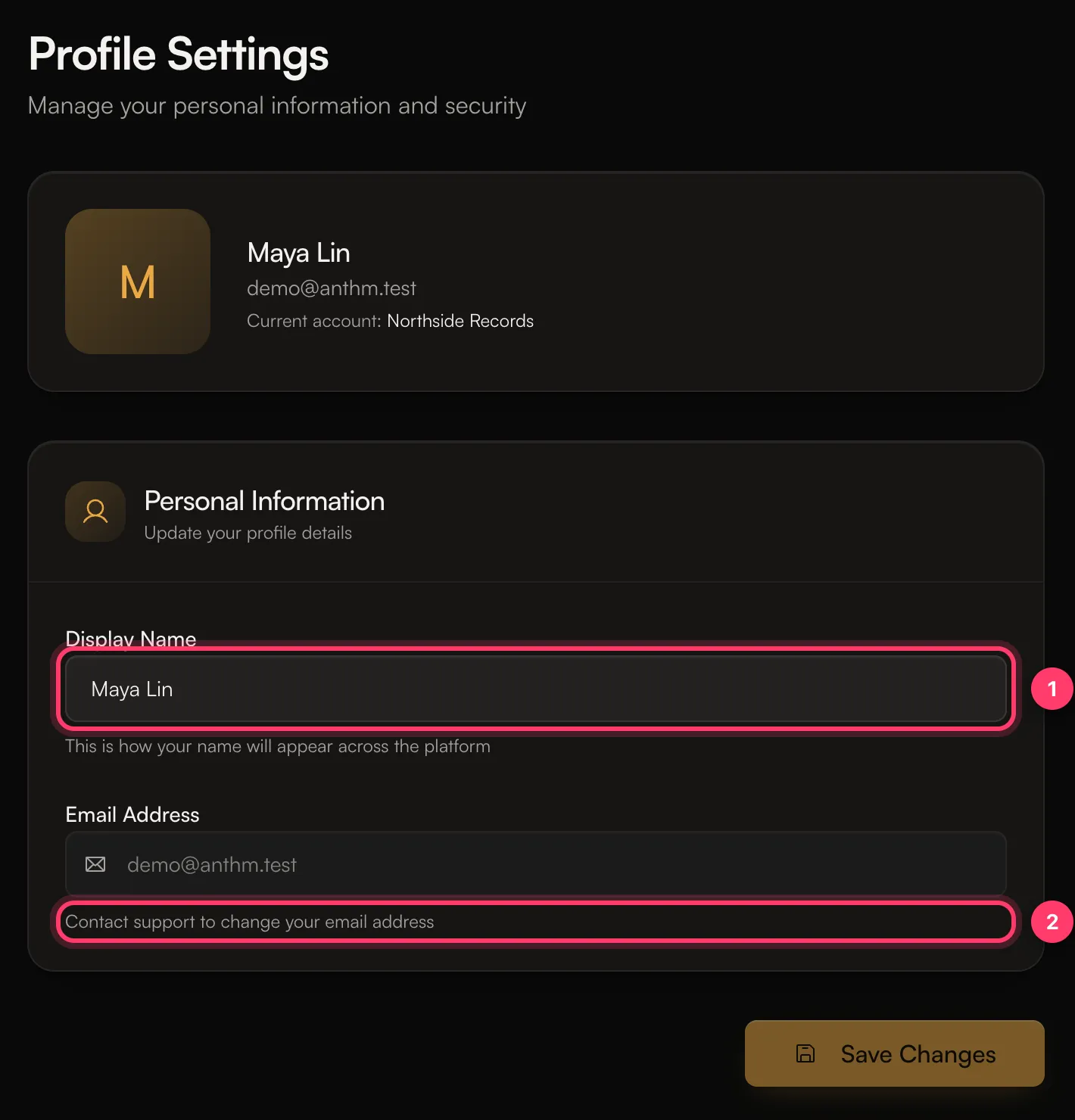
Your display name is your personal name on AMM Distro. It's not your artist name. To change how an artist is named on releases, see Manage your artist profiles.
Change your email address
The Email Address field is greyed out because it's the address you sign in with. To change it, contact support and tell us the new address. Write from your current email address if you still have access to it.
Choose which emails you get
- Go to Settings → Notifications.
- Turn each type of email on or off:
- Release Updates: release approvals, rejections, and changes needed. On by default.
- Royalty Notifications: royalty payments and split invitations. On by default.
- Team Notifications: team invitations and collaborator activity. On by default.
- Marketing & News: product updates, tips, and industry news. Off by default.
- Click Save Changes.
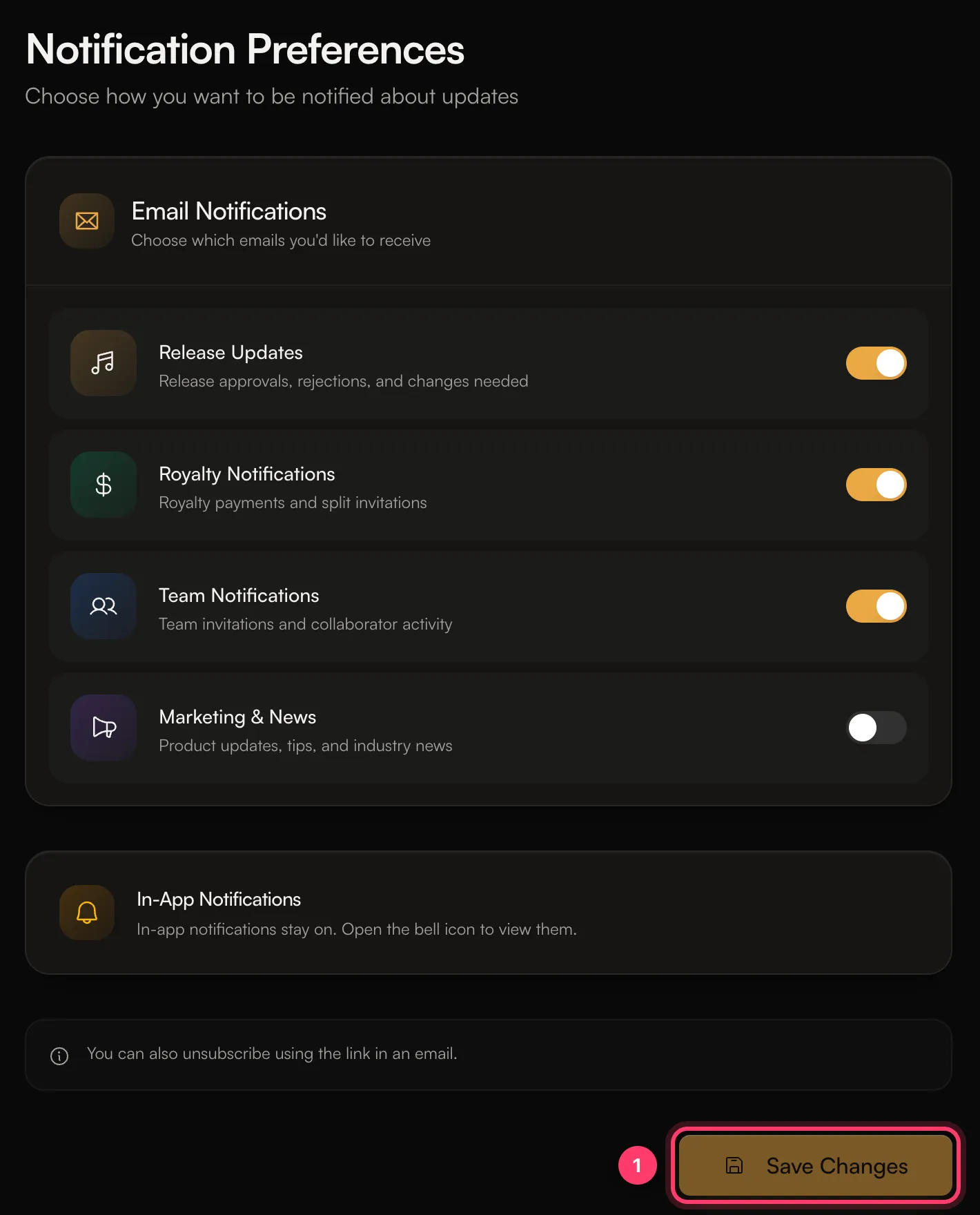
You can also unsubscribe using the link in an email.
These choices are personal to you. They apply to every account you belong to and don't change what your teammates receive.
Emails you can't turn off
Some emails are always sent because you need them to use your account, such as sign-in links.
In-app notifications
In-app notifications stay on. Open the bell icon, or Notifications in the sidebar, to see them. Click Mark all read to clear the unread count.
Notifications on your phone
If you have the AMM Distro mobile app, it can send push notifications, for example when a release is approved, needs changes or goes live, and when you're paid. On Android you can turn individual types on or off in your phone's notification settings for the app. On iPhone, notifications for the app are on or off as a whole in your phone's Settings.
Common questions
I turned off Release Updates. Will I miss a rejected release?
You'll still see it in your in-app notifications, on the release page and on Home under the items that need you. You just won't get the email.
I'm not getting any emails from AMM Distro
Check your spam or junk folder, and add team@ammdistro.com to your contacts. Then check Settings → Notifications to make sure the types you want are on.
Related: Sign in to AMM Distro · Manage your artist profiles · The AMM Distro mobile app
Updated on: 23/10/2026
Thank you!