Titles, versions and featured artists
Stores are strict about how titles and artist names are written. This article explains where each piece of information goes in the builder so your release shows correctly and isn't sent back.
Release title and version line
- Title: the name of the release, exactly as it should appear in stores.
- Version line: only for releases that are a version of something, such as "Remixes", "Versions" or "Deluxe". Leave it empty for a normal release.
On a one-track single, the release title has to match the track title. If they differ, the builder shows "A single's release title has to match its track." with a button to use the track's title. After that, the two stay in sync.
Track title and version
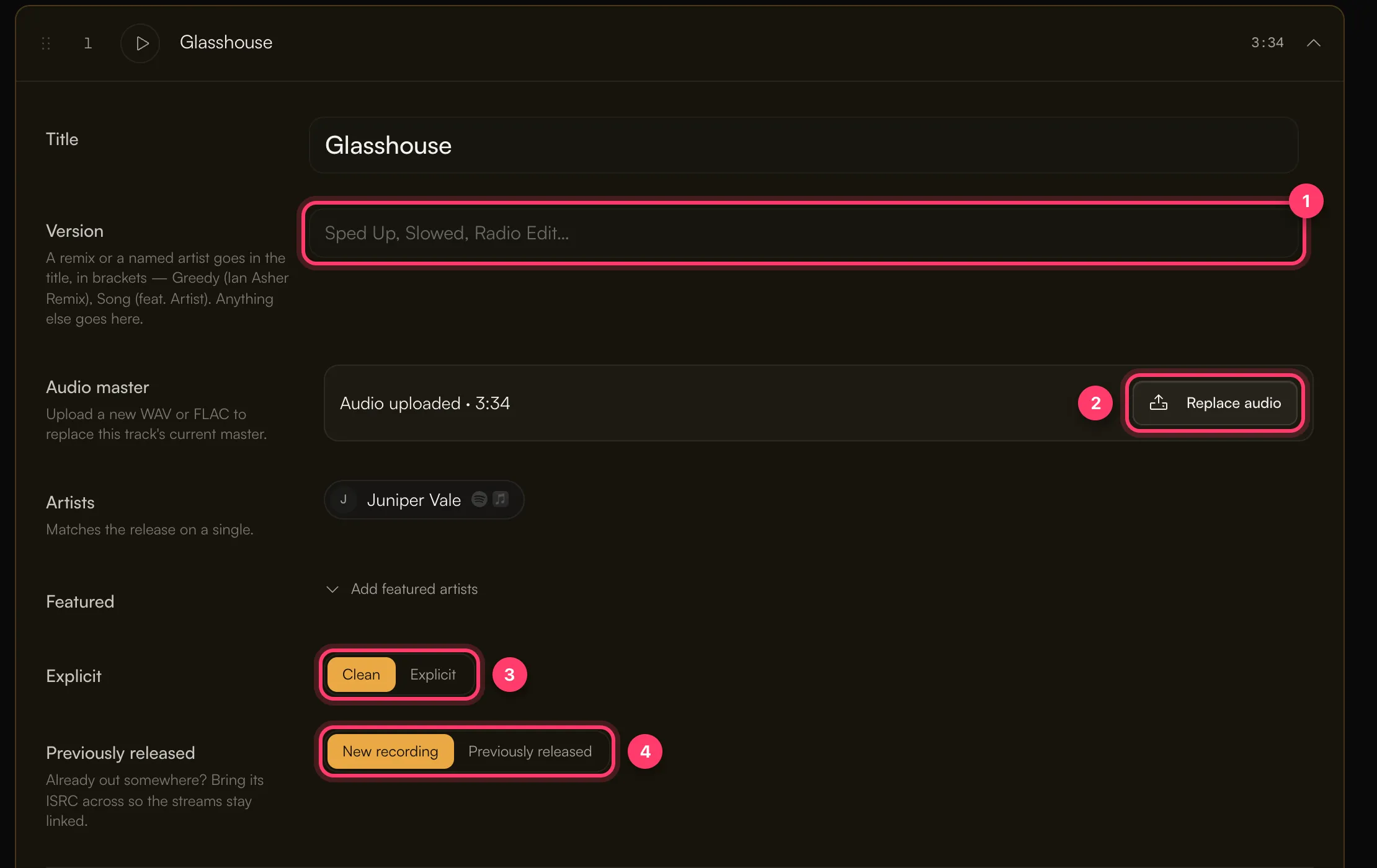
Open a track to see its Title and Version fields.
- A remix or a named artist goes in the title, in brackets: Greedy (Ian Asher Remix), Song (feat. Artist).
- Anything else that describes the version goes in Version: Sped Up, Slowed, Radio Edit, Acoustic, Instrumental.
Remixes
If a track's title or version contains the word "remix", the remixer must be credited with the Remixer role. Preflight flags a remix with no remixer, and you can't submit until it's fixed. If you can't add the remixer credit, send us a message from the chat on this page, or email team@ammdistro.com.
Artists
Artists in the Release section is everyone billed on the release. Click Add, type a name, and pick the artist or create a new one.
When you create an artist, you're asked for:
- Their Spotify profile (search or paste a link) and Apple Music profile, if they have them.
- Their legal First name and Last name. This stays private and is needed before you can submit.
If the Spotify profile you pick has a different name, you'll be asked to confirm it's the right artist. If the artist doesn't have a Spotify profile yet, leave it empty. Stores create a new profile on delivery. Preflight will warn that "the stores will guess which artist page this belongs to", which is fine for a first release.
If you list more than 4 main artists, stores show the release as "Various Artists". Move the extra names to featured artists to avoid that.
Featured artists
Click Add featured artists to add someone as a feature.
- On a single, a featured artist is billed on the release itself.
- On an EP or album, featured artists on a track are credited on that track. They get the credit and the streams, but the release doesn't appear on their artist page.
Listing someone as a main artist instead costs nothing extra and puts the release on their profile, which helps their exposure. Only use Featured when you don't want the release on their page.
On a single, the track's artists always match the release.
Metadata language
Set Metadata language in the Release section to the language your titles are written in. The default is English.
Common questions
My release went to the wrong artist profile.
Make sure each artist's Spotify and Apple Music profiles are linked in the builder before you submit. After a release has been delivered, the profile links are locked so our records keep matching the stores. If a link is wrong, send us a message from the chat on this page, or email team@ammdistro.com.
How do I credit two artists who perform together as a duo?
If the duo has its own artist profile, add the duo as one artist. If they release under their own names, add each person as a separate artist.
Can I use ALL CAPS or emoji in titles?
Write titles the way they should appear in stores. Our team checks formatting during review and will ask for changes if a store is likely to reject it.
Related: Create a release, step by step · Add songwriter, producer and performer credits · Single, EP or album? · Check and submit your release
Updated on: 23/10/2026
Thank you!