Choose stores and countries
By default, your release goes to every store we deliver to, in every country. You can change both in the Review & submit section of the builder: Stores to pick specific stores, and Territories to block countries or release only in some.
For most releases, leave both as they are.
Pick specific stores
- Open your release in the builder and scroll to Review & submit.
- Click the All stores card.
- Choose Pick stores. (Everywhere sends the release to every store.)
- Use Search stores… to find a store, and click stores to turn them on or off. Select all and Clear change them all at once.
- Click Save.
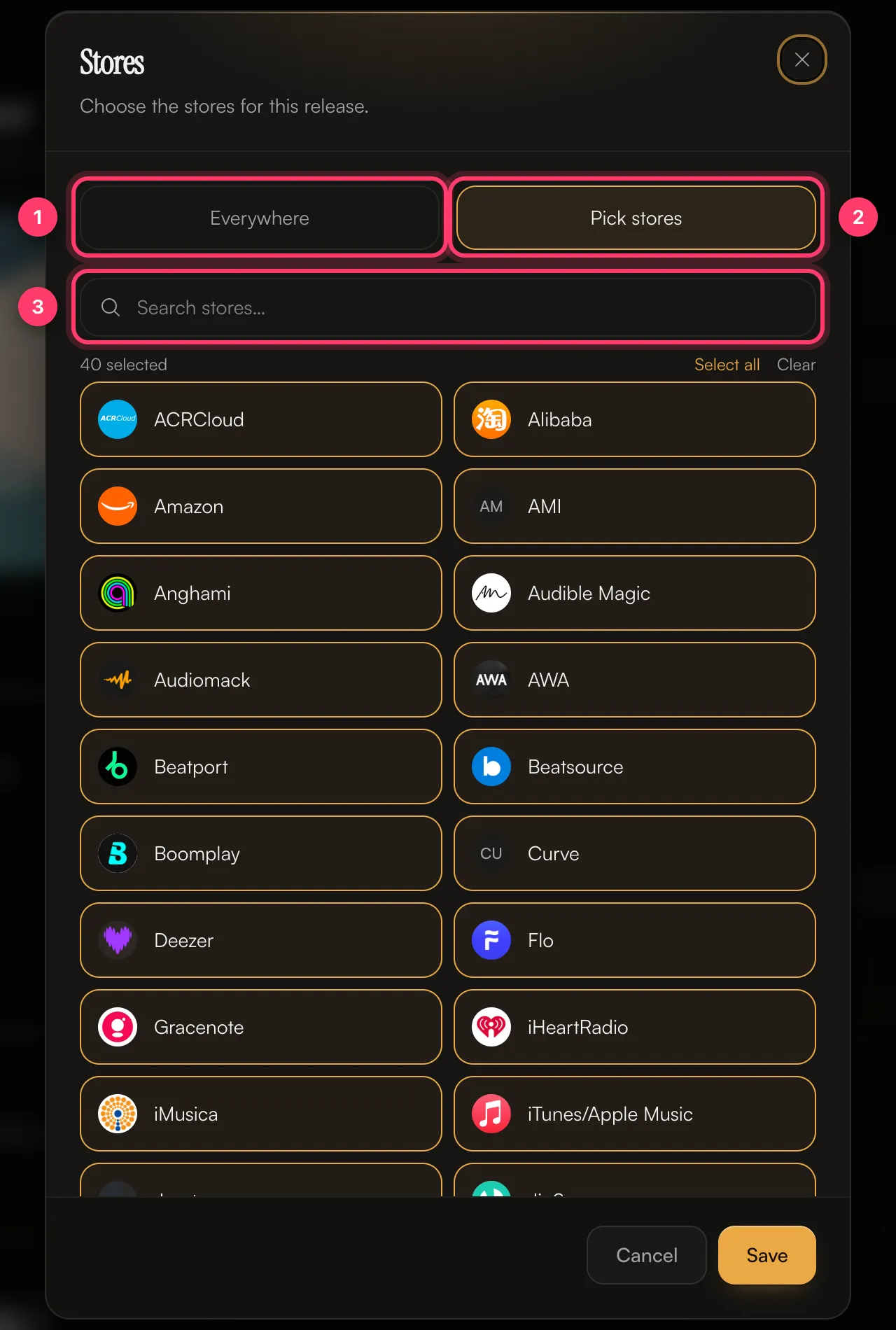
The card then shows how many stores you picked, for example "12 stores – A custom selection."
TikTok, Instagram, Facebook, YouTube Content ID and SoundCloud monetisation are chosen separately, in Content ID & social. See Content ID and social platforms.
Block or limit countries
- In Review & submit, click the Worldwide card.
- Choose one of:
- Worldwide: every country we deliver to.
- Remove countries: everywhere except the countries you pick.
- Only add countries: nowhere except the countries you pick.
- Search for a country, or use a Quick add group such as European Union, North America, UK & Ireland, DACH, Nordics or Australia & NZ.
- Click Save.
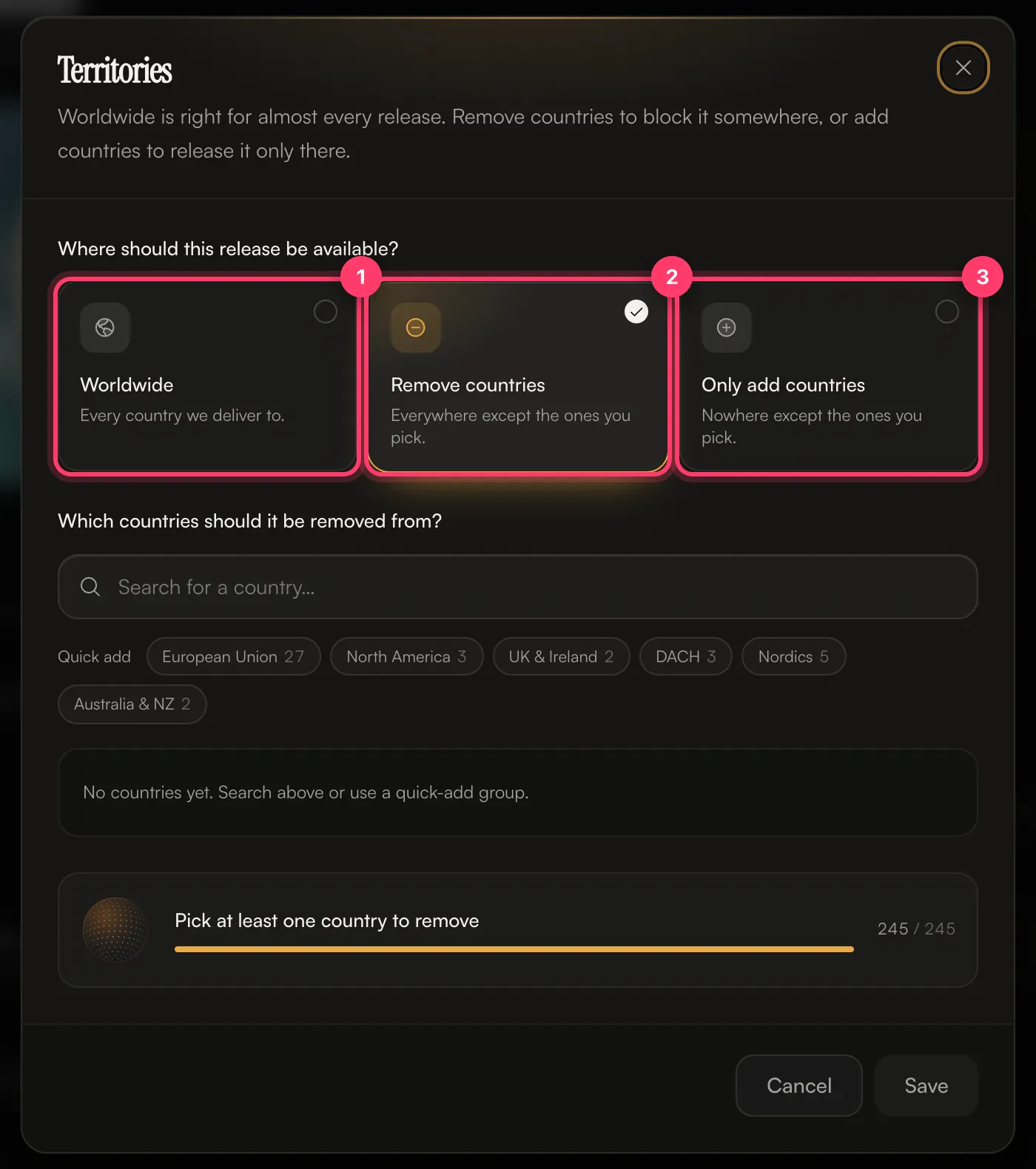
The card then shows, for example, "Delivering everywhere except 3 countries" or "Delivering to 5 countries only".
When to change these
- Stores: if you have an exclusive deal with a store, or there's a store you don't want your music on.
- Countries: if someone else already holds the rights to the song in some countries, or a deal limits where you can release it.
Common questions
Which stores do you deliver to?
We deliver to 44 stores and platforms, including Spotify, Apple Music, YouTube Music, Amazon Music, TIDAL, Deezer, Pandora, iHeartRadio, SoundCloud, Audiomack, TikTok, Instagram, Facebook, YouTube Content ID and Snapchat, regional services in Asia, Africa, the Middle East and Russia, and services for fitness, venues and music recognition. The Stores dialog shows the current list for your release.
Can I add stores after my release is out?
Send us a message from the chat on this page, or email team@ammdistro.com.
My release isn't on one store.
Some stores take longer to process new releases than others. Open the release's Delivery tab to see the status for each store. If it's been longer than the estimate shown there, contact us.
Related: Content ID and social platforms · Check and submit your release · How long until my release is live? · Create a release, step by step
Updated on: 23/10/2026
Thank you!