Single, EP or album?
You don't choose the release type yourself. The builder sets it from the number of tracks: 1–3 tracks is a Single, 4–6 is an EP, and 7 or more is an Album. Add or remove tracks and the type updates.
Tracks | Release type |
|---|---|
1–3 | Single |
4–6 | EP |
7 or more | Album |
The type shows on the release card, for example Single or EP under the cover on the Releases page.
Singles
On a one-track single, the release title has to match the track title, and the track's artists match the release's artists. The builder keeps them in sync for you.
Albums with more than one disc
For a multi-disc album, use the Disc control on each track to move it to another disc. Track numbers start again at 1 on each disc. Drag tracks to change the order within a disc.
Release a single before the album
You can put out a song as a single first and then include it on the album later. To keep its streams, playlist placements and ISRC together, reuse the same recording on the album instead of uploading it again as a new one.
- Create the album and open the track that was released as a single.
- Under Previously released, choose Previously released.
- Click Or reuse a recording already on the platform.

- Search by title or ISRC, pick the recording and click Use this recording.
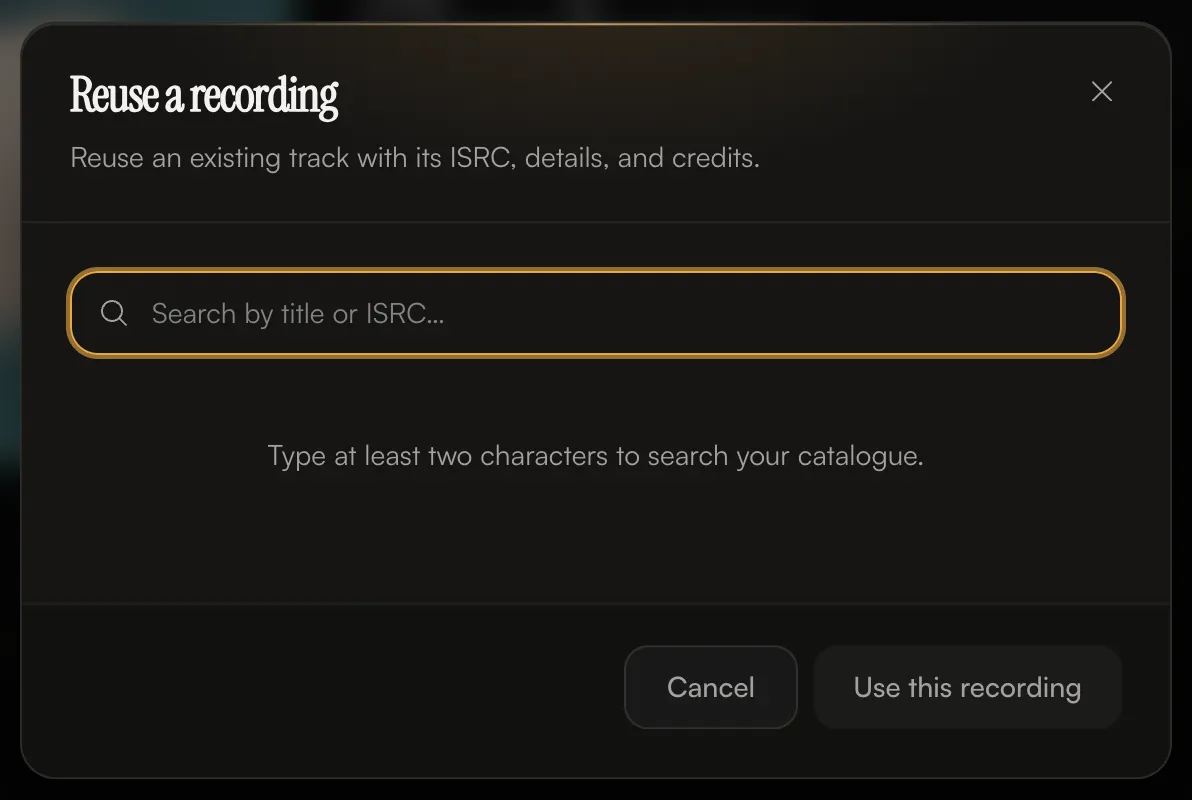
The track's details, audio and credits are copied from the single, and the two are linked: "Linked to an existing recording — its ISRC and credits were copied here."
If the single was released with another distributor, enter its existing ISRC instead. See Previously released music, ISRCs and UPCs.
Once a recording has been delivered to stores, its details, credits and audio are locked so it stays identical everywhere it appears. That's expected.
Common questions
Can I release one song as an EP?
No. A release with fewer than 4 tracks is a single.
Can a sped-up version go on the same single?
Yes. A single can have up to 3 tracks, so you can add versions like Sped Up or Slowed as extra tracks. Each one is its own recording with its own ISRC.
Related: Create a release, step by step · Previously released music, ISRCs and UPCs · Titles, versions and featured artists · Audio requirements
Updated on: 23/10/2026
Thank you!