Artwork requirements
Your cover art must be a square JPEG, PNG or WebP image of at least 1,000 × 1,000 pixels, and a single still image. We convert it to the size the stores need when you upload it.
File requirements
Requirement | Detail |
|---|---|
Format | JPEG, PNG or WebP |
Shape | Perfectly square (the same width and height) |
Size | At least 1,000 × 1,000 pixels |
Type | A still image. Animated images aren't accepted. |
When you upload, the image is converted to a 3000 × 3000 pixel JPEG at 300 DPI. Smaller images are scaled up to that size, so use the largest version you have. A 3000 × 3000 original will look sharpest.
Upload your artwork
- Open your release in the builder.
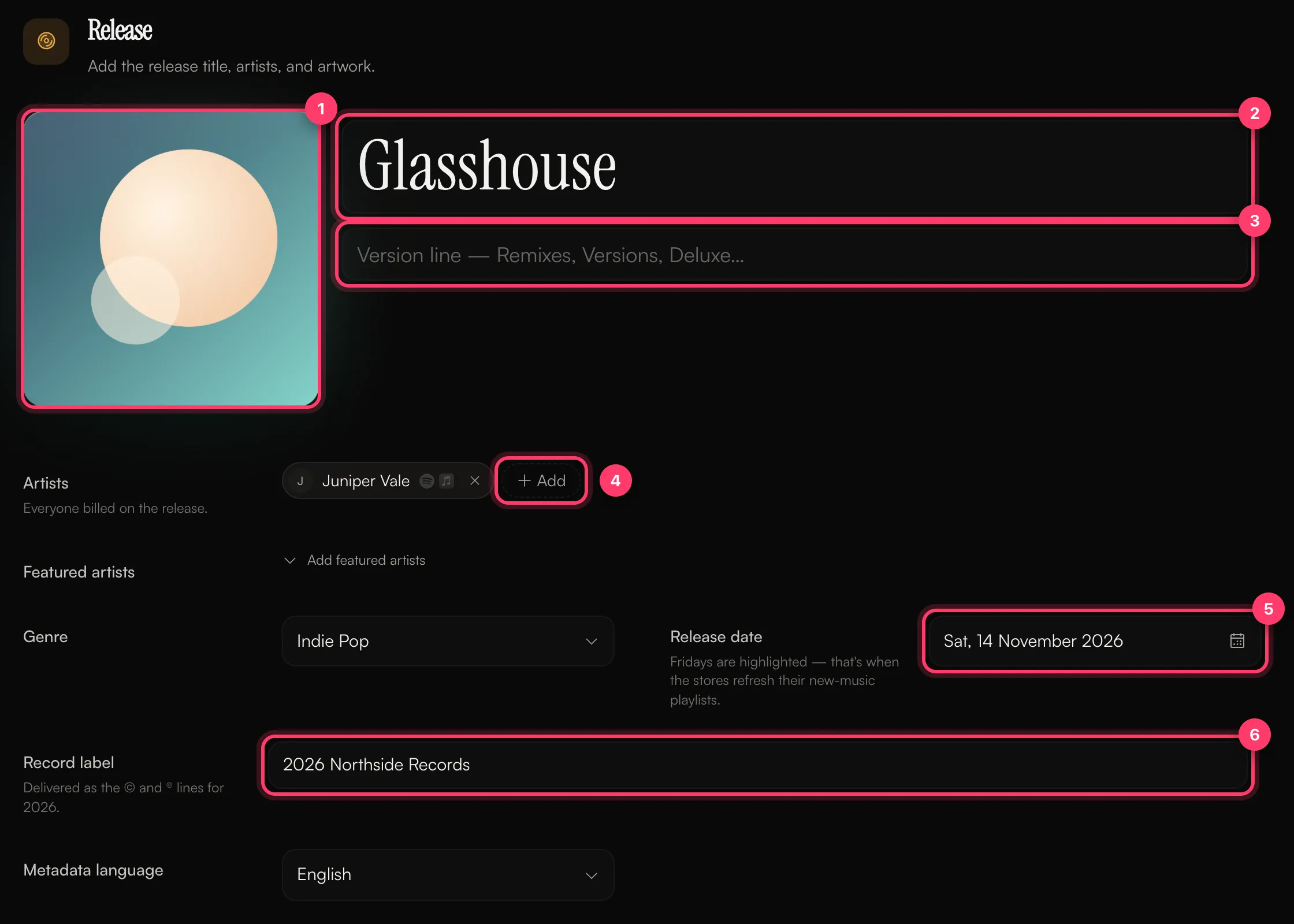
- In the Release section, click the artwork box or drop your image onto it.
- To change it later, click the artwork again and choose a new file.
What shouldn't be on your cover
Stores reject covers that include:
- Website addresses (URLs)
- Social media handles
- Contact details such as an email address or phone number
If your cover has any of these, our team will ask you to upload a version without them before the release can go out.
Upload errors
Message | What to do |
|---|---|
"You must upload an image that's perfectly square and larger than 1,000 by 1,000 pixels." | Crop the image to a square and export it at 1,000 × 1,000 pixels or larger. |
"Cover art must be a JPEG, PNG or WebP image." | Export the image in one of these formats. |
"Cover art must be a single still image, not an animation." | Upload a still image instead of an animated file. |
"That image couldn't be opened. Try exporting it again." | The file may be damaged. Export it again from your design app. |
"Artwork upload failed" | Check your connection and try again. |
Common questions
Can I change my artwork after my release is out?
Not yourself. Artwork can't be changed through a change request on a live release. Send us a message from the chat on this page, or email team@ammdistro.com.
Can I use animated or video artwork?
No. The builder only accepts a still cover image.
My artwork looks blurry in stores.
Your image was probably smaller than 3000 × 3000 pixels and was scaled up. Upload the largest original you have.
Related: Create a release, step by step · Your release needs changes · Why was my release rejected? · Check and submit your release
Updated on: 23/10/2026
Thank you!