Audio requirements
Upload each track as a WAV or FLAC file of up to 500 MB. MP3 and other formats aren't accepted. Upload the final master: what you upload is what the stores receive.
File requirements
Requirement | Detail |
|---|---|
Format | WAV or FLAC |
Maximum size | 500 MB per file |
One file per track | Each file you upload becomes one track. |
Upload your audio
- Open your release in the builder and go to the Tracks section.
- Upload or drop your files. Each file becomes a track, and its file name becomes the track title. Check and correct the titles afterwards.
- Drag tracks to put them in order.
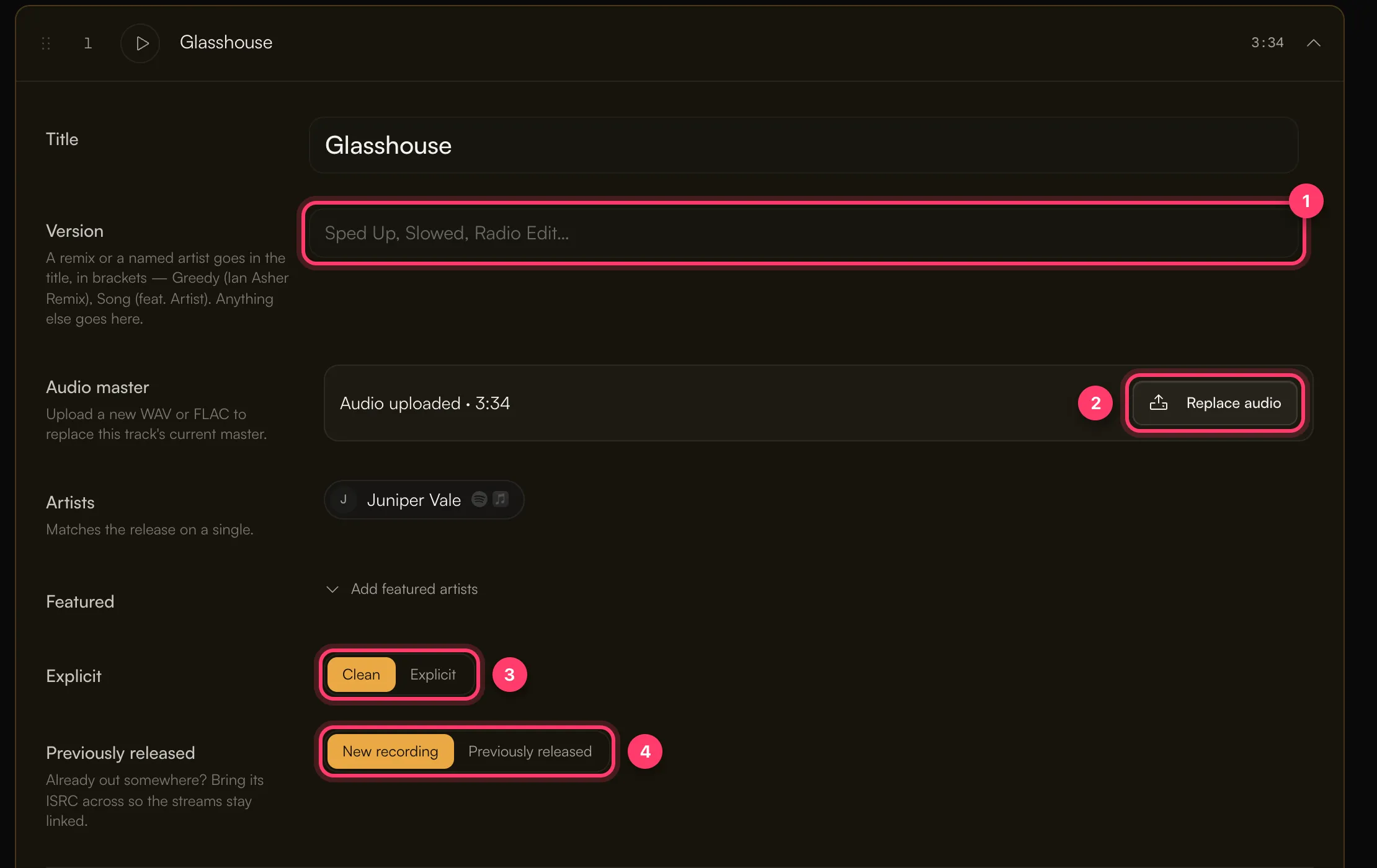
To swap a track's audio before you submit, open the track and click Replace audio under Audio master. Click the play button on a track to listen and check you uploaded the right version.
Upload errors
Message | What to do |
|---|---|
"Only WAV and FLAC files are accepted" | Export the track as WAV or FLAC. Renaming an MP3 to .wav doesn't work. |
"File size exceeds 500MB limit" | Export the track again. Very long tracks may need FLAC, which is smaller than WAV. |
If an upload stops partway, check your connection and upload the file again.
Things to check before you submit
- The right version. Listen to each track in the builder. A clean and an explicit version of the same song are separate recordings.
- Explicit content. Set each track to Clean or Explicit to match the lyrics.
- No silence or extra material you don't want in stores, such as count-ins or long gaps at the end.
Common questions
Can I upload an MP3?
No. Only WAV and FLAC files are accepted.
Do you check bit depth or sample rate?
The builder doesn't reject files based on bit depth or sample rate. Upload the master your mastering engineer delivered.
A track I already released elsewhere: do I upload it again?
Yes. Upload the audio, then mark the track Previously released and enter its existing ISRC so the streams stay linked. See Previously released music, ISRCs and UPCs.
Related: Create a release, step by step · Titles, versions and featured artists · Previously released music, ISRCs and UPCs · Check and submit your release
Updated on: 23/10/2026
Thank you!