Content ID and social platforms
TikTok, Instagram, Facebook, YouTube Content ID and SoundCloud can recognise your recording in other people's videos and uploads and pay you when it's used. You choose whether each release goes to them in Content ID & social in the builder. You must make this choice before you can submit.
Only opt in if you hold the rights to everything in the track, including every sample.
Make your choice
- Open your release in the builder and scroll to Review & submit.
- Click the Content ID & social card. Until you choose, it shows Needs a decision.
- Choose Distribute to UGC or Don't distribute.
If you choose Distribute to UGC:
- Tick I hold exclusive rights to this recording and every sample in it.
- Under Choose the stores, tick the platforms you want.
- If you picked YouTube Content ID, tick the extra confirmation: I own the exclusive rights to this content and I want it delivered to YouTube Content ID.
- Click Save.
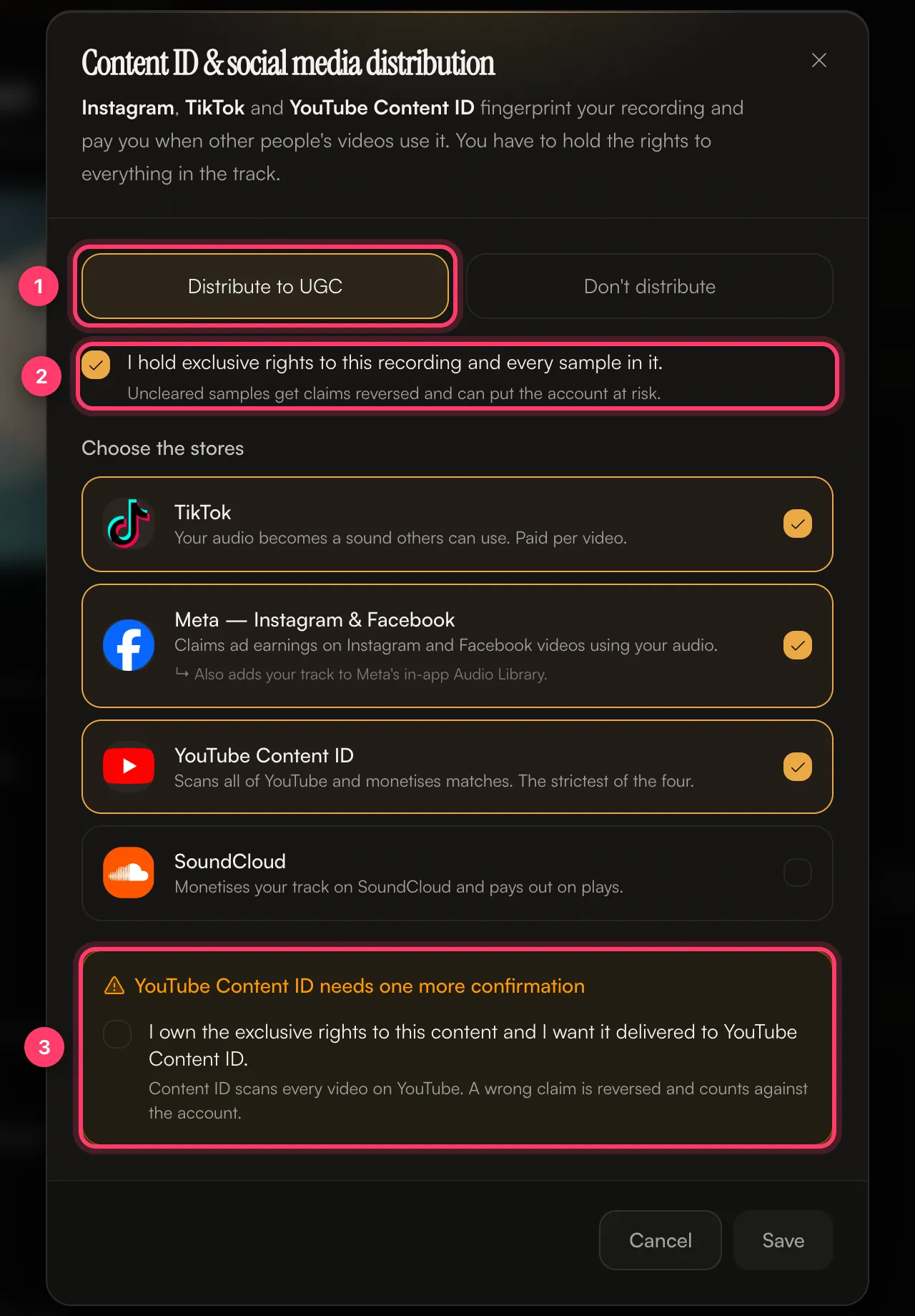
What each platform does
Platform | What happens |
|---|---|
TikTok | Your audio becomes a sound others can use in their videos. Paid per video. |
Meta — Instagram & Facebook | Claims ad earnings on Instagram and Facebook videos using your audio. It also adds your track to Meta's in-app Audio Library. |
YouTube Content ID | Scans all of YouTube and earns from videos that match your recording. It's the strictest of the four. |
SoundCloud | Monetises your track on SoundCloud and pays out on plays. |
When not to opt in
Choose Don't distribute, or leave a platform unticked, if:
- The track uses a sample you haven't cleared, or a beat you licensed without exclusive rights.
- The track is a cover or uses parts of another song you don't control.
- Someone else already claims this recording on these platforms.
- The recording uses public domain or royalty-free material that other people can also use.
Uncleared samples get claims reversed and can put your account at risk. On YouTube, a wrong claim is reversed and counts against the account.
Common questions
My song is on Instagram but people can't find it.
Your track has to be delivered with Meta — Instagram & Facebook turned on to appear in the in-app audio library. Check the release's Content ID & social choice. If it was off, send us a message from the chat on this page, or email team@ammdistro.com.
A viral video uses an edit of my song, but it's not linked to my release.
Use the TikTok tab on your released release to claim the sound. Paste the TikTok sound or video link, and we'll check whether it matches your recording.
My own YouTube video got a Content ID claim from my release.
That's Content ID matching your own upload. Send us a message from the chat on this page, or email team@ammdistro.com, with the video link and we'll help.
Can I change my choice after release?
Contact us. Send us a message from the chat on this page, or email team@ammdistro.com.
Related: Choose stores and countries · Cover songs, samples and remixes · Check and submit your release · Why was my release rejected?
Updated on: 23/10/2026
Thank you!