How long until my release is live?
Review usually takes 1–2 business days. Once your release is approved (and any agreement is signed), it's delivered to the stores. Most stores, Spotify included, usually pick up a delivered release within about an hour; a few take several business days. Your release goes live on the release date you chose, not before.
The steps and typical times
Step | Status | Typical time |
|---|---|---|
Our team reviews the release | In Review | Usually 1–2 business days |
You fix anything we ask for | Revisions | Up to you |
You sign the release agreement, if one is needed | Awaiting Signature | Up to you |
We send the release to the stores | Queued / Delivering | Usually minutes after approval |
Stores process it | Distributed | Most stores within about an hour; some take several business days |
Release day | Live | Your release date |
These are typical times, not guarantees. Each store processes releases on its own schedule.
Check each store on the Delivery tab
Once delivery starts, open the release and click the Delivery tab. It shows each store's status (Pending, Delivered or Live) and an estimate of how long processing usually takes for that store. Click Refresh to update it.
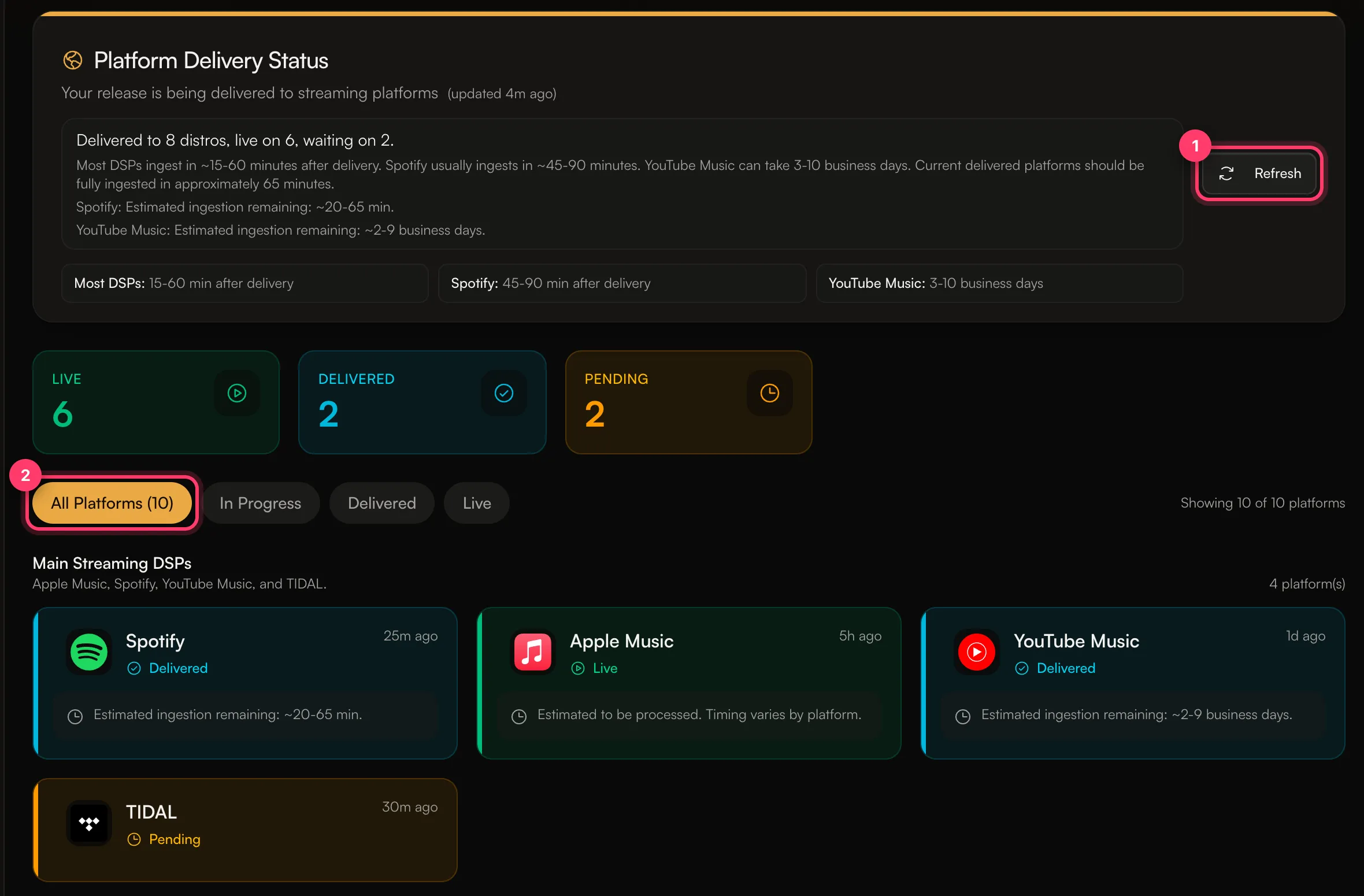
Delivered means the store has your release. If your release date is in the future, it goes live on that date.
Before your release date
When delivery is done, the status changes to Distributed and the release page says the release is in the stores and scheduled to go live on your date. Every approved release also gets a free anthm.link page with a Spotify pre-save, which you can share before release day.
Plan ahead
There's no minimum lead time, but leave enough time for review, any changes, signing and delivery. Submitting a few weeks before your release date gives you time to fix anything we flag and to promote the pre-save. If something has to be out urgently, tell your manager before you submit.
Common questions
My release is live on Spotify but not on another store.
Stores process releases at different speeds. Check the Delivery tab for that store's status and estimate. If it's past the estimate, send us a message from the chat on this page, or email team@ammdistro.com.
I can't find my release on Spotify on release day.
Search for the exact title and artist, and check the artist's profile in Spotify for Artists. If the artist has profile protection turned on and you chose to approve releases manually, approve it in Spotify for Artists. Otherwise, contact us with the release title.
My release shows Delivery Hold.
Delivery is paused while we fix a problem with a store. Our team has been notified and will contact you if we need anything.
Related: Release statuses explained · Choose a release date · Sign your release agreement · Choose stores and countries
Updated on: 23/10/2026
Thank you!