Sign your release agreement
When we approve a release that needs a signed agreement, its status changes to Awaiting Signature. Delivery to stores starts after you sign. You sign in the app by typing your full legal name. It takes a few minutes.
Find the agreement
You'll find it in any of these places:
- On the release page, in the banner Your distribution contract is ready.
- On Home, under Needs attention, as Sign your release agreement.
- On the Agreements page, under Awaiting your signature.

Sign it
- Click Review & Sign. The agreement opens on the left and the signing panel on the right.
- Read the agreement and scroll to the bottom. You can't sign until you've scrolled through it.
- Type your Full legal name.
- Tick I have read and agree to the agreement…
- Enter your Legal date of birth.
- Click Sign & Publish, then confirm with Yes, sign now.
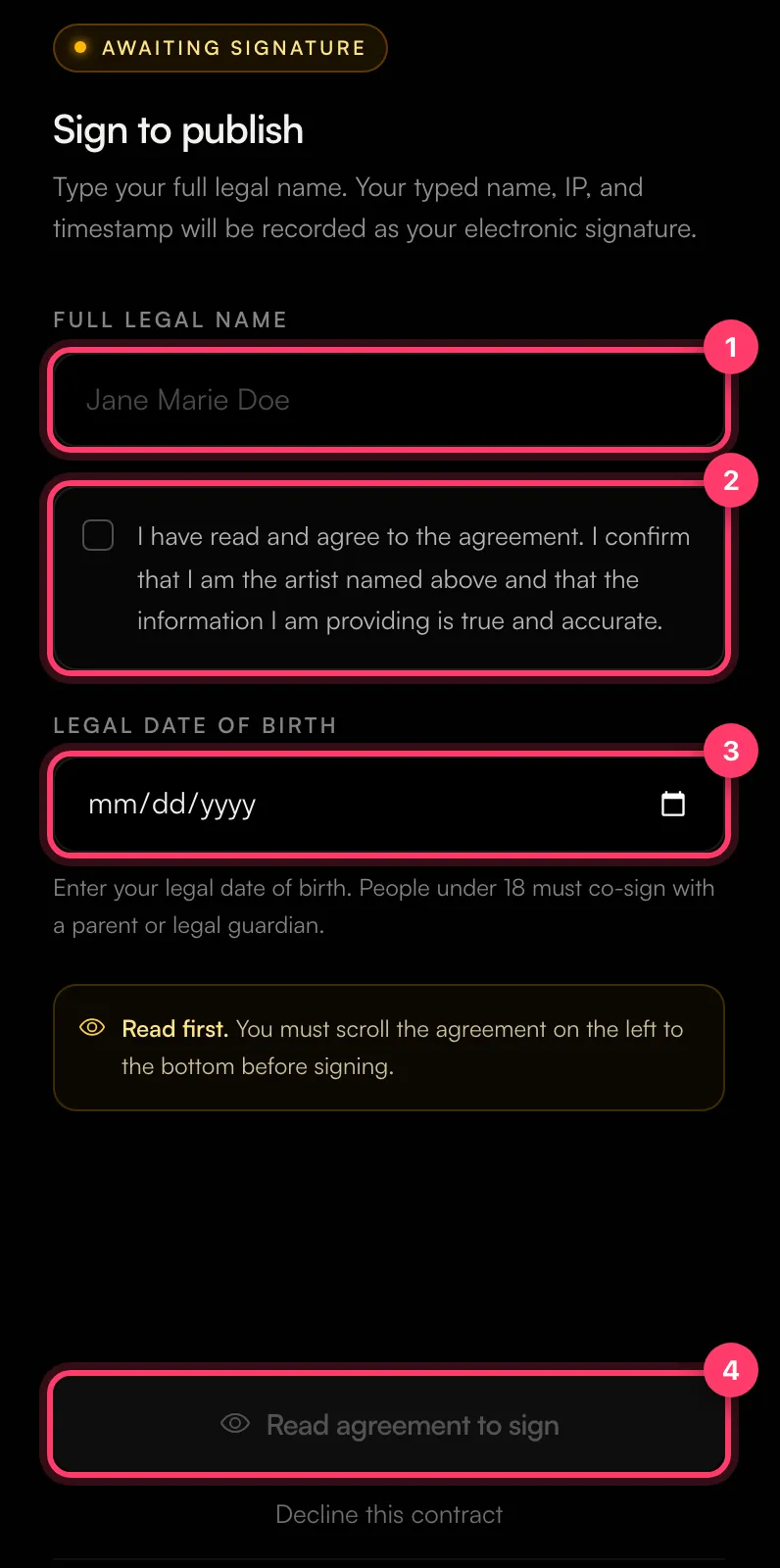
Your typed name, IP address and the time are recorded as your electronic signature.
When it's done you'll see Contract signed and "Your release is now queued for distribution."
To keep a copy, use View PDF or Download PDF at the top of the agreement. After signing, you can download the signed PDF from the Agreements page or the release's Agreements tab. If it says "PDF still rendering", try again in a few seconds.
If you're under 18
If the date of birth you enter shows you're under 18, a parent or legal guardian must co-sign. Before you sign, enter their:
- Full legal name
- Email address
- Relationship to you (for example Mother, Father or Legal Guardian)
We email them a link to sign. The release goes out after they sign. If you entered the wrong email for them, you can update it and a new signing request is sent.
If there are several artists
For a joint agreement, every artist named on it has to sign. After you sign you'll see "Signature recorded – Your collaborators still need to sign before distribution starts." Distribution starts when the last person signs.
If you don't agree with the terms
Click Decline this contract, tell us what needs to change (for example the split or the term length), and click Confirm Decline. Your release goes back to Revisions so we can discuss the terms with you.
Common questions
Who should sign?
The artist named in the agreement. Type your own legal name, not a stage name.
I can't click the sign button.
Scroll the agreement on the left all the way to the bottom, fill in every field and tick the checkbox.
Can my manager or lawyer read it first?
Yes. Download the unsigned PDF and share it before you sign.
Related: Release statuses explained · How long until my release is live? · Check and submit your release
Updated on: 23/10/2026
Thank you!