Release statuses explained
Every release has a status that shows where it is, from your first draft to live in stores. You'll see it as a badge on the Releases page and on the release itself, with a short explanation in the Status card on the release's Overview tab.
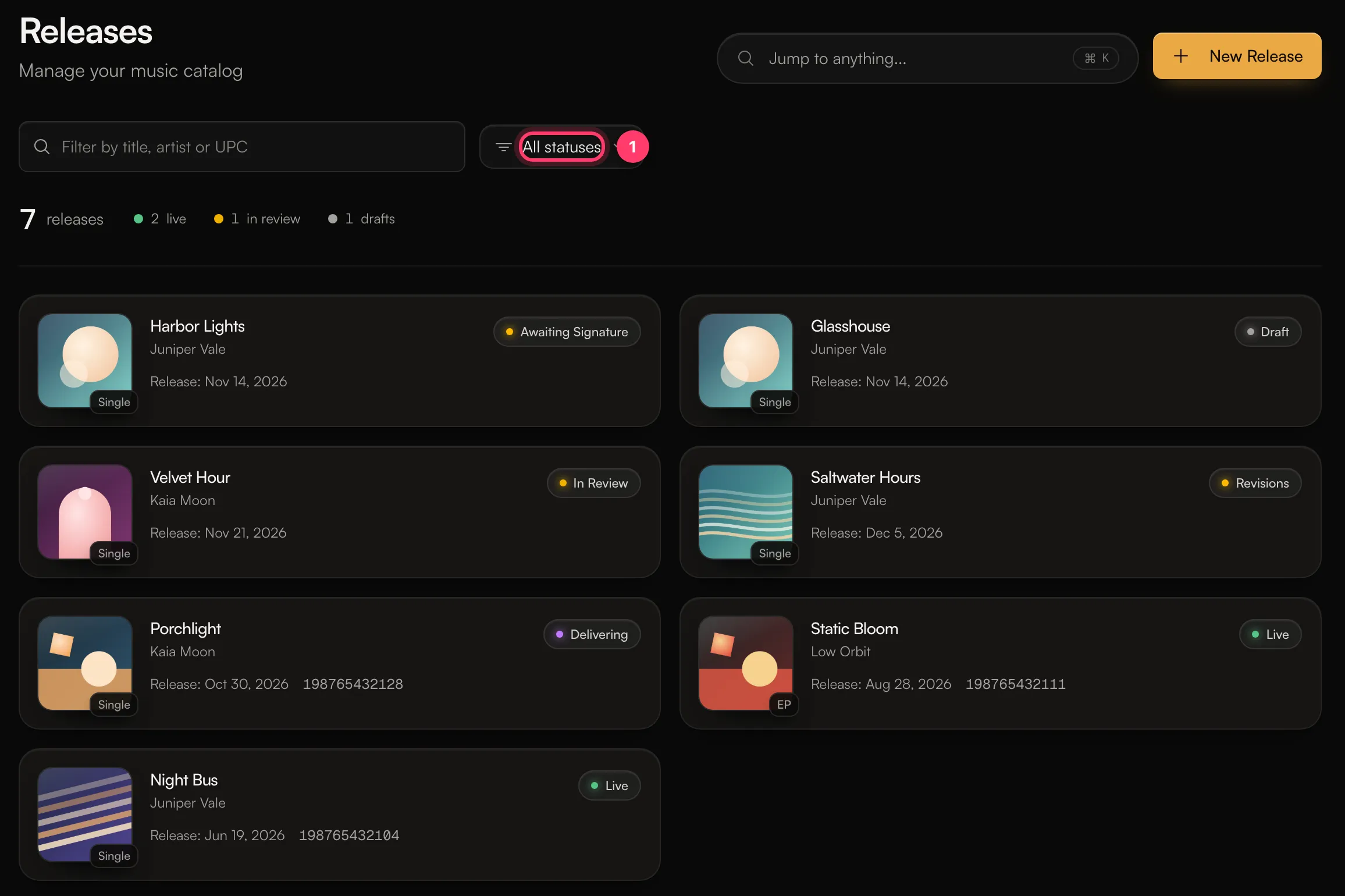
Use All statuses at the top of the Releases page to show only releases with one status.
From draft to live
Status | What it means | What you do |
|---|---|---|
Draft | You're still building the release. | Add the details and audio, then submit it for review. |
Label Review | Your label is reviewing it. Only for artists on a label's roster. | Wait for your label. |
In Review | Our team is reviewing it. Review usually takes 1–2 business days. | Nothing. We'll email you. |
Revisions | We need changes before it can go out. | Read the notes, edit the release and resubmit. See Your release needs changes. |
Approved | Approved and being prepared for delivery. | Nothing. |
Awaiting Signature | Approved, and the release agreement needs your signature. | Sign it. See Sign your release agreement. |
Queued / Delivering | Being packaged and sent to the stores. | Nothing. Check the Delivery tab for progress. |
Distributed | Delivered to the stores and scheduled to go live on your release date. | Nothing. Share your pre-save link. |
Live | Out on streaming services. | Share it. |
Statuses that need attention
Status | What it means | What you do |
|---|---|---|
Rejected | The release wasn't approved for distribution. The notes say why. | Read the notes. See Why was my release rejected? |
Edits Allowed | We've opened the release so you can make changes. | Click Edit Release, make your changes and resubmit, or click Cancel Edits. |
Delivery Hold | Delivery is paused while we fix a problem with a store. Our team has been notified. | Nothing. We'll be in touch. |
Removing a release
Status | What it means |
|---|---|
Takedown Requested | A request has been made to remove the release from stores. |
Taken Down | The release has been removed from streaming services. |
To remove a release from stores, send us a message from the chat on this page, or email team@ammdistro.com.
Where else you see the status
- Recent releases in the left menu shows a short line under each release, such as "In review", "Changes requested", "Delivering to stores", "Out Nov 14" or "Released Jun 19".
- Home lists releases that need you under Needs attention.
- We email you when a release is approved, sent back for changes, or rejected. You can change these emails in Settings → Notifications (Release Updates).
- The mobile apps show the same statuses, with filters for Out, In progress and Drafts.
Common questions
My release has been In Review for more than 2 business days.
Review usually takes 1–2 business days, but it can take longer at busy times. If it's been much longer, send us a message from the chat on this page, or email team@ammdistro.com.
Can I delete a release?
You can delete a release while it's a Draft or after it's Rejected. Open it and choose Delete Release. This can't be undone. For releases that are already in stores, ask us for a takedown instead.
Related: Your release needs changes · Why was my release rejected? · Sign your release agreement · How long until my release is live?
Updated on: 23/10/2026
Thank you!