I can't find my release in a store
Most of the time a missing release is still being processed by the store, isn't out yet because of its release date, or isn't available in your country. Start with the release's Delivery tab, which shows where each store is up to.
1. Check the release status
Open Releases and click the release. The status at the top tells you where it is:
Status | What it means |
|---|---|
In Review | We're still reviewing it. Review usually takes 1–2 business days. |
Approved / Delivering | It's being prepared and sent to the stores. |
Distributed | It's in the stores and goes live on the release date. |
Live | It's available on streaming platforms. |
Delivery Hold | Delivery is paused while we resolve a distribution issue. We'll be in touch. |
If the release date is in the future, the stores have it but won't show it to fans until that date.
2. Check the store on the Delivery tab
Open the release and click the Delivery tab. It lists each store with its own status, such as Pending, Delivered or Live, and an estimate of how long the store needs to process it.
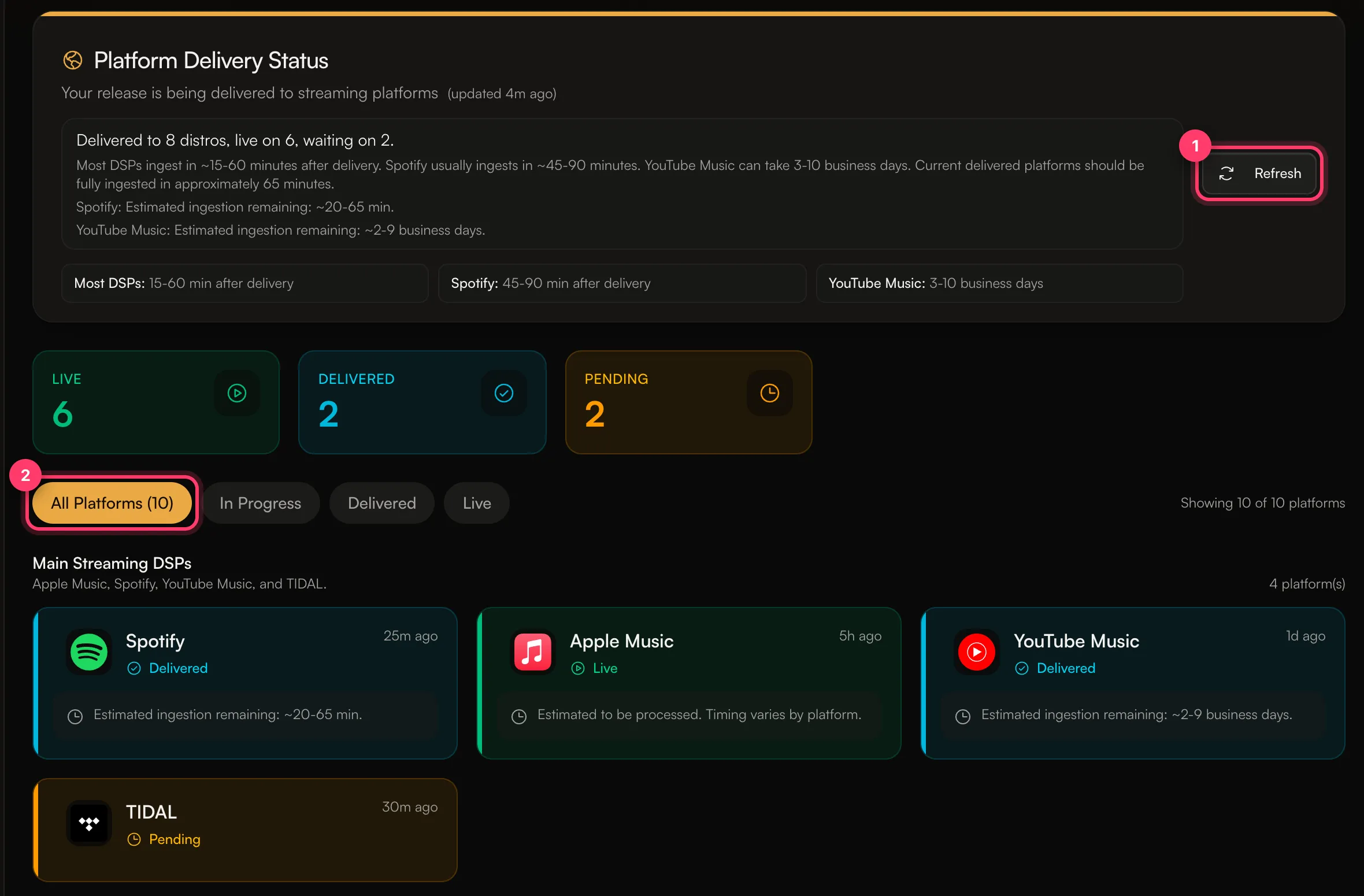
The tab gives these typical times after delivery, and notes that "Processing times are estimates and vary by platform":
- Most stores: about 15–60 minutes.
- Spotify: about 45–90 minutes.
- YouTube Music: 3–10 business days.
Click Refresh to load the latest status.
3. Check your stores and countries
- Stores: if you picked specific stores when you built the release, it only goes to those. The Stores card in Review & submit shows what you chose.
- Countries: if you blocked some countries, or released only in some, the release won't appear in stores in the other countries. A release can look missing because you're browsing from a country it isn't released in.
4. Search the right way
- Search for the release title and the artist name together, not just the title.
- Open the artist's page in the app and look under releases. A new release can take longer to show on the artist page than in search.
- If you find it by searching but it's not on your artist page, it may be on another artist's page. See My release is on the wrong artist page.
Still missing?
If a store shows Live or Delivered on the Delivery tab, the release date has passed, and you still can't find it after the time above, send us a message from the chat on this page, or email team@ammdistro.com. Include the release name, the store, and the country you're searching from.
Common questions
It's on Spotify but not on another store.
Each store processes releases on its own schedule. Check that store on the Delivery tab.
My song is on Instagram or TikTok but I can't add it to a video.
Social platforms are a separate choice in the builder. See Your music on TikTok, Instagram and YouTube.
Related: Track your delivery · Which stores does AMM Distro deliver to? · My release is on the wrong artist page · Choose stores and countries
Updated on: 23/10/2026
Thank you!