Share campaign status with your team
Each project can have a read-only status page that you send to the artist, their manager or anyone else who should follow the release. They don't need an ANTHM account. The page updates live, and you choose what it shows.
Create a status link
- Open Projects and click the release or tracked song.
- Click the Share tab. You can also click Share at the top of the project.
- Under Share campaign status, choose what the page shows.
- Choose how long the link works: 7 days, 30 days or No expiry.
- Click Create link.
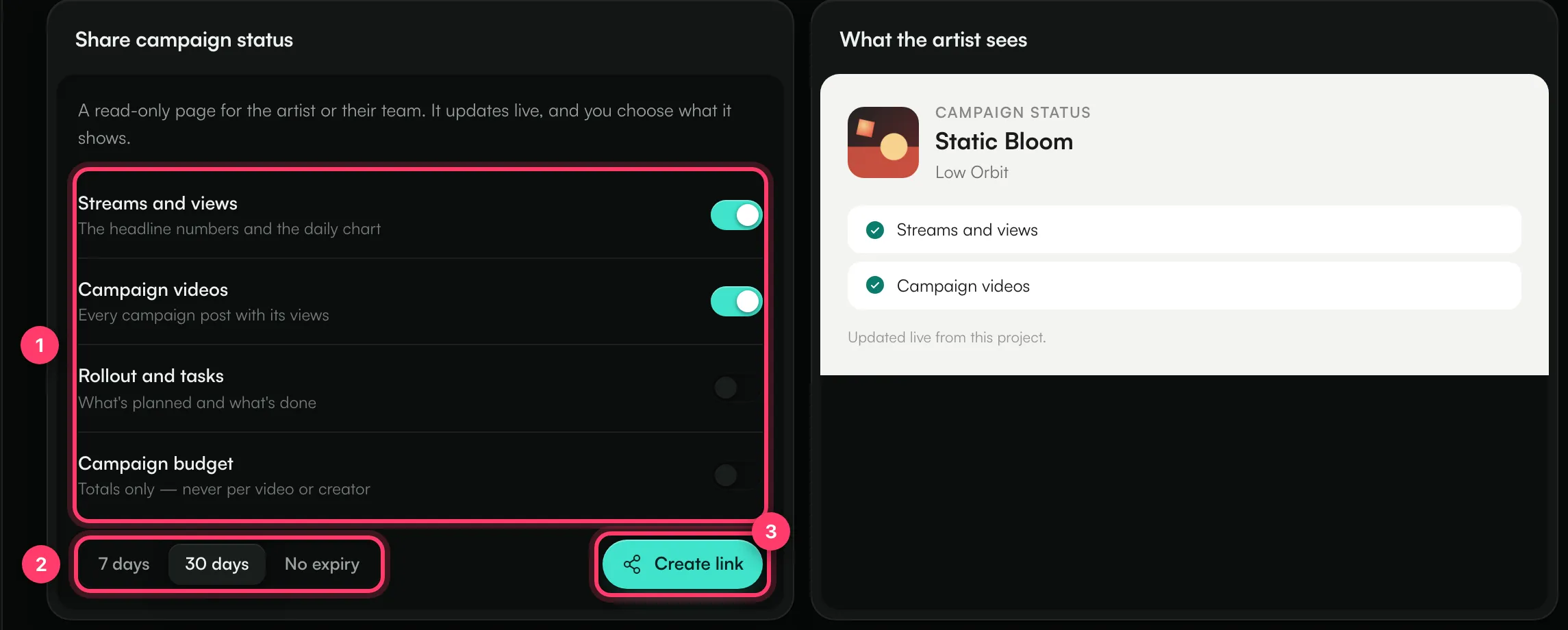
The link appears at the top of the panel. Click Copy to copy it, or Open to see the page yourself. What the artist sees on the right lists the sections that are switched on.
Choose what the page shows
Section | What it shows |
|---|---|
Streams and views | The headline numbers and the daily chart: streams, UGC views and videos made over the last 28 days. |
Campaign videos | Every campaign post with its views. |
Rollout and tasks | What's planned and what's done, from the Rollout tab. |
Campaign budget | The budget, what's been spent and what's left, as totals only. It never shows what any one video or creator was paid. |
Streams and views and Campaign videos are on by default. Campaign videos and Campaign budget are only offered on your own releases, not on songs you track with a Spotify link.
You can switch sections on or off after the link is created. The change applies to the page straight away; you don't need to send a new link.
What the person you share with sees
The page shows the release cover, title and artist, followed by the sections you switched on. At the bottom it says when the link expires.
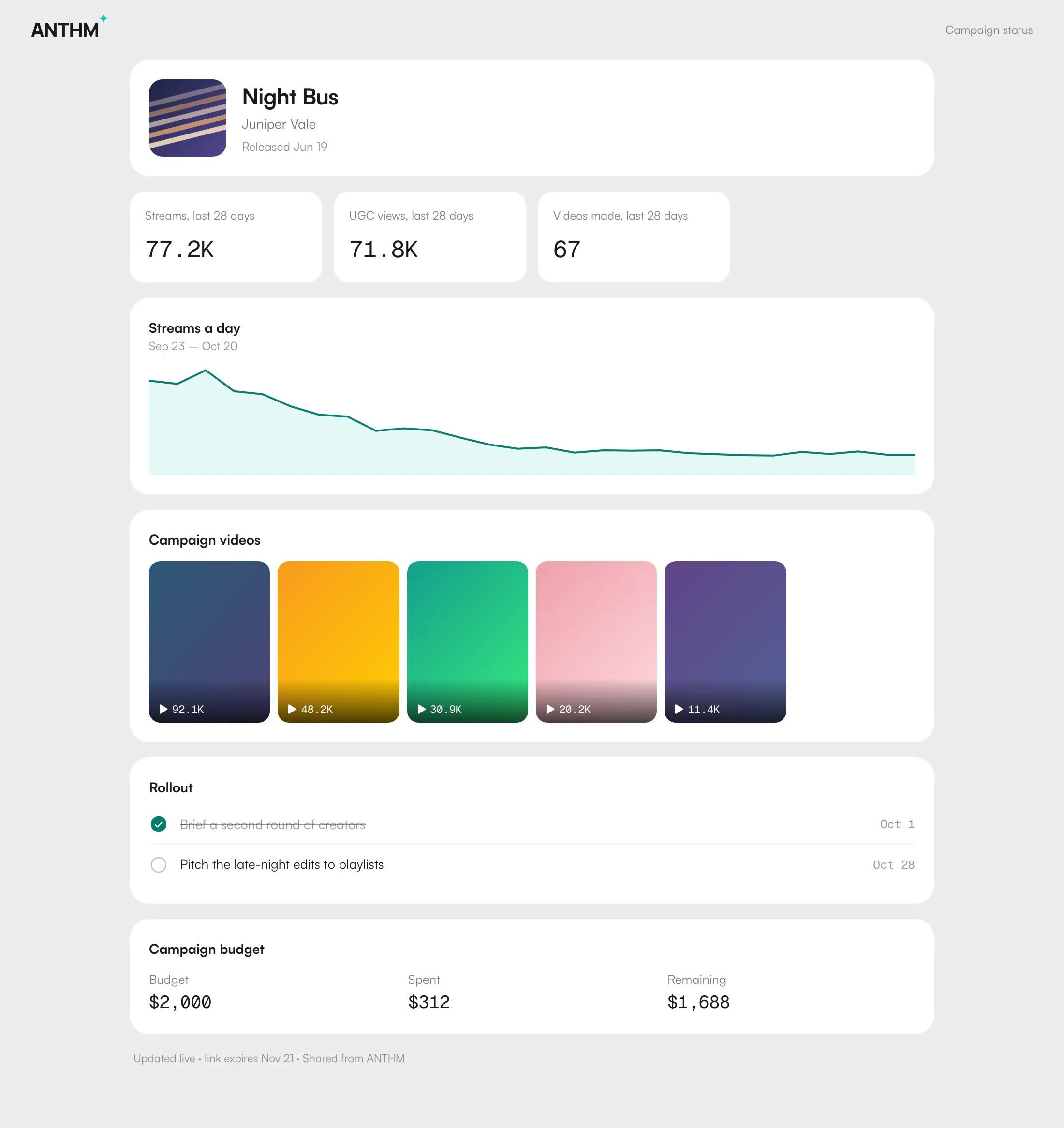
The numbers come from the project, so the page always matches what you see in ANTHM.
Turn a link off
On the Share tab, click Turn off. The link stops working at once, and anyone who opens it sees "This link isn't available". The same message appears after a link expires.
To share again, create a new link. A new link has a new address, so send it again to the people who need it.
Common questions
Can I change the expiry date of a link?
Not on an existing link. Turn it off and create a new one with the expiry you want.
Does the person need to sign in?
No. Anyone with the link can open the page while it's active, so only send it to people you want to see these numbers.
Can they change anything?
No. The page is read-only.
Who on my team can create or turn off a link?
Team members with the admin or member role. Viewers can't change share links.
Why do the numbers show zero?
Streams and UGC numbers update nightly once the release is live. Before release day, or in the first days after it, the page can show zero.
Related: Projects: one place for each release · Review creator submissions · Track how your sound is used on TikTok · Team members and roles
Updated on: 23/10/2026
Thank you!