Track how your sound is used on TikTok
The UGC tracking tab on a project follows TikTok sounds for your song. Paste a TikTok video or sound link and ANTHM checks that sound once a day: how many videos use it, how many new ones were posted, and how the top videos are doing.
Add a sound
- Open Projects and click the release or tracked song.
- Click the UGC tracking tab.
- Paste a TikTok link into Paste a TikTok video or sound link and click Track. A video link works too: ANTHM finds the sound the video uses.
- Or type in Search the Pulse catalog and pick a sound from the list.
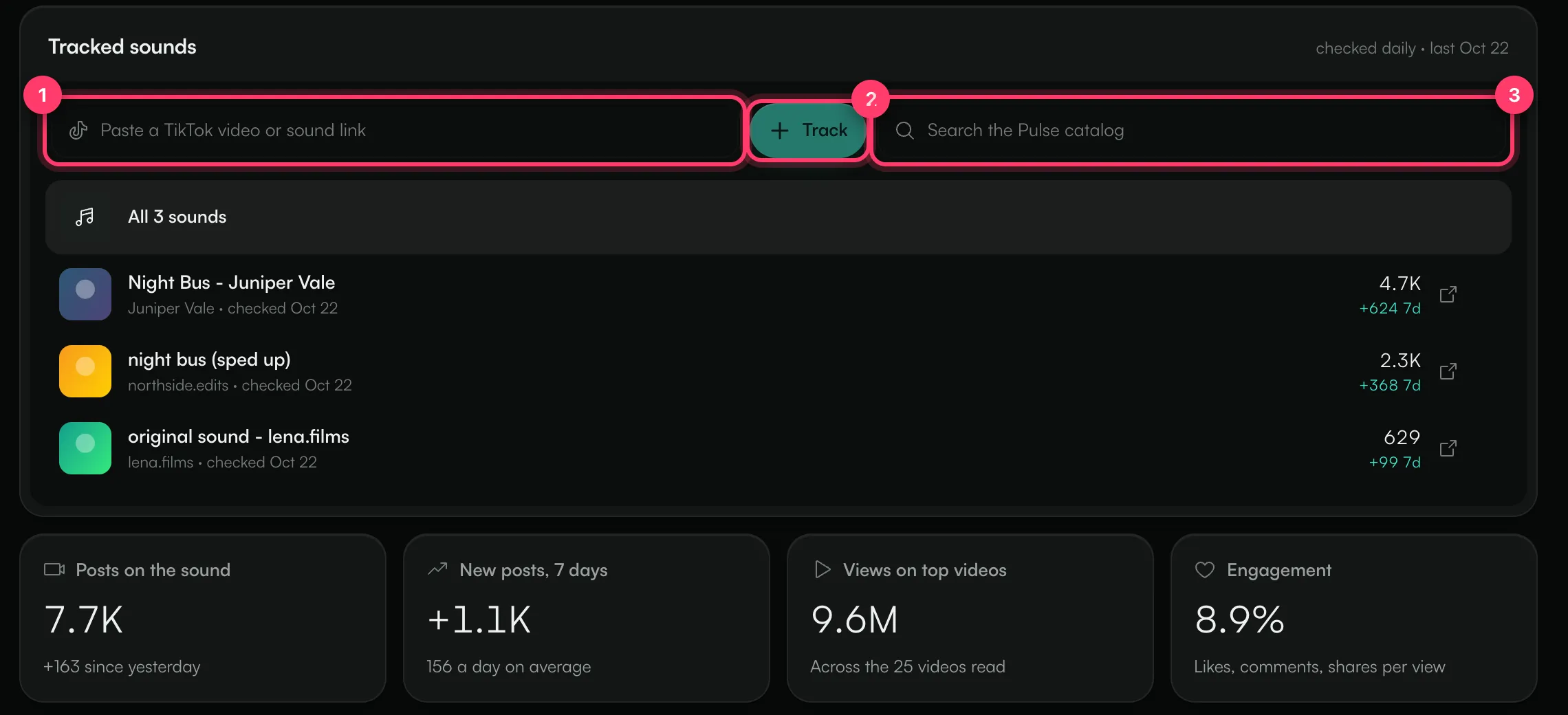
You'll see "First check-in is running. Daily from here on." The first check-in starts right away, and the sound is read once a day after that. Adding a sound doesn't use a Pulse scan.
If TikTok already links sounds to your song, they appear under Linked to this song on TikTok. Click one to start tracking it.
Sounds from TikTok link requests you made for the release in AMM Distro are added to this tab automatically.
Read the numbers
Click a sound in the list to see its numbers, or All N sounds to see them combined.
Number | What it means |
|---|---|
Posts on the sound | Total videos that use the sound, and how many were added since yesterday. |
New posts, 7 days | Videos added in the last 7 days, with the daily average. It fills in after a few check-ins. |
Views on top videos | Total views across the most popular videos read at the last check-in. |
Engagement | Likes, comments and shares per view on those videos. |
The chart Posts on the sound shows new posts each day next to the running total.
Top videos
The Top videos list shows the most popular videos on your tracked sounds, with the creator, their follower count, the post date and the sound used. Sort it by Most viewed, Rising, Engagement or Newest.
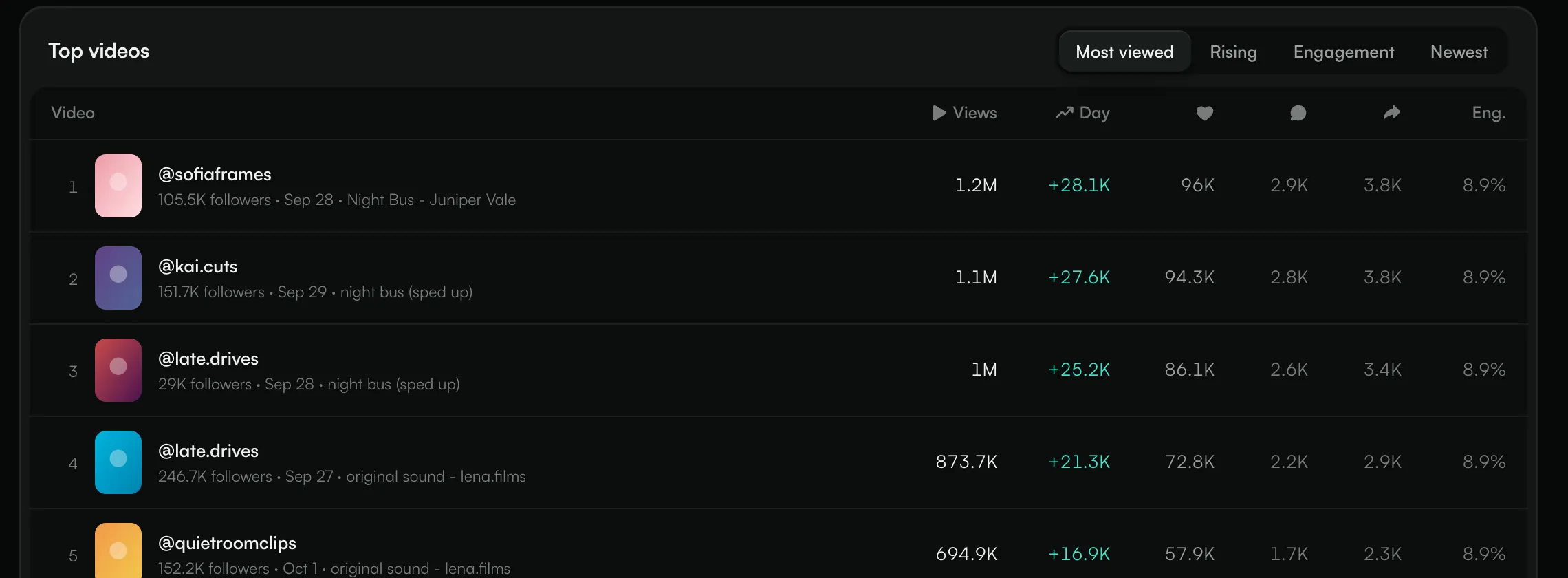
- Views: the video's current view count.
- Day: views gained since the previous check-in.
- The heart, speech-bubble and arrow columns are likes, comments and shares.
- Eng.: likes, comments and shares per view.
Sound labels
On your own releases, a sound can show one of these labels:
- Linked: TikTok links this sound to your release.
- Link requested: a request to link it was sent from AMM Distro.
- Linked elsewhere: TikTok links this sound to someone else's recording.
Stop tracking a sound
Hover over the sound in the list and click the stop-tracking button. A sound you stop tracking isn't added back automatically, even if it came from an AMM Distro link request. If you add it again yourself, its earlier check-ins come back.
Common questions
A sound says "Queued for today's check-in". Is that a problem?
No. The sound is waiting for its first daily read. If you see "TikTok didn't answer; retrying", TikTok didn't respond to that read; it's tried again automatically.
Why does the 7-day number show a dash?
It needs a few days of check-ins before there's a week to compare.
Do I see every video on the sound?
No. Posts on the sound is the total count TikTok reports. The views, engagement and Top videos figures come from the most popular videos read at each check-in, not every video.
Related: Projects: one place for each release · Brief creators with Ignite · Share campaign status with your team
Updated on: 23/10/2026
Thank you!