Projects: one place for each release
Projects gives every release its own page in ANTHM, with its streams, TikTok activity, rollout tasks, smart link, campaigns and a share link for the artist. Your AMM Distro releases appear there automatically. You can also follow any other song by pasting its Spotify link.
Open Projects in the left menu (under Apps). It's available on artist and label accounts.
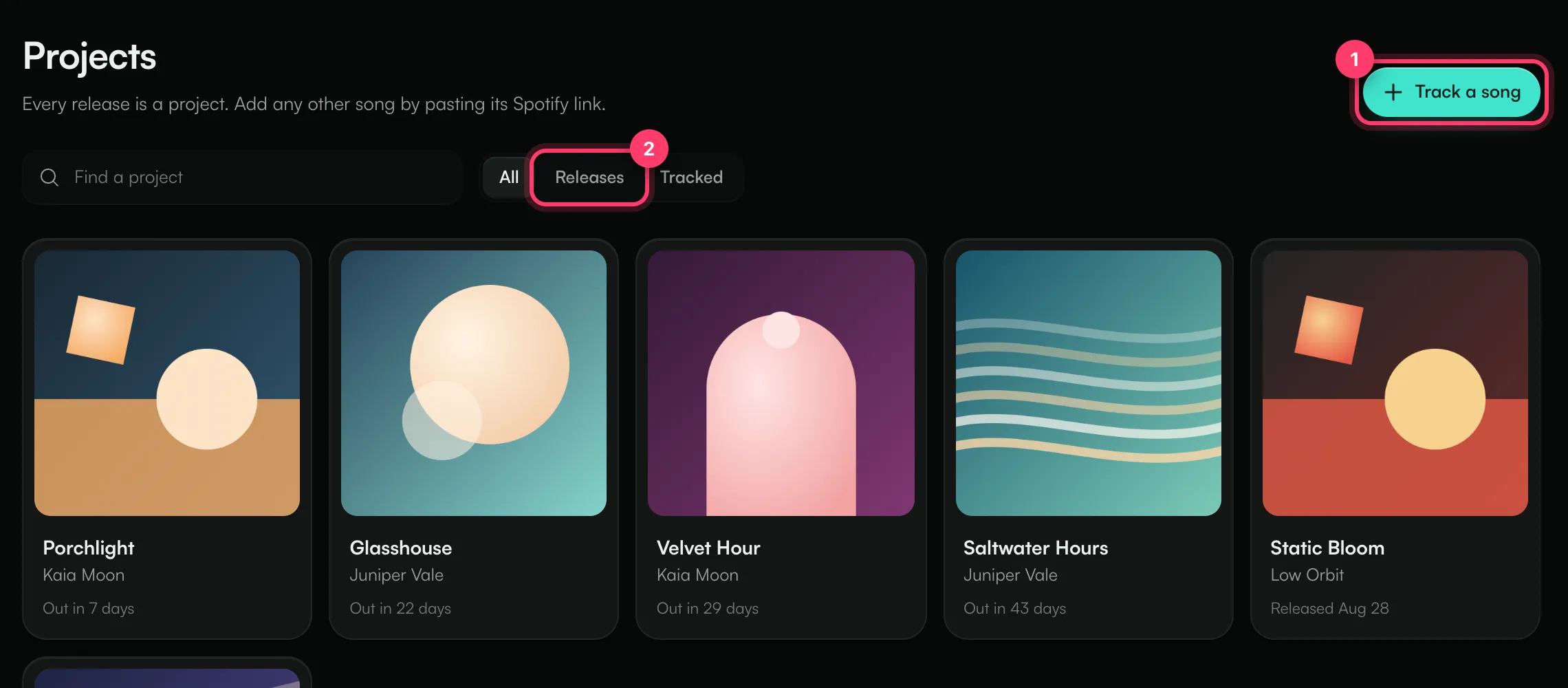
Your releases appear automatically
Once a release is in AMM Distro on the same account, it shows up in Projects. Each card shows the cover, the artist and where the release stands: "Out in 7 days", "Out today" or "Released Aug 28".
Use the filters above the grid to narrow the list:
- All: everything.
- Releases: your own releases.
- Tracked: songs you added with a Spotify link.
Find a project searches by title.
Track any song by its Spotify link
You can follow a song that isn't yours, such as a reference track, a competitor's single or a song you're pitching to.
- On Projects, click Track a song.
- Paste a Spotify track or album link.
- Click Add project.
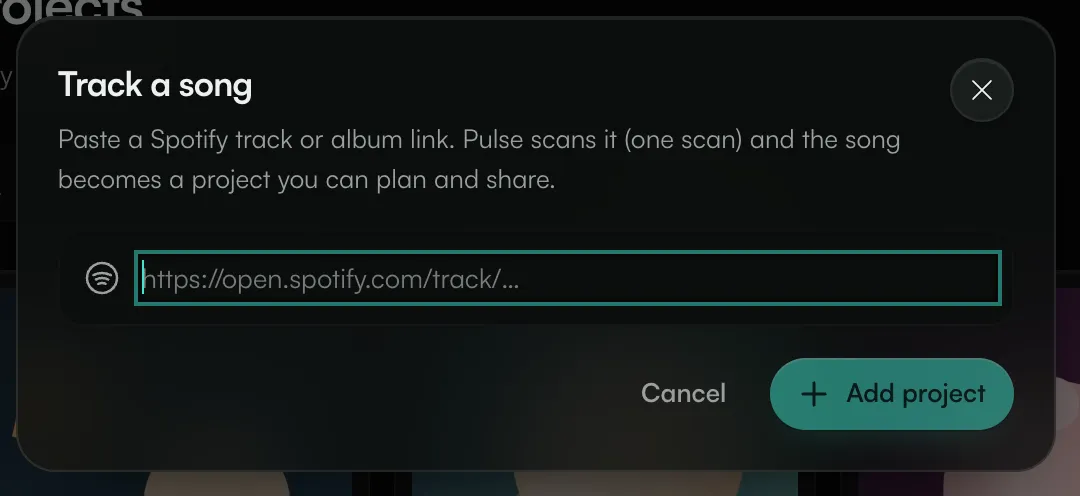
The song is scanned with Pulse, which uses one of your daily Pulse scans. It then becomes a project you can plan and share. Tracked projects are labelled Tracked. If you add a song you already follow, it's scanned again and no duplicate is created.
To remove a tracked song, open it and click the stop-tracking button next to its title. Its tasks and share link are removed too.
Inside a project
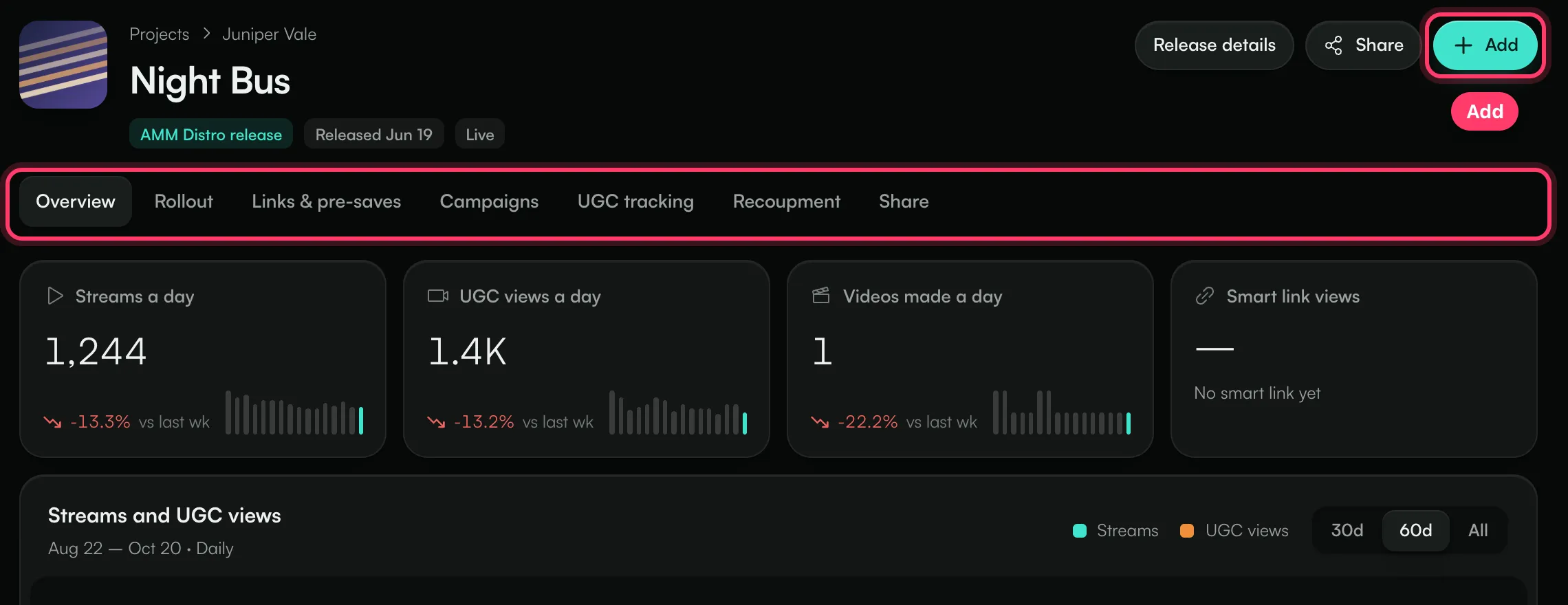
Open a project to see its tabs. The Add button at the top right adds something to the project: a task, an Ignite campaign, a Studio video, a campaign page, a smart link, a TikTok sound to track, or a share link for the artist.
Tab | What it shows |
|---|---|
Overview | Streams a day, UGC views a day, videos made a day and smart link views, with a chart of streams and UGC views, the rollout and top countries. |
Rollout | Tasks grouped by phase: Plan (6+ weeks out), Announce (4 weeks out), Pre-save (2 weeks out), Release week and Post-release push (weeks 1–6). The current phase is worked out from the release date. |
Links & pre-saves | Set up the release's smart link, then see page views, visitors, store clicks, click-through, and which stores, countries, sources and devices the visits came from. |
Campaigns | Every creator campaign for this release. Add campaign starts an Ignite brief or a campaign page. |
UGC tracking | The TikTok sounds you follow for this song, checked once a day. |
Recoupment | For releases with an advance or recoupable marketing spend: what's been recouped and what's left. |
Share | A read-only status page you can send to the artist or their team. |
Links & pre-saves, Campaigns and Recoupment only appear on your own releases. A tracked song shows its Spotify streams a day, label, distributor and release date instead. Click Re-scan to refresh those numbers; a re-scan uses one Pulse scan. Full Pulse view opens the full scan.
On your own releases, Release details opens the release in AMM Distro.
Common questions
Why is there no streaming data on my release yet?
Streams and UGC numbers update nightly once the release is live. The first days usually arrive within 48 hours. Before release day the Overview shows "Not out yet".
My release isn't in Projects.
Releases appear when they're on the same account as the one you're using in ANTHM. Check the account name at the top of the left menu. If the release is on another account you belong to, switch to that account.
Can I add tasks with due dates?
Yes. In Rollout, each phase has its own list. Click Add task, type what needs doing, optionally pick a due date and click Add. Tick a task to mark it done.
Related: Track how your sound is used on TikTok · Share campaign status with your team · Smart links and pre-saves · Recoupment on a project · Brief creators with Ignite
Updated on: 23/10/2026
Thank you!