Team members and roles
ANTHM and AMM Distro share the same accounts, so your team is the same in both apps. You invite people and change their roles from Team Members in AMM Distro, and they can then sign in to ANTHM with the same email.
The three roles
Role | In ANTHM |
|---|---|
Admin | Full access. Can invite people, change roles, remove people, manage billing and pay for campaigns. |
Member | Can use the tools, create and edit pages, drops, emails, collabs and links, and pay for campaigns. Can't manage the team or billing. |
Viewer | Read-only. Can open everything but can't make changes, send emails, pay for campaigns or send messages to Copilot. |
Invite someone
- Sign in to AMM Distro with the same email you use for ANTHM.
- Open the account menu and choose Team.
- Click Invite Member.
- Enter their Email Address, an optional name, and pick a Role.
- Send the invitation.
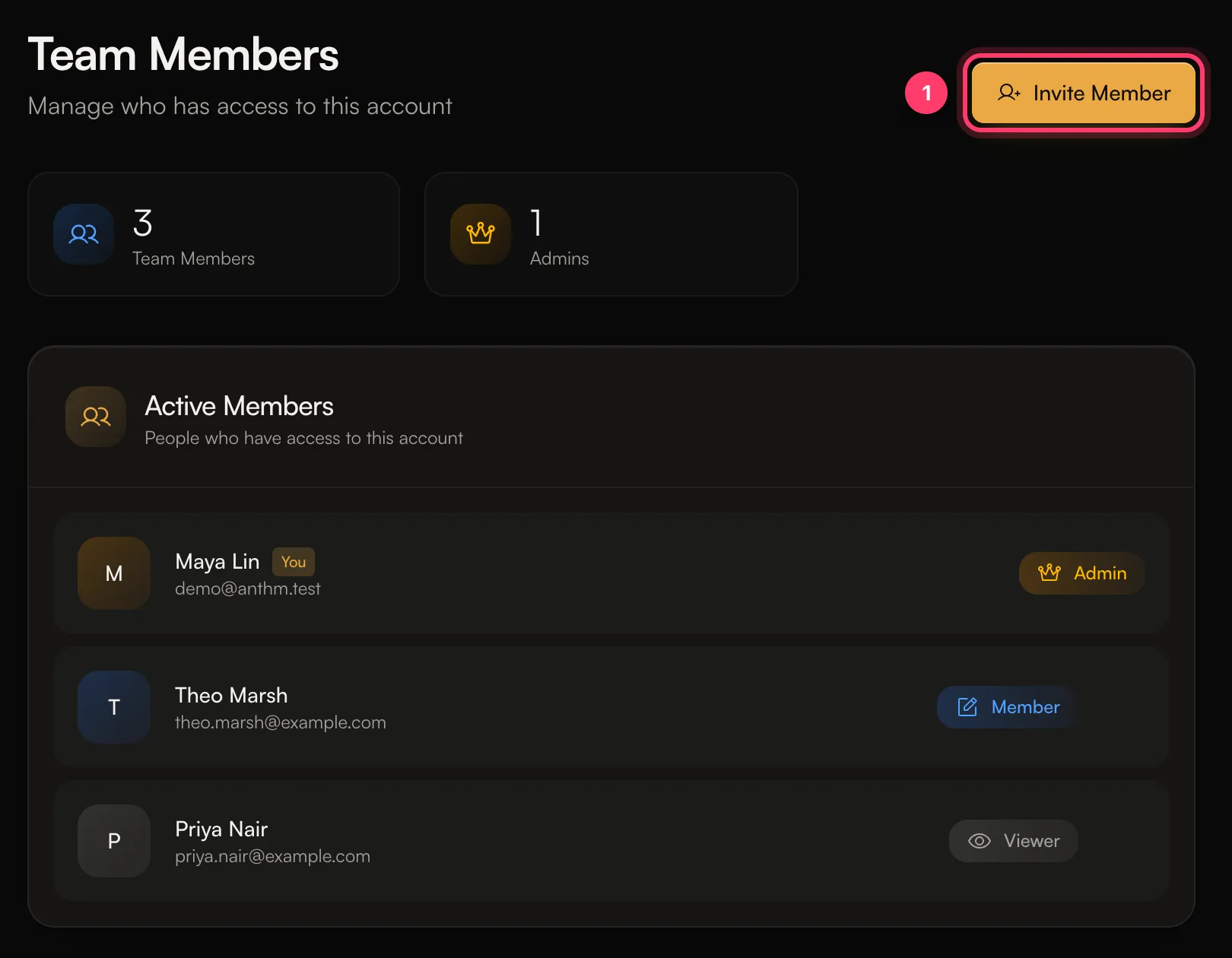
They get an email with a link. When they open it in ANTHM, they see "You've been invited to ANTHM", enter their name and click Accept & Continue. They must use the email address you invited.
Only admins can invite people, change roles or remove someone. To change a role, open Team Members, pick the new role next to the person, and you'll see "Role updated to [role]". To remove someone, choose Remove from team. They lose access right away, and you can invite them again later.
Seats on your plan
Your ANTHM plan may limit how many team members you can have. You can see the limit under Team members in Settings → ANTHM Service. If you've reached it, you'll see "This ANTHM plan allows [number] team member(s)." Contact us to change your plan.
Switch between accounts
If you belong to more than one account, click the account name at the top of the left menu and pick another one under Workspaces. Everything you see in ANTHM (pages, fans, campaigns, Studio credits) belongs to the account you're in.
Common questions
I see "This action requires admin role. Your current role is: …"
Your role on this account doesn't allow that action. Ask an admin on the account.
Need help?
Send us a message from the chat on this page, or email team@ammdistro.com.
Related: Add team members and choose their role · Billing and your subscription · Notifications
Updated on: 23/10/2026
Thank you!