Get started as a creator
On ANTHM, artists and labels post paid campaigns for their songs. You pick the ones you want, make the video your way, and get paid when it's approved. Setting up takes a few minutes: tell us about yourself, connect your TikTok, and we'll show you your rate.
1. Get an account
ANTHM is invite-only. There are two ways in:
- Request access on anthm.tech and choose Creator. We'll email you when your account is ready. See "Request access to ANTHM".
- Join an open-call campaign from a link someone shared with you (an anthm.tech/s/… page). Joining with your email creates your account. See "Open-call campaigns".
2. Set up your creator profile
The first time you sign in, ANTHM walks you through Creator setup. Your progress is saved after each step, so you can stop and come back.
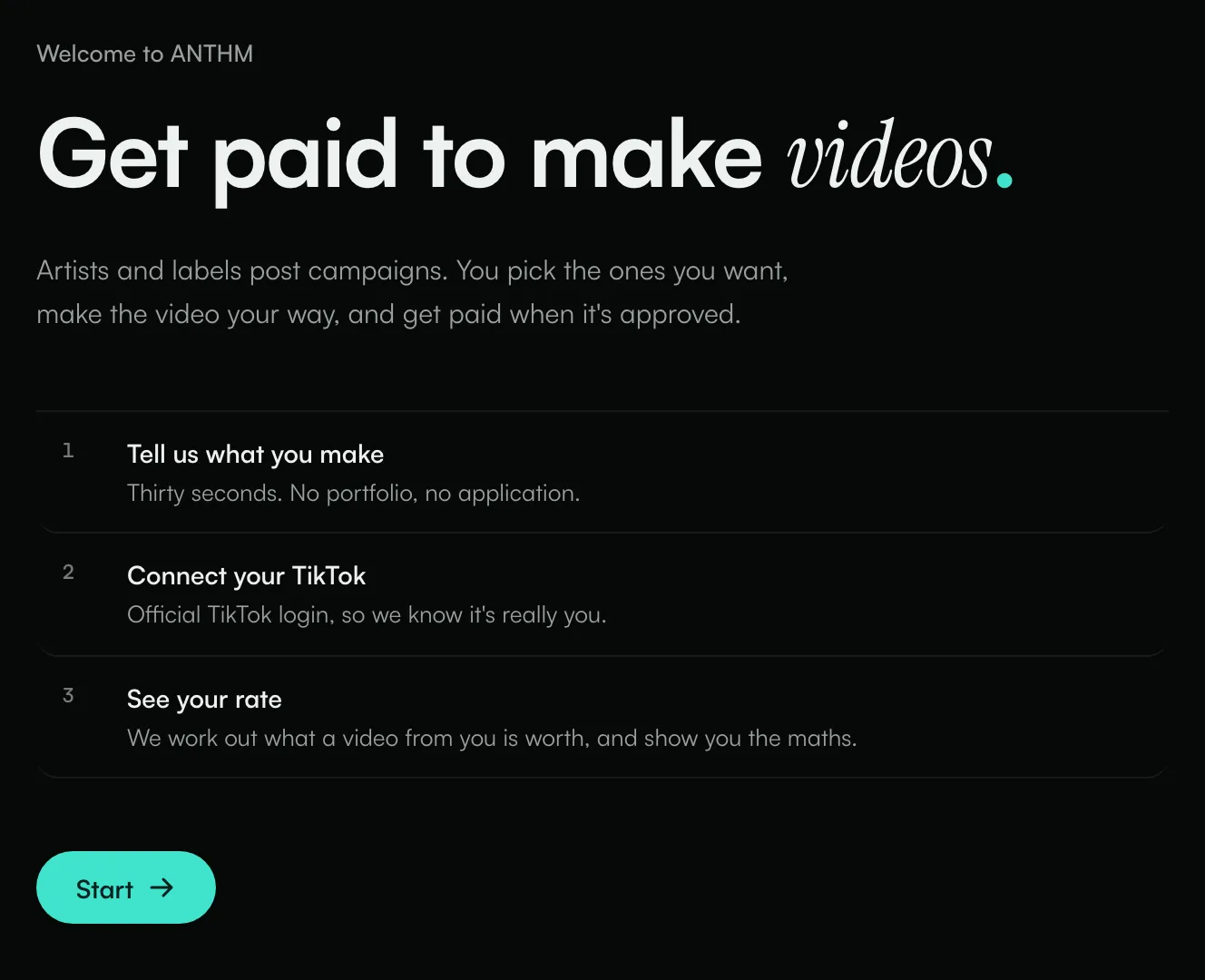
- Click Start.
- About you: enter Your name (this is how labels will see you), the Language you post in and Where most of your audience is.
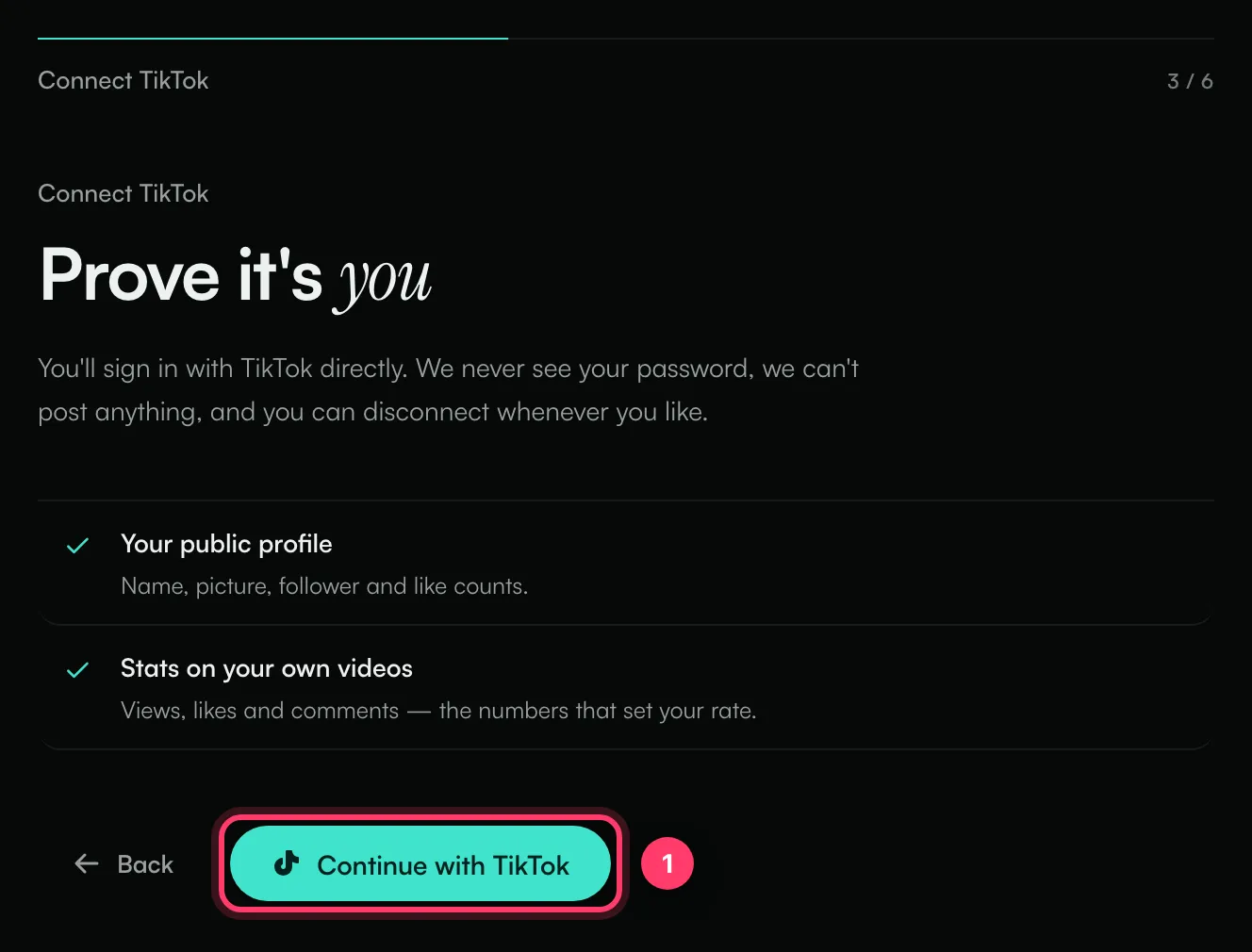
- Connect TikTok: click Continue with TikTok and sign in on TikTok. ANTHM can read your public profile and the stats on your own videos. It never sees your password and can't post anything, and you can disconnect whenever you like.
- What you make: choose the style closest to your videos: Photos or text on screen, Talking to camera, Dance or performance, or Edited and produced.
- Reading your account: ANTHM reads your recent videos and works out your rate. This takes a moment.
- Your rate: see what you earn per video and how it was worked out. Click Browse campaigns to start.
See "How your rate is worked out" for what goes into the number.
3. Find your way around
Once you're set up, your left menu has:
- Marketplace: open campaigns you can claim.
- My Work: campaigns you've claimed, where you submit videos.
- Invites: campaigns that matched you.
- Earnings: your balance and payout settings.
- Creator Profile: what labels see about you.
- Pulse and Sound search: tools to look up songs and sounds, if your plan includes them.
Some of these are under All apps in the menu.
4. Set up payouts early
Before we can pay you, you need a payout method and an approved tax form. Do both now so nothing holds up your first payment. See "Get paid as a creator".
If TikTok won't connect
Message | What to do |
|---|---|
TikTok login was cancelled. | You closed or declined the TikTok screen. Try again and approve. |
That login link expired — try connecting again. | Click Continue with TikTok again. |
That TikTok is already linked to another ANTHM account. | Each TikTok can be linked to one ANTHM account. Sign in with the account it's linked to, or contact us. |
Your talent manager already manages this TikTok on ANTHM. | An agency has registered this TikTok. If they don't represent you, see "For talent agencies: manage your roster". |
We couldn't read your videos | Reconnect TikTok and allow access to your videos when TikTok asks. Or click Skip for now and someone at ANTHM will set your rate by hand. |
Common questions
Do I need a lot of followers?
No. Your rate is based on how your videos perform. Some campaigns set a minimum follower count, which is shown on the campaign before you claim it.
Can I connect more than one TikTok?
Yes. Click Connect another account on the TikTok step, or add one later from Creator Profile.
How old do I need to be?
You need to be 18 or older, or 13 to 17 with a parent or guardian's permission. If a campaign agreement applies and you're under 18, a parent or guardian has to co-sign it.
Related: How your rate is worked out · Find and claim a campaign · Get paid as a creator · Open-call campaigns
Updated on: 23/10/2026
Thank you!