Claim statuses, deadlines and reminders
Every campaign you claim has a status in My Work, and once you're accepted it has a deadline. We remind you before the deadline. If a claim goes well past its deadline without a submission, it's cancelled and the spot goes back to the campaign.
Where to see your claims
In the left menu, open All apps and choose My Work. Each claim shows its status in the top right corner.
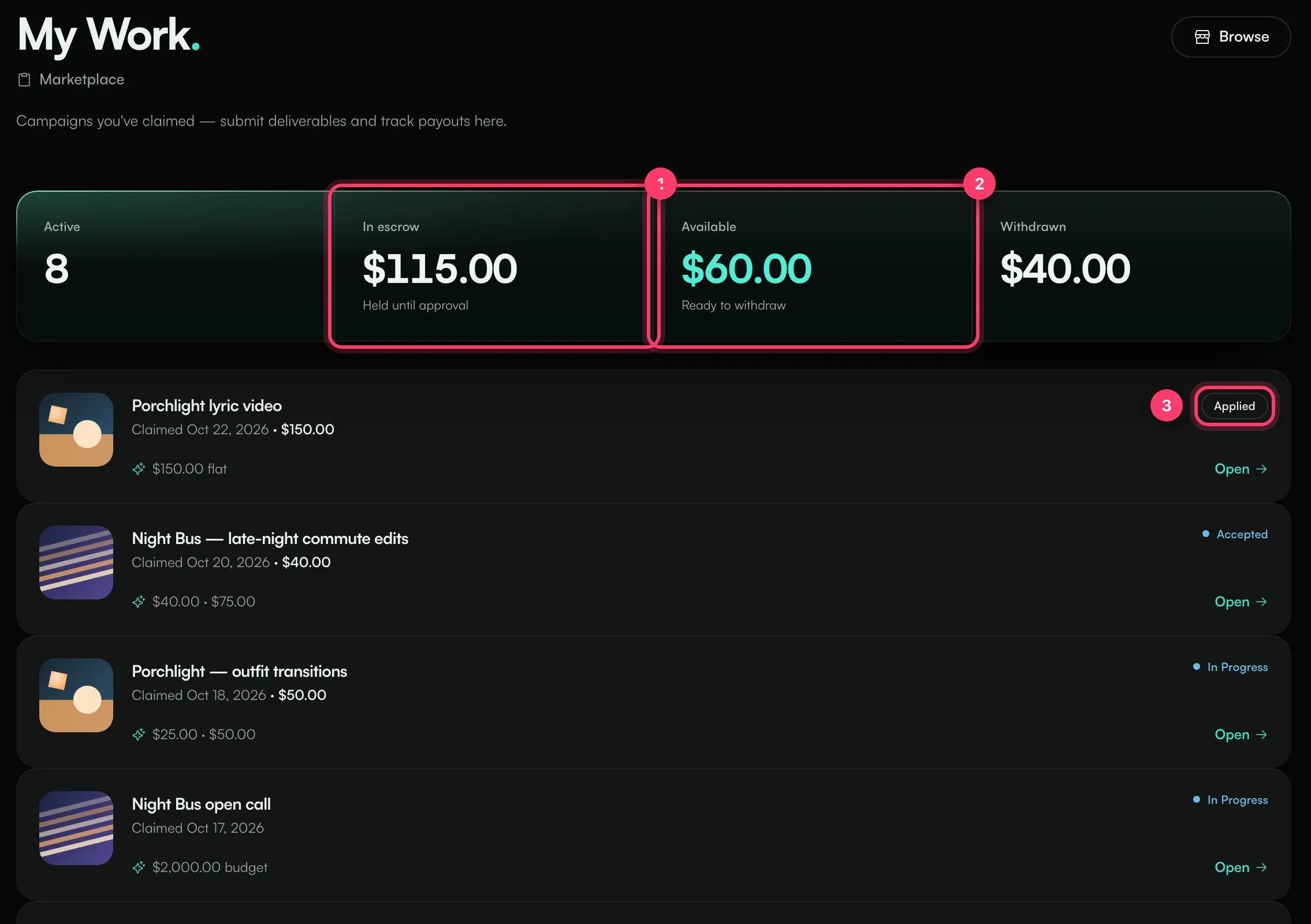
The totals at the top:
- Active: claims still in progress.
- In escrow: money set aside for your accepted work, held until it's approved.
- Available: approved money waiting to be paid out to you.
- Withdrawn: money already paid out to you.
What each status means
Status | What it means | What to do |
|---|---|---|
Applied | Your claim is waiting for the artist or label to accept it. | Wait. We'll notify you. |
Accepted | You're confirmed. The pay for your video is set aside. | Make and post the video, then submit it. |
In Progress | You've started: you saved a draft or the work is under way. | Submit when ready. |
In Review | You've submitted. The artist or label is reviewing. | Wait for the review. |
Revision Requested | The reviewer asked for changes. Their note is on the claim. | Make the change and submit again. |
Approved | Your work is approved and the money is released to your balance. | Rate the campaign if you like. See "Ratings". |
Paid | The money for this claim has been paid out to you. | Nothing. |
Not Accepted | The artist or label didn't accept your claim. | You can apply again if it's still open. |
Cancelled | You cancelled, or the claim expired. | You can apply again if it's still open. |
Deadlines
When your claim is accepted, you get a set number of days to deliver. The campaign decides how many; it's 7 days unless the campaign sets a different time.
- Two days before the deadline, we send you a notification: "Deliverable due soon", with the due date.
- At the deadline, if you haven't submitted, we let you and the artist or label know. Late work is often still welcome, so submit as soon as you can.
- A few days after the deadline (3 days unless the campaign sets otherwise), if you still haven't submitted, the claim is cancelled automatically. You'll get "Claim expired": the slot is released and the money set aside goes back to the campaign. You can apply again if the campaign is still open.
A claim that's In Review isn't affected by the deadline.
Notifications you'll get
- "Your claim was accepted"
- "Deliverable due soon"
- "Revision requested"
- "Work approved — funds released"
- "Claim not accepted"
- "Claim expired"
You'll find them under Notifications (click your name at the bottom of the left menu). Depending on your notification settings, we also email them.
Common questions
I need more time
Send us a message from the chat on this page, or email team@ammdistro.com, before the deadline, with the campaign name.
Can I cancel a claim?
Yes. Open the claim and click Cancel claim at the bottom. You can cancel until the work is approved.
Related: Submit your video · Find and claim a campaign · Get paid as a creator · Something went wrong with a campaign
Updated on: 23/10/2026
Thank you!