Sharing: send private music links
Sharing is your private music library. Upload tracks with their versions and stems, tag them, then send a private link to anyone, such as a music supervisor, a playlist curator or a collaborator, and see who listened, to what and for how long. You can also get a public page where people can send music to you.
Open Sharing under Audience in the left menu. It has four sections: Catalog, Share links, Inbox and Stats.
Add tracks to your catalog
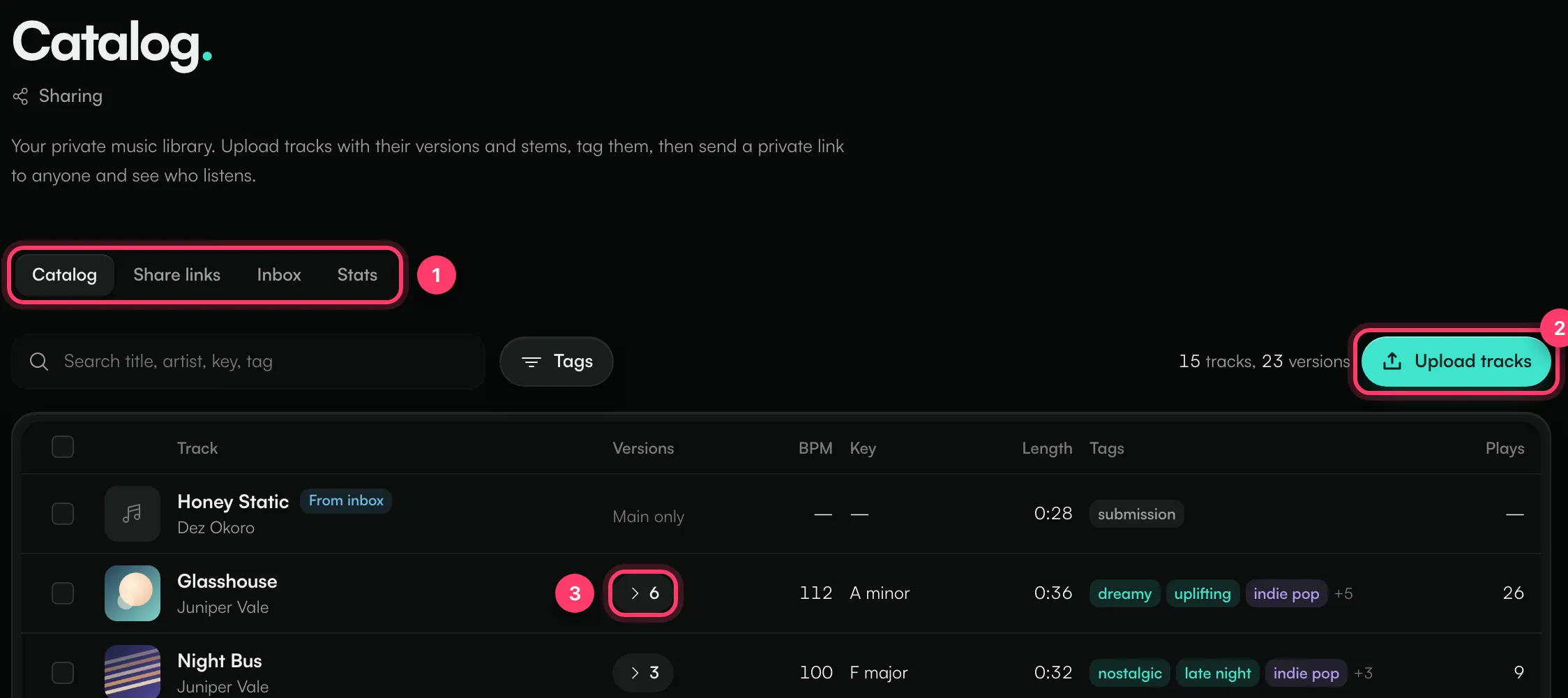
- The Catalog, Share links, Inbox and Stats sections.
- Click Upload tracks, or drag audio files anywhere on the page. MP3, WAV, M4A, AAC or FLAC, up to 300 MB each.
- Click the number in Versions to see a track's versions and stems.
Click a track to edit its details: Title, Artist, BPM, Key, ISRC, Notes (for example clearance, writers or where it has been placed) and artwork. Add tags for mood, genre, instrument and vocals, or your own.
Versions and stems
In a track's details, under Versions and stems, click Add file and choose what it is: Instrumental, Clean, Acapella, TV mix, Radio edit, Extended or a stem (Stem: Drums, Stem: Bass, Stem: Vocals, Stem: Guitars, Stem: Keys). Versions and stems are played and shared with the main track.
Search the catalog by title, artist, key or tag, or filter by Tags.
Create a share link
- Go to Share links and click New link. Or select tracks in the catalog and click Share selected.
- Choose Playlist or Press kit (EPK).
- Enter a Title and, optionally, Made for (shown on the page as "Shared with …"), a Description, a cover and a Page colour.
- Add tracks under Tracks and put them in order. Versions and stems of a track you add are listed under it on the page.
- For a press kit, add a Bio, Photos, Links, Contacts and Press quotes.
- Set Access (see below).
- Click Create link.
Access settings
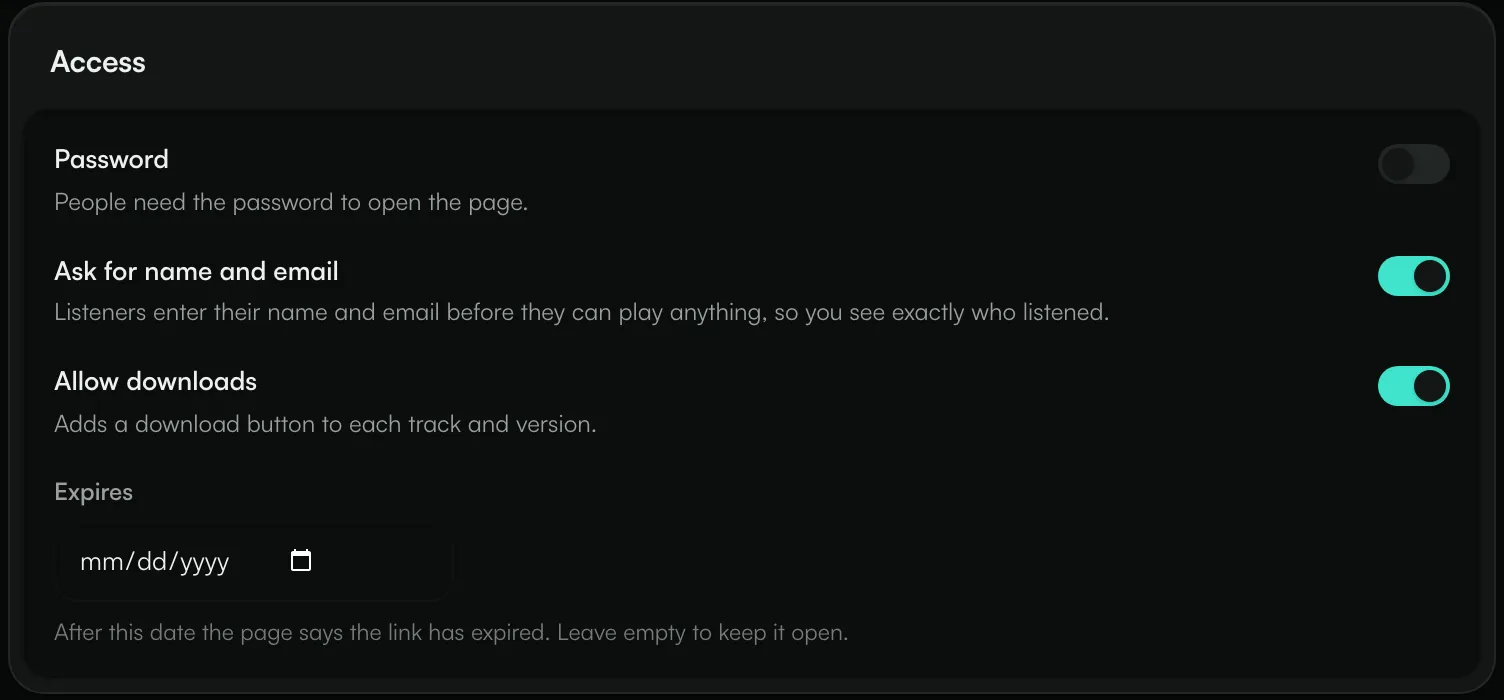
- Password: people need the password to open the page. At least 4 characters.
- Ask for name and email: listeners enter their name and email before they can play anything, so you see exactly who listened.
- Allow downloads: adds a download button to each track and version.
- Expires: after this date the page says the link has expired. Leave it empty to keep the link open.
Send the link
Open the link and use the Share panel: Copy link, Open page, or download a QR code as PNG or SVG.
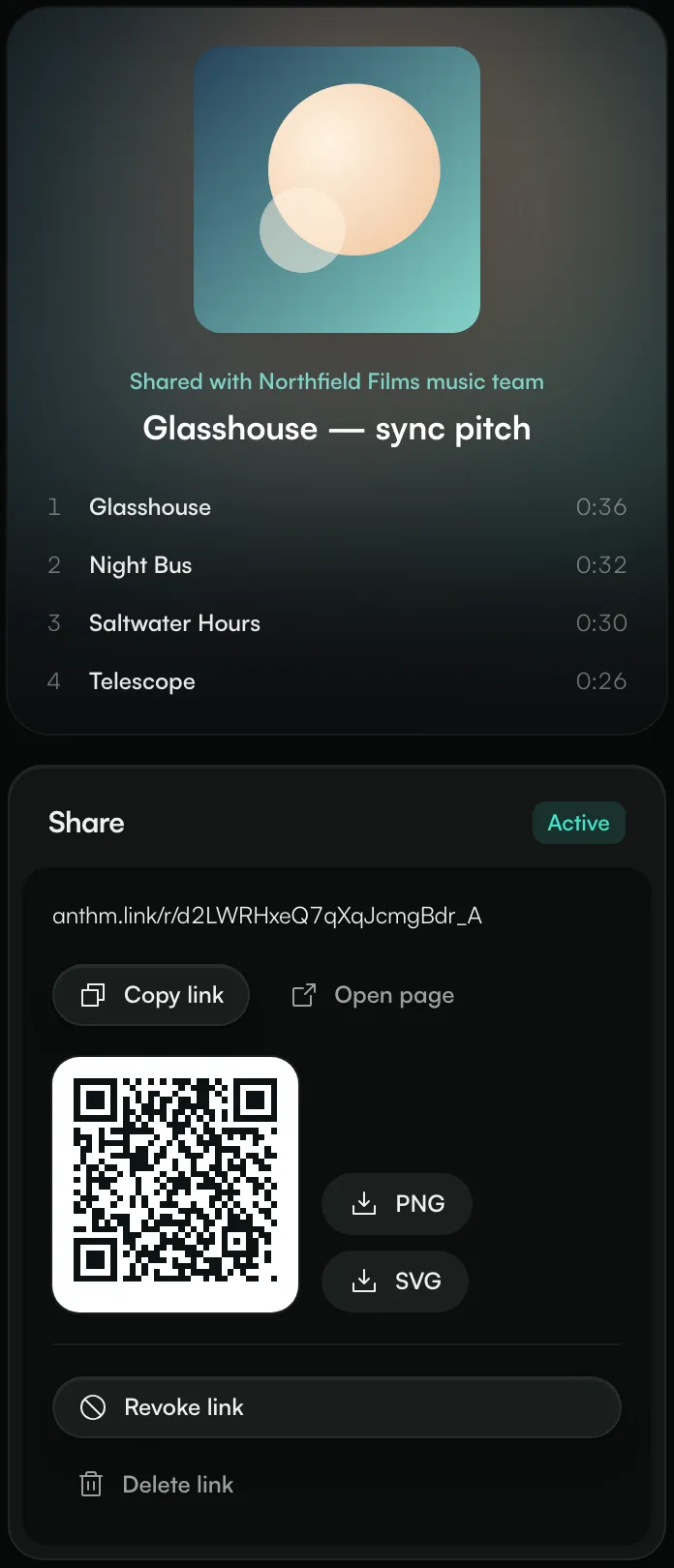
Revoke link turns the link off straight away: "Link revoked. Nobody can open it now." You can turn it back on later. Delete link removes the link and its stats.
What the person you send it to sees
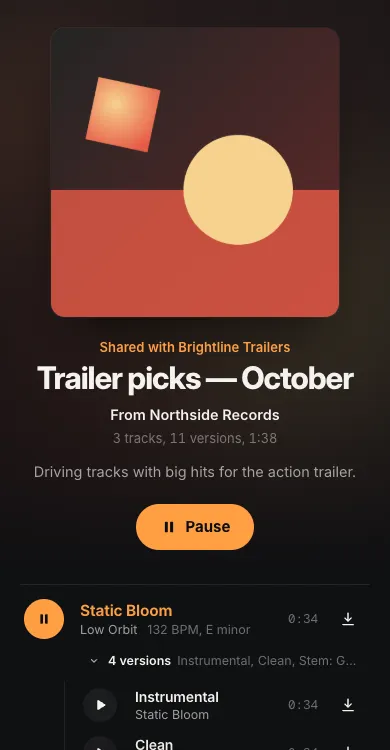
They see your cover, the title, "Shared with …" and the tracks, and can play everything on the page. If you turned them on, they're asked for the password or for their name and email first, and can download the files.
See who listened
Open a link and click Listening stats to see Listeners, Minutes listened, Average per play and Downloads, with plays for each track and a list of listeners. People who didn't enter a name show as "Anonymous listener".
Stats in the Sharing menu shows the same across all your links: views, plays, listeners, minutes listened and downloads, plus your top tracks, top links and recent listeners.
Receive music in your inbox
Inbox gives you one public page at anthm.link/send/your-name where anyone can send you a track.
- Go to Inbox.
- Pick an Address, and write a Heading and Instructions saying what you're looking for.
- Click Turn on inbox.
- Click Copy inbox link and share it in your bio or on your site.
People send audio files up to 100 MB each, with their name, email, a message and up to five links. Each person can send up to 10 tracks an hour. Turn off Taking submissions to close the page.
Submissions arrive in your Inbox, where you can play them, Star them, Archive them or Save to catalog. A track saved to your catalog keeps the sender's name and email in its notes.
Common questions
Can someone forward my link?
Yes, anyone with the link can open it while it's active. Turn on Password or Ask for name and email to control or see who listens, and Revoke link when you're done.
Do downloads include stems?
When Allow downloads is on, each track and each version or stem on the link gets a download button.
Need help?
Send us a message from the chat on this page, or email team@ammdistro.com.
Related: Link in bio · Fans: your fan list · Collabs: work with creators directly
Updated on: 23/10/2026
Thank you!