Search TikTok sounds
Sound search finds TikTok sounds by song, artist or sound name, the same way the Sounds search works in the TikTok app. Use it to find every version of a song on TikTok, including fan uploads, sped-up edits and the official release, and open any of them in Pulse.
Search for a sound
- In the left menu, open All apps and choose Sound search.
- Type a song title, artist name or phrase from a sound, for example "night bus juniper vale".
- Click Search sounds.
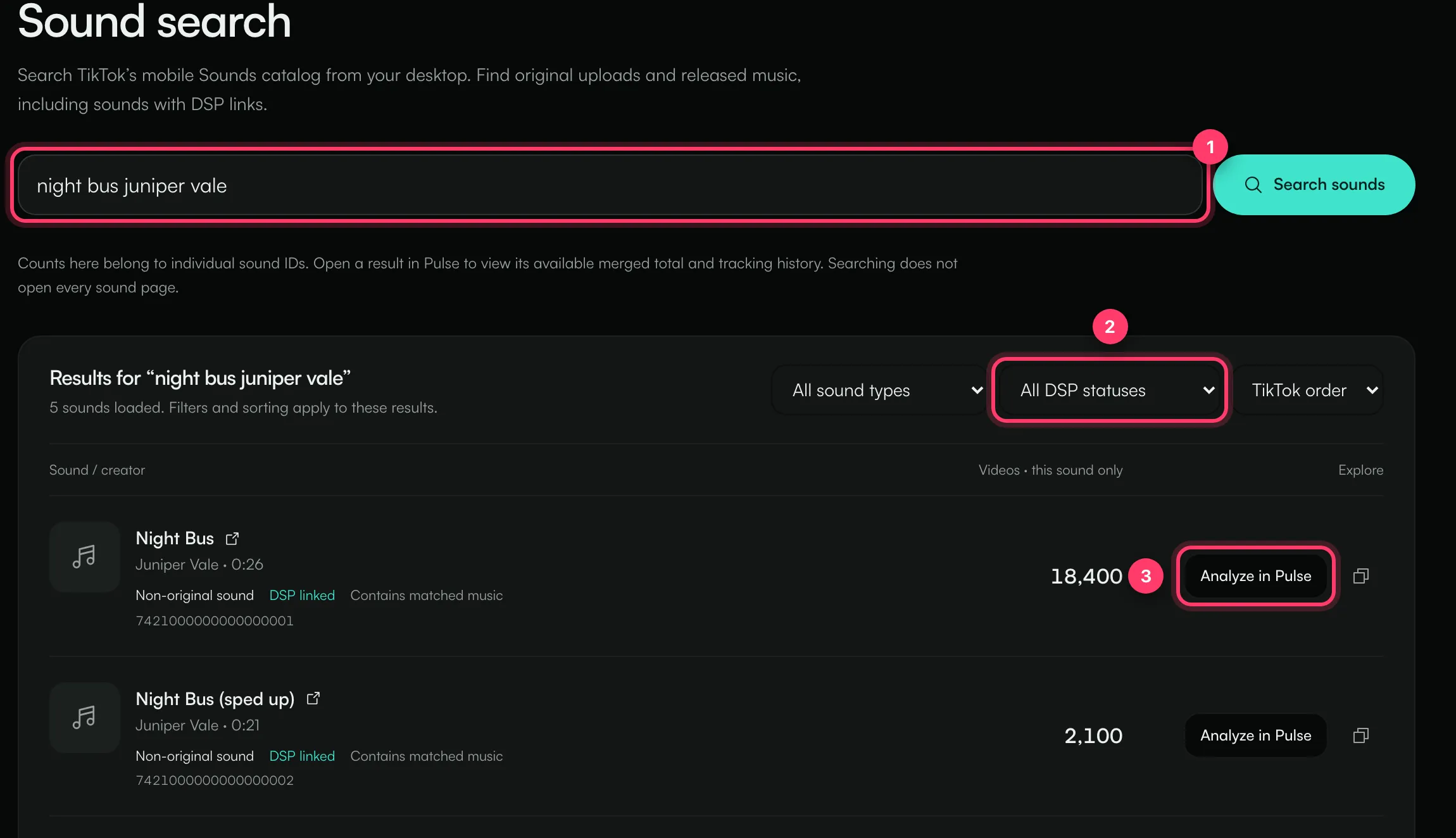
Searching can take a moment. You'll see "Searching TikTok for…" while it runs. Searching doesn't use a Pulse scan.
Read the results
Each row shows:
- The sound's title (click it to open the sound on TikTok) and who uploaded it, with its length.
- Original sound (uploaded by a creator) or Non-original sound (released music).
- DSP linked when TikTok links the sound to the song on streaming services, or No DSP link returned.
- Contains matched music when TikTok has matched the audio to a released song.
- The number of videos on that one sound.
Filter and sort
- All sound types / Original sounds / Non-original sounds
- All DSP statuses / DSP linked / No DSP link returned
- TikTok order or Most videos
Filters apply to the results already loaded. Click Load more sounds at the bottom to load more.
Next steps
- Click Analyze in Pulse to scan a sound and see its full data and trend. This uses a TikTok scan.
- Click the copy icon to copy the sound's link.
Common questions
Why are the counts lower than in the TikTok app?
Each count belongs to one sound. TikTok's app can add up videos across all the sounds for a song. Open a result in Pulse to see a combined total where one is available.
Why do I get different results each time?
Results come from TikTok and can vary over time and by region. The results are a sample, not a complete list of every sound.
I don't see Sound search in my menu
It's available on plans that include Pulse.
Related: Read a TikTok sound scan · Scan a Spotify or TikTok link · Daily scan limits
Updated on: 23/10/2026
Thank you!