Read a Spotify track scan
A Spotify track scan shows who released the song, how it's identified, who's credited, how it's streaming and where it can be played. Here's what each part means.
The top cards
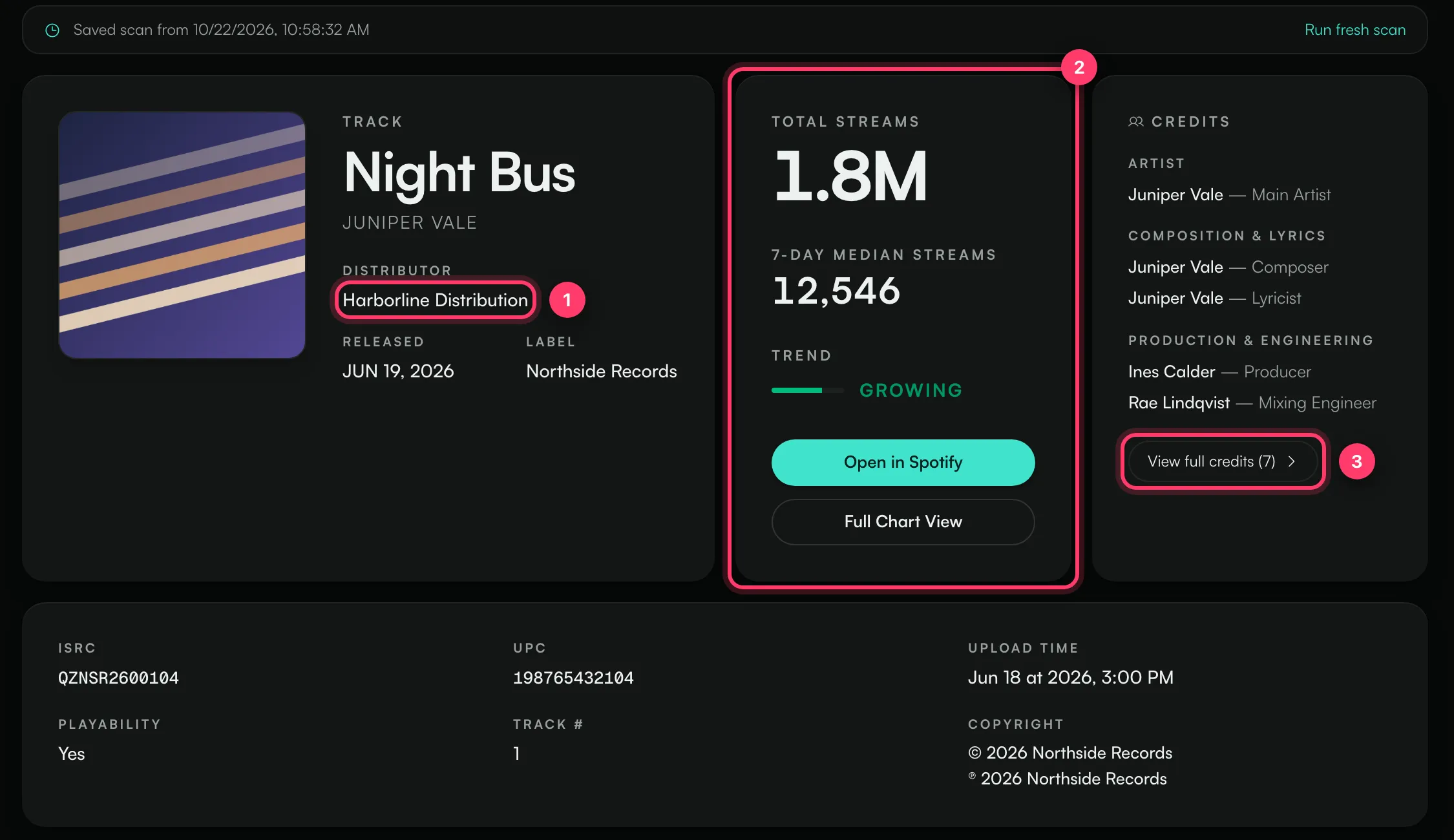
- Track card: the title, the artist, the Distributor (the company that delivered the song to stores), the Released date and the Label name.
- Total streams: the all-time Spotify play count.
- 7-day median streams: the typical number of streams per day over the last week. A median is used so that one unusual day doesn't skew it.
- Trend: whether daily streams are growing or falling.
- Open in Spotify opens the track. Full Chart View opens a larger chart of daily streams.
- Credits: the main artist, songwriters, producers and engineers as listed on Spotify. Click View full credits for the full list.
Identifiers and details
- ISRC: the code that identifies this recording. It's the same in every store.
- UPC: the code that identifies the release (single, EP or album) the track is on.
- Upload time: the upload date Spotify has on record for the release.
- Playability: whether the track can be played on Spotify.
- Track #: the track's position on the release.
- Copyright: the © line (artwork and packaging) and the ℗ line (the recording).
References & Identifiers
A list of every ID for the track, album and artist. Click Copy to copy a value, URL to copy the web link or URI to copy the Spotify URI. Other releases shows how many other releases use the same recording; click View to see them.
Territory coverage
How many markets the track can be played in, for example 184 / 196. The region cards (Americas, Europe, Africa, Asia, Oceania) show the count per region. Click View countries to see the list by country. A song missing from many markets can point to a delivery or rights restriction.
Linked TikTok sounds
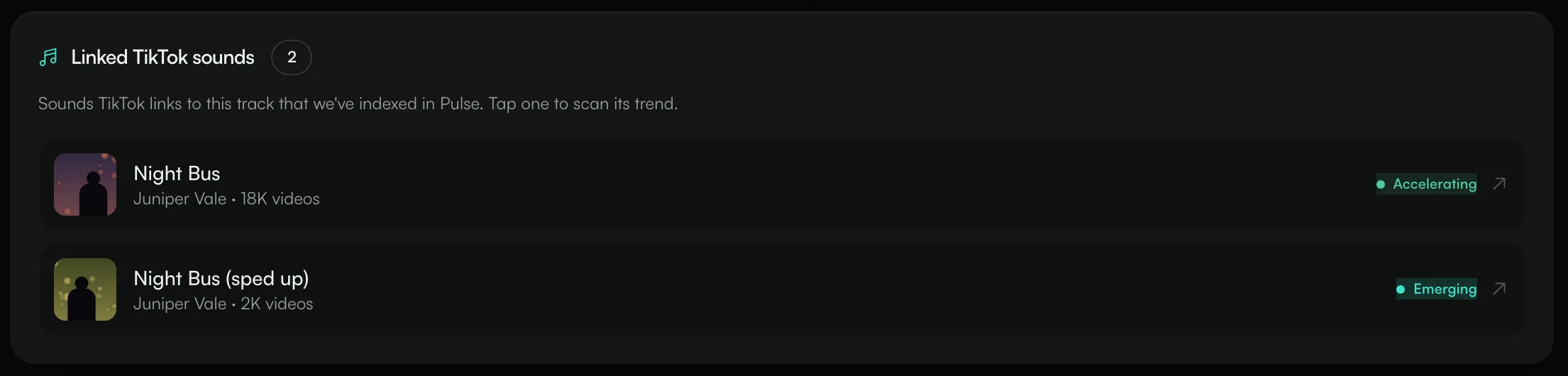
If TikTok sounds that point to this song are already in Pulse, they're listed here with their video count and stage (for example Accelerating or Emerging). Click one to open its TikTok scan. This section doesn't use a scan credit, and it only appears when at least one linked sound exists.
Common questions
The distributor isn't who I expected
Pulse shows the distributor that Spotify lists for the release. If a song was re-released or moved between distributors, the older and newer releases can show different names. Check Other releases.
Why is the stream count different from my own dashboard?
Pulse shows the public Spotify play count at the time of the scan. Your distributor reports come later and can count differently. Run a fresh scan for the latest public number.
Related: Scan a Spotify or TikTok link · Read a TikTok sound scan · Share a scan
Updated on: 23/10/2026
Thank you!