Share a scan
You can send anyone a link to a Pulse scan, even if they don't have an ANTHM account. They see that exact scan as it was saved. The link expires after 24 or 48 hours, whichever you choose.
Create a share link
- Open the scan in Pulse. It can be a new scan or one from Recent scans.
- Click Share at the top, next to Search.
- Choose Expires in 24 hours or Expires in 48 hours.
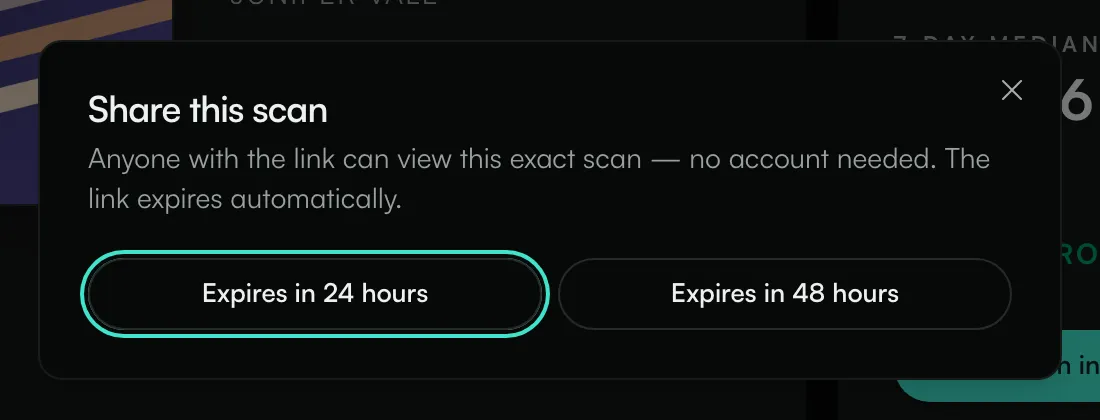
The link is copied to your clipboard and you'll see when it expires. Paste it into an email, a message or a document.
What the other person sees
The link opens a read-only page marked "Scanned with ANTHM Pulse" with the same results you saw, from the date of the scan. They can't run new scans from it.
After the expiry time, the page shows "This share link has expired". Make a new link if they still need it.
Common questions
Can I make a link that doesn't expire?
No. Share links last 24 or 48 hours at most. To keep a scan for yourself, use its address in your browser; your saved scans stay in Recent scans.
Does sharing use a scan credit?
No. Sharing a saved scan is free.
Will they see newer numbers if I re-scan?
The link shows the scan you shared. If you run a fresh scan and want them to see it, share the new scan.
Related: Scan a Spotify or TikTok link · Read a Spotify track scan · Read a TikTok sound scan
Updated on: 23/10/2026
Thank you!