AI video analysis
AI video analysis watches the top videos on a TikTok sound, or a single TikTok video, and tells you what's happening in them, why they work, who they're for and which video formats are carrying the sound. It's part of Pulse and is available on plans that include it.
Analyze a sound's top videos
- Scan a TikTok sound in Pulse (see "Scan a Spotify or TikTok link").
- Scroll to AI Video Analysis.
- Click Analyze top 12. If the sound was analyzed before, the button says Re-run AI analysis and the saved analysis is shown below it.
- Confirm the credits in the dialog and click Proceed.
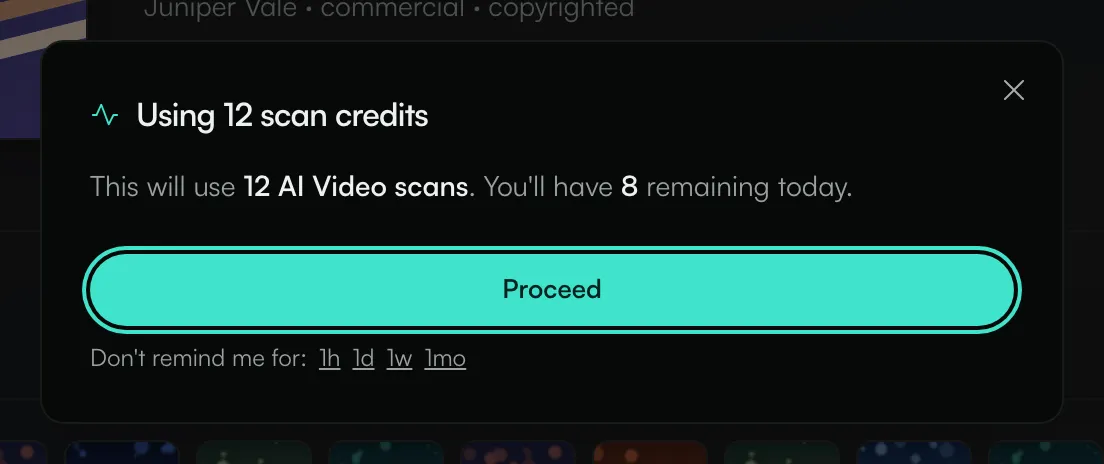
The dialog tells you how many AI video credits the analysis will use and how many you'll have left today. Each analyzed video uses one credit. If you don't want to see this dialog every time, click 1h, 1d, 1w or 1mo next to "Don't remind me for:".
Results appear as each video is processed.
Analyze one video
Scan a TikTok video link. In the AI Video Analysis section, click Analyze. The button shows how many credits you have left today. This uses one credit.
What the analysis shows
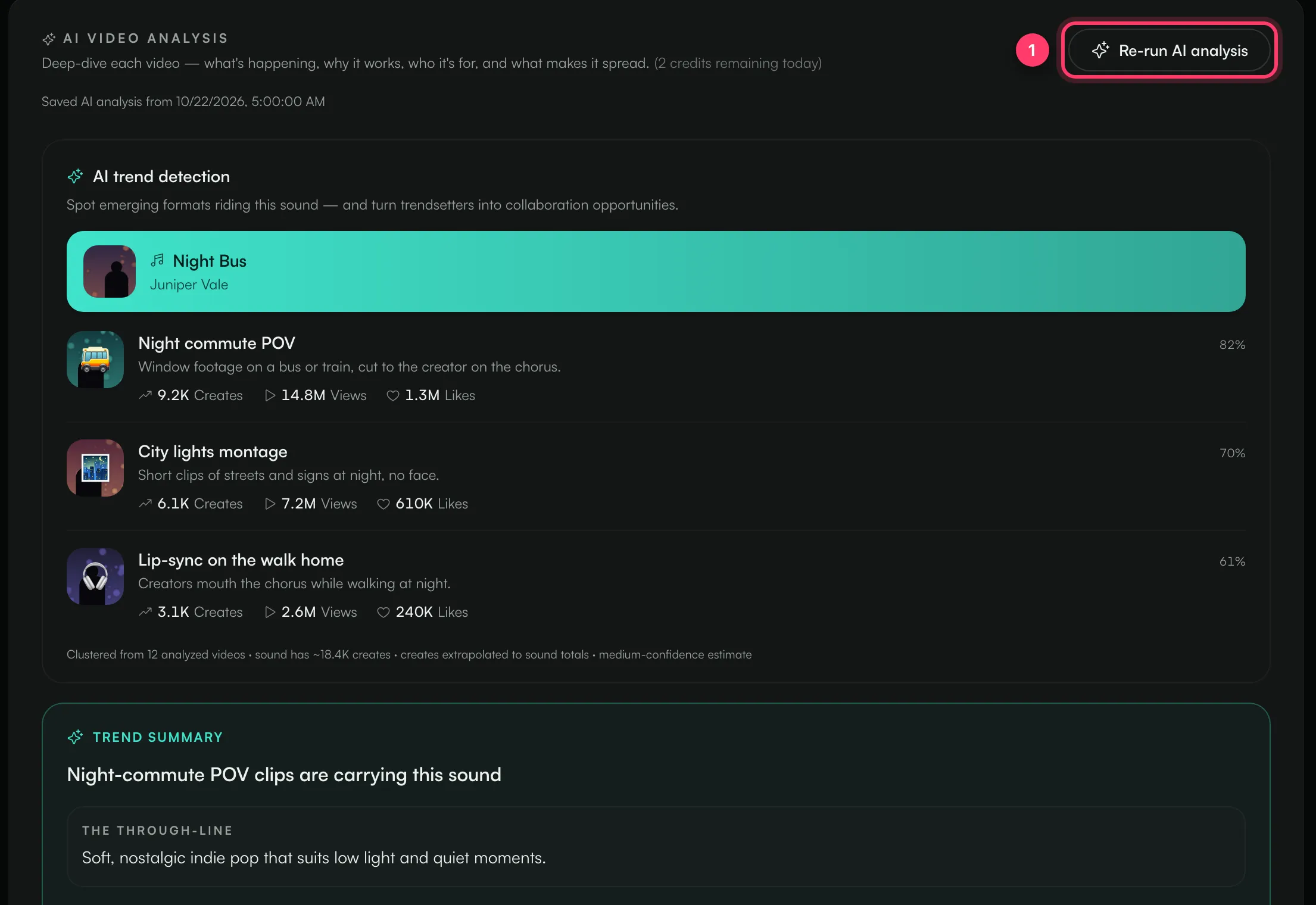
- AI trend detection: the video formats riding the sound, for example "Night commute POV", with a short description, an estimate of how many videos, views and likes each format accounts for, and a match percentage.
- Trend summary: one line on what's carrying the sound, then The through-line, Music genre, Content formats, Audience, Why it works and an Opportunity you can use in a creator brief.
- Audio analysis: the tempo, vocals and hook of the song.
- Per-video cards: each analyzed video with its views, likes, format and mood. Click View details for the full breakdown.
The analysis is saved with the scan. Opening the scan later shows "Saved AI analysis from" and the date, and doesn't use credits.
The estimates under AI trend detection are based on the sample of analyzed videos, scaled up to the sound's total. They're a guide, not exact counts. The line under the list says how confident the estimate is.
Common questions
The Analyze button is greyed out
Hover over it. "AI video analysis is not available on your current plan" means your plan doesn't include it. If you've used today's credits, wait until they reset at midnight UTC.
How many AI credits do I get?
It depends on your plan. You'll find yours in Settings under ANTHM Service, as AI video / day.
Does it work on Spotify links?
No. AI video analysis works on TikTok sounds and videos.
Related: Read a TikTok sound scan · Daily scan limits · Your plan and what's included
Updated on: 23/10/2026
Thank you!