Upload project files and stems
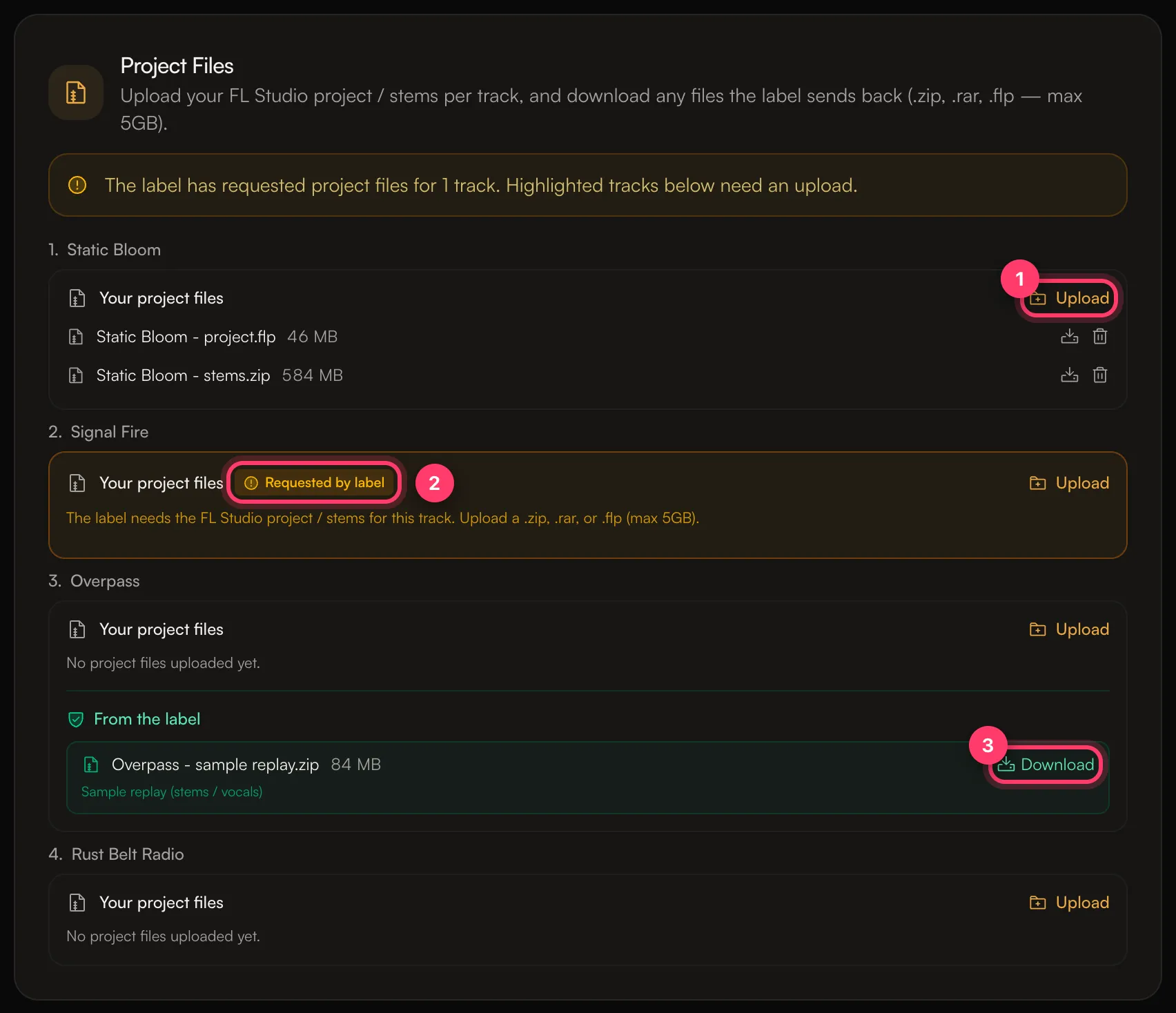
You can attach your project files and stems to each track of a release, in the Project Files card on the release's Overview tab. The label can ask you for them, and can send files back to you there too, such as a sample replay or a revised project.
Upload files for a track
- Open Releases and click the release.
- On the Overview tab, scroll to Project Files. Each track has its own Your project files box.
- Click Upload next to the track and choose your file.
Accepted files: .zip, .rar, .7z, .flp (FL Studio) and .als (Ableton Live), up to 5 GB each.
.zip file per track. If your project uses samples or plugins, include the samples in the zip so the project opens on another computer.You can upload more than one file per track. To remove a file, click the delete icon next to it and confirm.
When the label asks for files
If the label needs your files, the card says "The label has requested project files for N tracks. Highlighted tracks below need an upload." The tracks that need files are marked Requested by label. You'll also see Upload requested project files under Needs you on your Home page.
Upload a file for each highlighted track, as above.
Files the label sends you
Files from the label appear under From the label on the track, with a short description such as Sample replay (stems / vocals) or Revised project.
- Click Download.
- The first time, read the usage terms under Before you download. These files may contain content owned by AMM Ventures, LLC, and you may use them only to revise and complete this release.
- Tick I understand and agree. I will not share or reproduce any content owned by AMM Ventures, LLC.
- Click Agree & download.
Error messages
- Unsupported file type: the file isn't one of the accepted types. Zip it and upload the
.zip. - File too large – Project files must be 5GB or smaller.: split the stems into more than one zip, or compress them.
- That file is already attached to a different track.: the same file is already on another track of this release. Attach it to one track only.
Common questions
Do project files go to the stores?
No. They're kept with the release for you and the label. The stores only get the audio you uploaded in the builder.
Related: Audio requirements · A tour of your dashboard
Updated on: 23/10/2026
Thank you!