Spotify for Artists numbers in AMM Distro
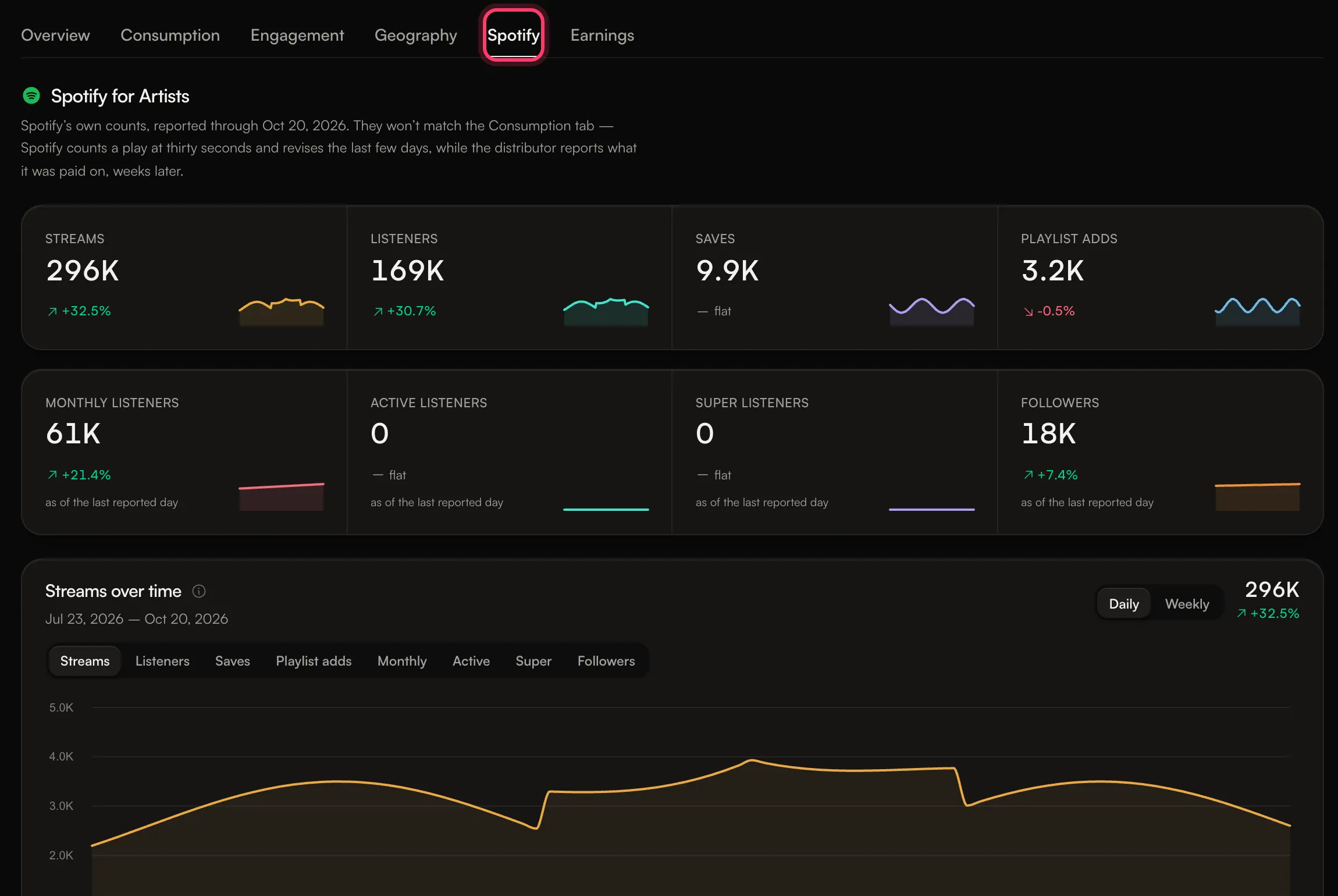
The Spotify tab on the Analytics page shows Spotify's own counts from Spotify for Artists: streams, listeners, saves, playlist adds, monthly listeners and followers. These numbers are kept on their own tab and are never added to the store numbers on the other tabs.
Where to find it
Go to Analytics and click the Spotify tab. It follows the date range you pick at the top of the page (7d, 30d, 90d or 12m).
What's on the tab
- Headline numbers: streams, listeners, saves and playlist adds for the range, plus monthly listeners and followers as of the last reported day.
- Streams over time: switch between Streams, Listeners, Saves, Playlist adds, Monthly, Active, Super and Followers, daily or weekly.
- Catalog: your tracks on Spotify, with total streams since release and each track's biggest day.
- Where they're listening: top countries and top cities. Cities are counted separately, so they don't add up to the country totals beside them.
- Playlists: plays from playlists that people picked your track for, and from algorithmic placements, in the range.
- Milestones: updated nightly.
If your account has more than one linked artist, each artist's monthly listeners and followers show at the top.
Why it's separate from your store numbers
The tab explains it: Spotify's own counts won't match the Consumption tab. Spotify counts a play at thirty seconds and revises the last few days, while store reports show what was paid on, weeks later. Adding the two together would count the same plays twice, so AMM Distro always shows them apart. The mobile app does the same with its All stores and Spotify toggle.
Your earnings are based on store reports, not on these numbers.
If the tab is empty
You may see one of these:
- "None of your artist profiles are linked to Spotify for Artists yet." Add the artist's Spotify profile link under Settings → Artists. Data shows after the next nightly update picks it up.
- "Your artists are linked. Spotify data is still loading." Check back the next day.
If the tab is still empty a few days after you've added the link, contact support.
Common questions
Why are listeners and saves missing for some periods?
Spotify doesn't provide every number for every range. When a number isn't available for the range you picked, it isn't shown.
Why did yesterday's number change?
Spotify revises the last few days of data. Numbers for the most recent days can move a little after they first appear.
Do I still need my own Spotify for Artists access?
Yes, for anything you do in Spotify for Artists itself, such as pitching a song to Spotify's editors, editing your profile or checking real-time stats. This tab is a read-only view.
Related: Read your analytics · Why don't my streams match my earnings? · Manage your artist profiles
Updated on: 23/10/2026
Thank you!