Studio plans and limits
Studio has three levels: Free, Pro and Unlimited. Every style and every effect is on every level. Paying buys more renders, bigger files and no watermark. Renders and lyric detections reset on the 1st of each month.
To see your level and what you've used, open Studio and click the Plan tab.
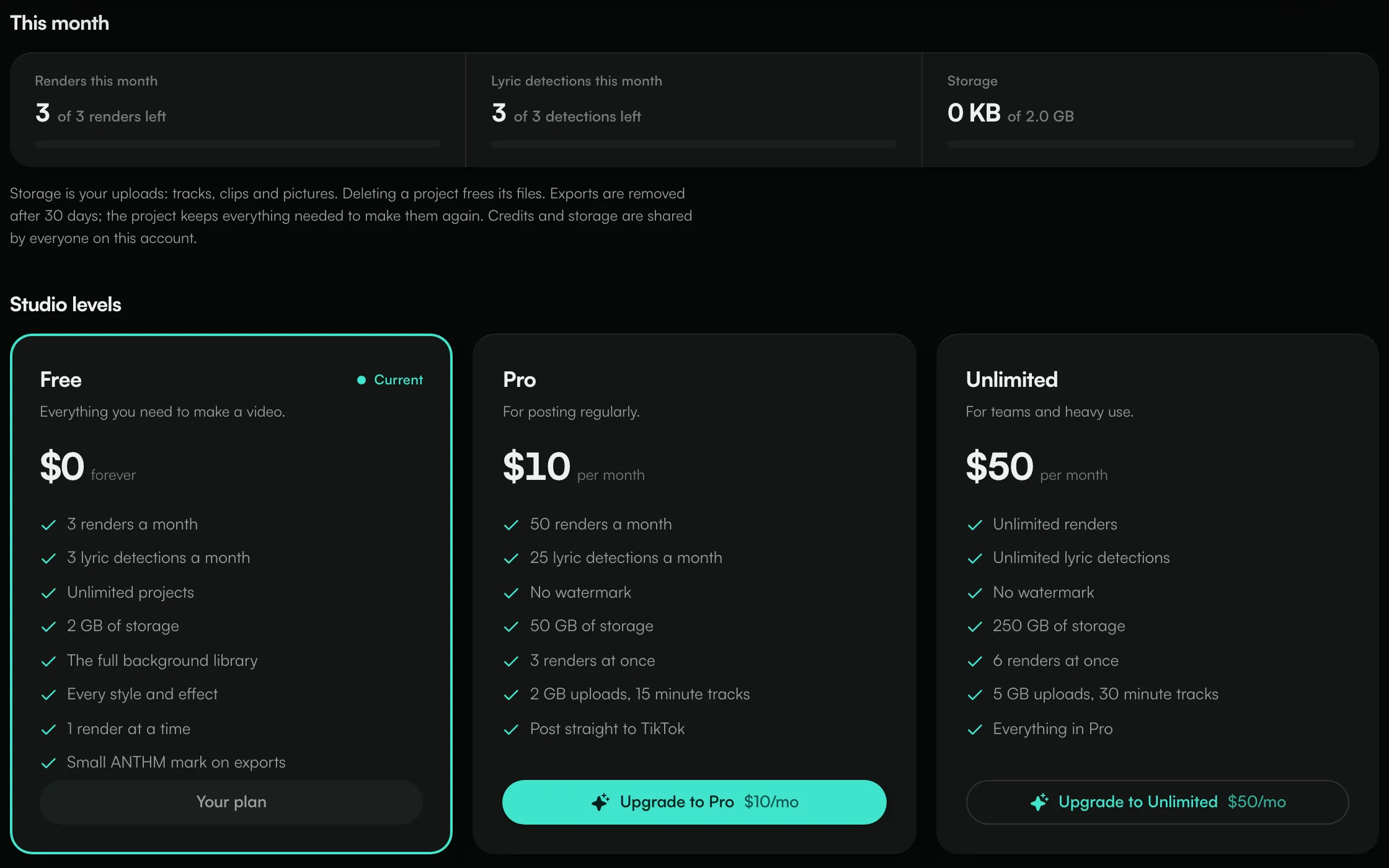
Compare the levels
Free | Pro | Unlimited | |
|---|---|---|---|
Price | $0, forever | $10 per month | $50 per month |
Renders | 3 a month | 50 a month | Unlimited |
Lyric detections | 3 a month | 25 a month | Unlimited |
Storage | 2 GB | 50 GB | 250 GB |
Renders at once | 1 | 3 | 6 |
Largest upload | 100 MB | 2 GB | 5 GB |
Longest track | 10 minutes | 15 minutes | 30 minutes |
Watermark | Small ANTHM mark on exports | No watermark | No watermark |
Projects | Unlimited | Unlimited | Unlimited |
Pro also lists Post straight to TikTok. Unlimited includes everything in Pro, and lets you render five versions of a video at once.
What counts against your limits
- Renders: each video you render in the cloud uses one render. Rendering the exact same video again is free, and a render that fails gives its credit back.
- Lyric detections: each time Studio listens to your track to write the lyrics uses one detection. Searching for lyrics, importing a lyrics file and pasting your own words are free.
- Storage: your uploads: tracks, clips and pictures. Deleting a project frees its files.
Exports are removed after 30 days. The project keeps everything needed to make them again.
Renders, detections and storage are shared by everyone on the account.
When you run out
If you use all of this month's renders or detections, you'll see "This month's renders are used" (or lyric detections). They come back at the start of next month. The message shows what you'd get with a higher level, with Compare plans and an upgrade button.
If an upload would go over your storage, delete a project you've finished with, or upgrade for more room.
Upgrade
- Open Studio → Plan.
- Click Upgrade to Pro or Upgrade to Unlimited.
- Pay on the secure checkout page.
When you come back, you'll see "Payment received. Your plan is switching over now". If it still says Free after a few seconds, refresh the page. If you leave the checkout, you'll see "Checkout cancelled. You were not charged."
Only account admins can buy or change a Studio level. Other team members see "Only account administrators can manage billing".
Change or cancel
If you already pay for a Studio level, the Plan tab shows Manage billing or Switch to [level]. Both open billing, where you can change your level, update your card or cancel. When a level is set to cancel, the Plan tab shows "Ends [date]." instead of "Renews [date]."
If a payment doesn't go through, the Plan tab says your subscription is past due. Update your card in billing to keep your level.
Studio included with your ANTHM plan
Some ANTHM plans include a Studio level. The Plan tab tells you where yours comes from: "Free with every ANTHM account.", "Included with your [plan] plan.", "Studio [level] add-on, billed monthly." or "Granted by the ANTHM team." If you also buy a Studio add-on, you get whichever level is higher.
Common questions
When do my renders reset?
On the 1st of each month.
Does unused credit roll over?
No. Each month starts again at your level's limits.
Need help with billing?
Send us a message from the chat on this page, or email team@ammdistro.com.
Related: Make a lyric video · Post a video to TikTok from Studio · Billing and your subscription
Updated on: 23/10/2026
Thank you!