Post a video to TikTok from Studio
Once a Studio video has finished rendering, you can send it straight to TikTok without downloading and re-uploading it. You can post it right away or send it to your TikTok drafts to finish in the app. Nothing is ever published until you press Post.
Connect your TikTok account
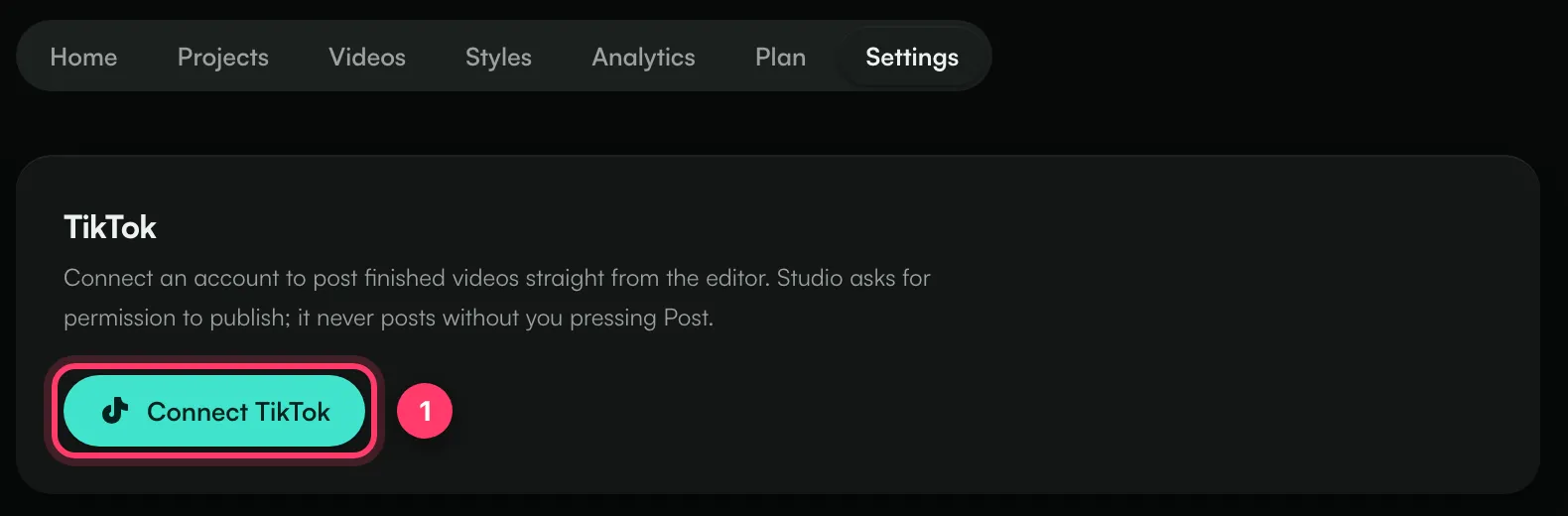
- Open Studio and click the Settings tab.
- Under TikTok, click Connect TikTok.
- Sign in to TikTok and allow the permissions it asks for.
You'll see "TikTok connected as [your name]". You can also connect from the post dialog the first time you click TikTok on a video.
If TikTok only gave permission to upload drafts and not to post, videos go to your TikTok drafts. To post directly, click Reconnect and allow posting when TikTok asks. Disconnect removes the connection.
Post a video
- Open the project and render the video. See "Make a lyric video".
- When it says "Your video is ready", click TikTok.
- Choose Post now or Send to drafts.
- For Post now, write a caption (up to 2,200 characters; hashtags and @mentions work).
- Choose Who can watch: Everyone, Friends, Followers or Only you. You have to pick one.
- Under Allow, choose whether people can use Comments, Duet and Stitch. They start off. If your TikTok settings don't allow one, it's greyed out.
- If the video promotes a brand, product or service, tick the box and choose Your brand (you're promoting yourself or your own business) and/or Branded content (a paid partnership with another brand).
- Click Post or Send to TikTok.
By posting you agree to TikTok's Music Usage Confirmation, and for branded content its Branded Content Policy.
What happens next
- Post now: you'll see "Posted to TikTok". It may take a moment to appear on your profile.
- Send to drafts: you'll see "Sent to your TikTok drafts". Open TikTok and tap the notification in your inbox to finish the post. TikTok allows five drafts waiting at a time.
You can close the dialog while it sends; it finishes on TikTok's side. The Analytics tab in Studio lists your posts with their status: Published, Processing, In your TikTok inbox or Failed.
If something goes wrong
Message | What to do |
|---|---|
Your TikTok connection expired. Reconnect it. | Go to Studio → Settings and click Reconnect. |
You did not grant permission for this. Reconnect TikTok and allow it. | Reconnect and accept every permission TikTok asks for. |
This connection cannot post. Reconnect and allow posting when TikTok asks. | Reconnect and allow posting, or use Send to drafts. |
This video is longer than TikTok allows for this account. | Pick a shorter section and render again. |
Branded content cannot be posted privately. | Choose a Who can watch option other than Only you. |
TikTok rejected the post | Check the video and caption against TikTok's rules and try again, or send it to drafts and post from the app. |
Common questions
Can ANTHM post without me?
No. Studio only posts when you press Post or Send to TikTok for a video.
Can I see the views on posts I made from Studio?
No. The Studio Analytics tab shows each post's status, not its view count. Check views in the TikTok app.
Need help?
Send us a message from the chat on this page, or email team@ammdistro.com.
Related: Make a lyric video · Studio plans and limits
Updated on: 23/10/2026
Thank you!