Sign in to ANTHM
ANTHM doesn't use passwords. You enter your email, we send you a secure sign-in link, and you click it. The screen you started on signs you in automatically.
Sign in with an email link
- Go to anthm.tech and click Sign in.
- Enter your Email address and click Continue with email.
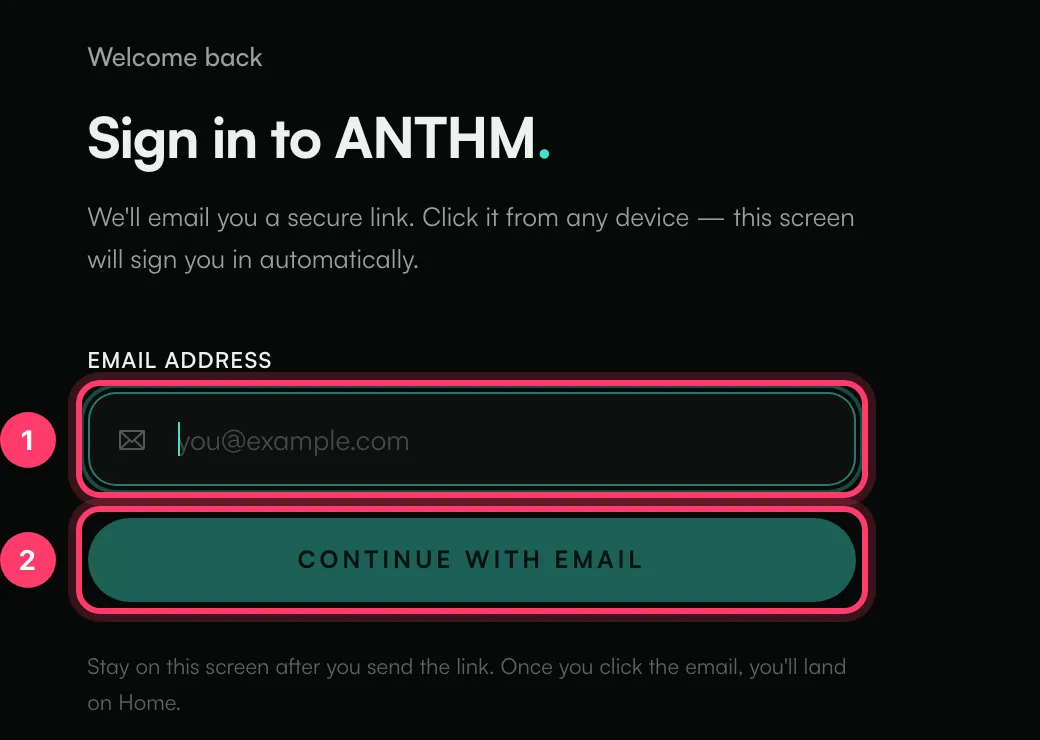
- The screen changes to Check your inbox. Leave it open.
- Open the email from us and click the link. You can open it on any device, for example your phone.
- Go back to the ANTHM screen. It signs you in and takes you to Home.
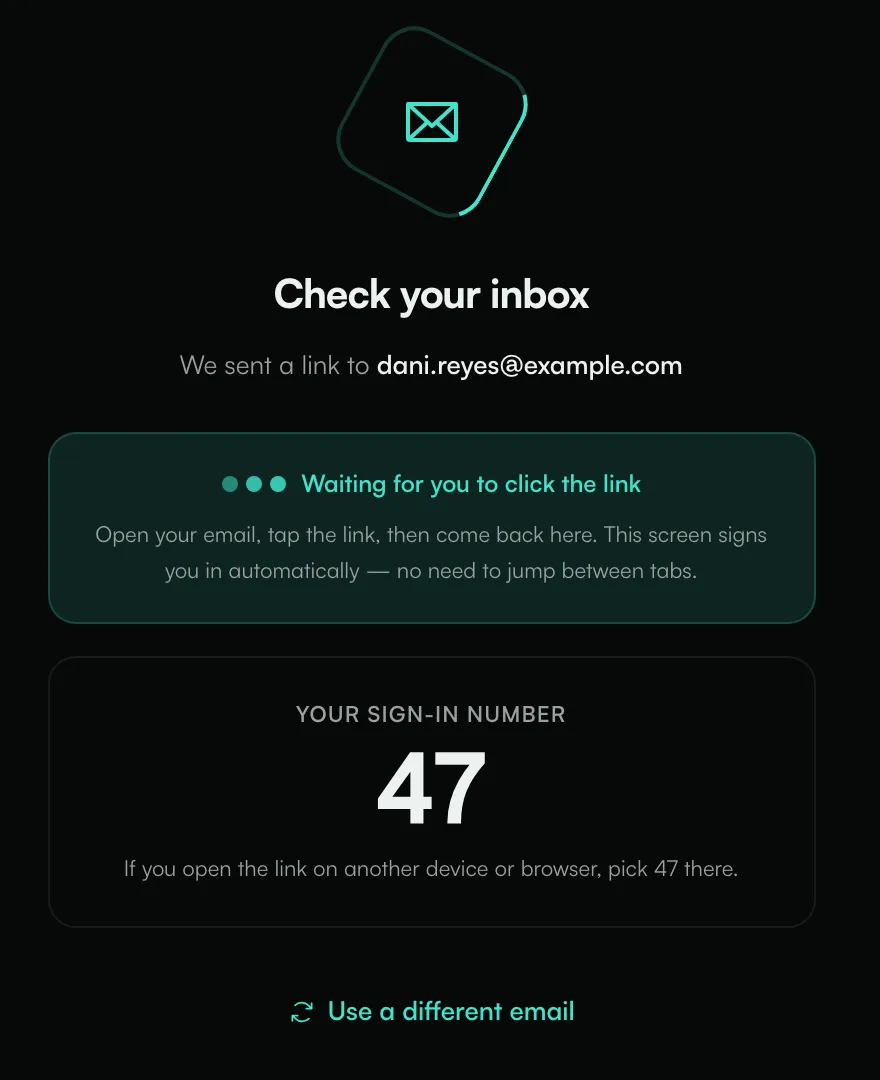
Your sign-in number
The Check your inbox screen shows Your sign-in number, a two-digit number. If you open the email link on a different device or browser, the link page asks you to pick a number. Pick the one shown on your first screen. This makes sure it's you signing in.
If you pick the wrong number, the sign-in is cancelled and nobody is signed in. Send a new link and try again.
If you open the link in the same browser, you won't be asked for the number.
If something goes wrong
What you see | What to do |
|---|---|
No email arrives | Check spam and promotions folders. Make sure you used the email your invitation was sent to. We only send links to emails that have an ANTHM account. |
The login link expired. Please request a new one. | Links expire. Click Use a different email or reload the page and send a new link. |
This link has expired or was already used. Request a new one. | Each link works once. Send a new one. |
This sign-in was cancelled on the device where the link was opened. | Someone picked the wrong number or cancelled. Send a new link. |
This browser didn't keep the sign-in request. | Your browser cleared the sign-in. Send a new link from the same browser and keep the tab open. |
To switch to another email address, click Use a different email.
Common questions
How long do I stay signed in?
On the web, you stay signed in for 7 days. After that, sign in again with a new link.
I was invited by email. How do I sign in the first time?
Open the invitation link. You'll see "You've been invited to ANTHM". Enter Your name, check the Email address, and click Accept & Continue. We'll email you a sign-in link.
Can I use a password instead?
No. ANTHM uses email links so there's no password to forget or leak.
I still can't get in
Send us a message from the chat on this page, or email team@ammdistro.com. Tell us the email you're using.
Related: Request access to ANTHM · What is ANTHM? · Your plan and what's included
Updated on: 23/10/2026
Thank you!